12
(PCS) Front Panel Parts Counting:
The minimum single piece weight for
(Z)SA model balance is 0.001 g
(Z)SP model balance is 0.01 g
(Z)SL model balance is 0.1 g
SG model balance is 1.0 g
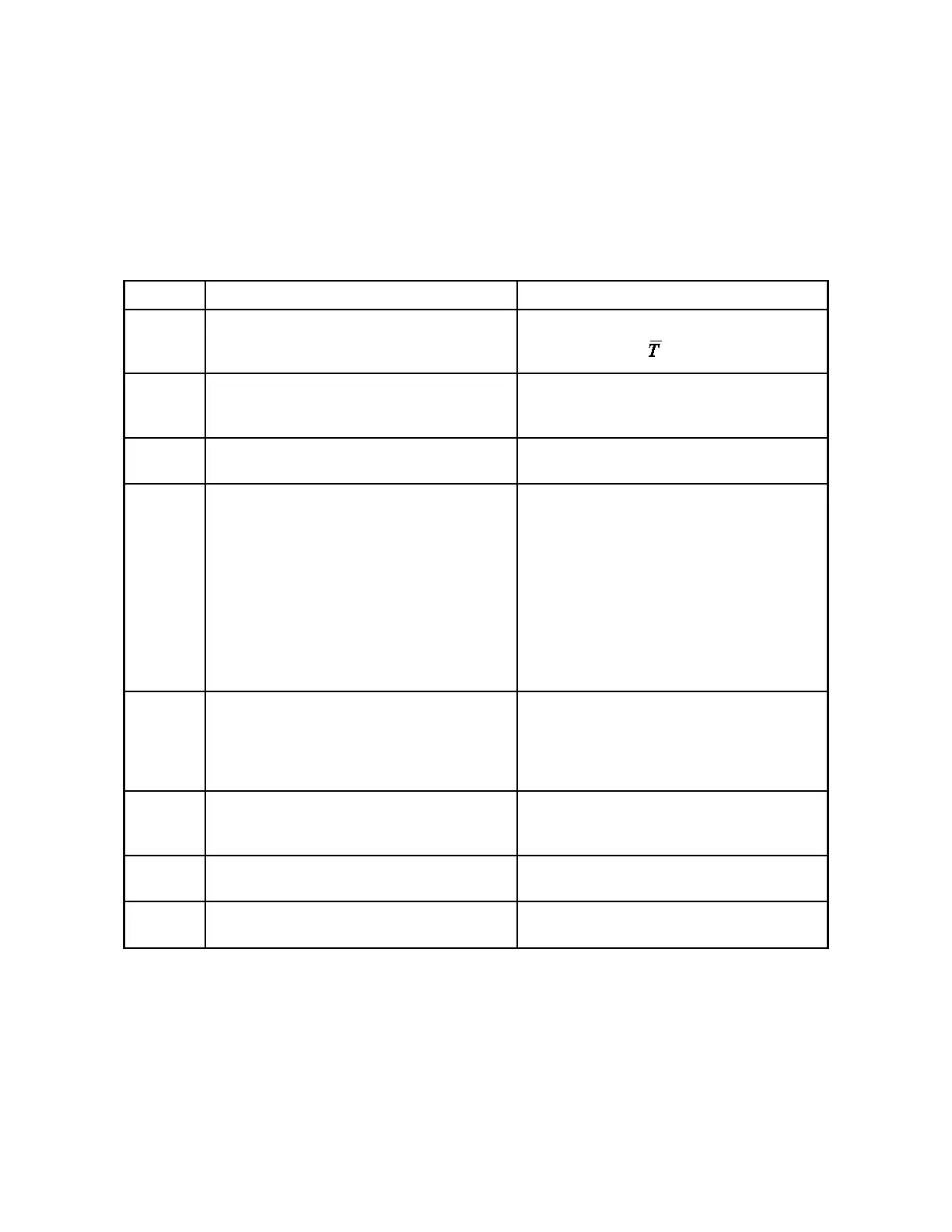
User Action Balance Response
1 Press the FUNCTION button (or MODE and
RANGE buttons simultaneously for dual range
models).
Display cycles repeatedly through PCS, HI-OK-
LO, CAL1, CAL2, , and %.
2 Press the MODE button when PCS appears on
the display.
PCS and 0 flash. This is a prompt to zero the
balance with the container that will hold the piec-
es on the weighing pan.
3 Place the empty container on the pan, wait 10
seconds, and then press the ZERO button.
PCS and 10 flash. This is a prompt to place 10
pieces in the container.
4 Place 10 pieces in the container, wait 10 seconds,
and then press the ZERO button.
PCS continues to flash and OK appears on the
display while a stable weight is obtained. Then
10.0, or something very near it, appears on the
display. The number of decimal places depends
on the weight. PCS continues to flash. This
prompts you that you may now increase the sam-
ple size in order to obtain a more statistical sig-
nificant sample which yields a more accurate
parts counting conversion factor. The decimal
places aid you in rounding the piece count cor-
rectly as the sample size increases.
5 If you want a larger sample size to be used in
computing the parts counting conversion factor,
add pieces (the balance will count them) until the
decimal part is near 0.7 or 0.3. Then press the
ZERO button.
The balance will round to the nearest whole
number but still show the decimal places. This
step may be repeated as many times as you de-
sire.
6 When you are satisfied the sample size is large
enough, press the ZERO button once again.
The balance rounds to the nearest whole number,
the decimal places disappear, and PCS lights
steadily.
7 When you wish to count something else, press
the MODE button.
You are now back at Step 2 with a flashing PCS
and 0.
8 If you want to exit the counting mode, press the
MODE button again.
You are now in the weighing mode you used just
before selecting the parts counting mode.
Parts Counting over the RS-232 port.
Parts counting is also available from the I/O using the SETPIECES <No. of pieces> <Total mass of pieces>
command.
Example:
SETPIECES 35 0.756[CR] Note the space between SETPIECES, 35 and 0.756
The balance responds with 0.0216 g / PIECE (The individual part weight) and has entered parts counting mode.
Placing parts on pan will display the total number of pieces.



 To Next Page