13
(HI-OK-LO) Check weighing / Process Control Limits:
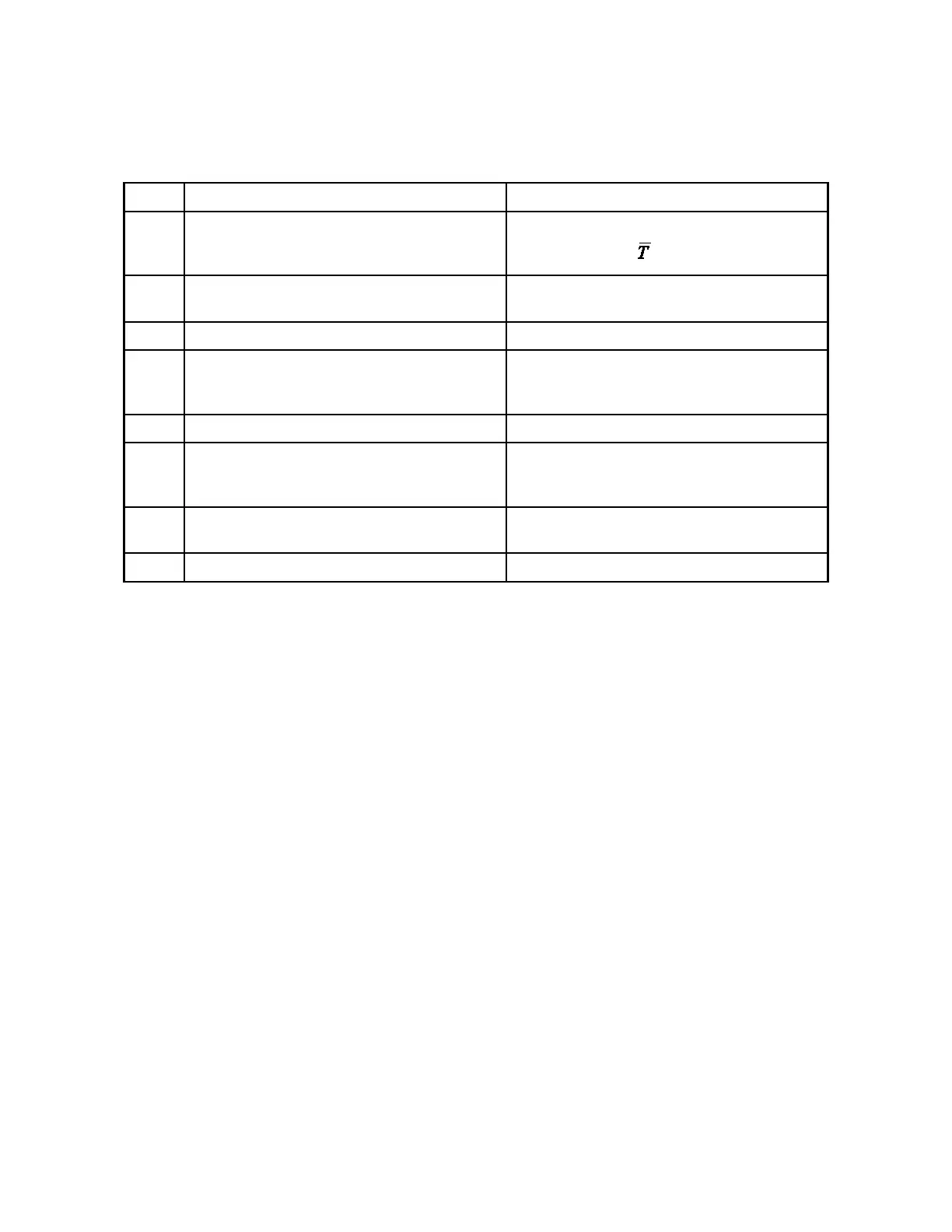
User Action Balance Response
1 Press the FUNCTION button (or MODE and
RANGE buttons simultaneously for dual range
models).
Display cycles repeatedly through PCS, HI-OK-
LO, CAL1, CAL2, , and %.
2 Press the MODE button when HI OK LO appears
on the display.
HI, LO and 0 flash.
3 Press the ZERO button. HI flashes and zero is displayed.
4 Place weight on the weighing pan which represents
the upper control limit of the acceptable weight
range.
HI flashes and the upper weight limit is displayed.
5 Press the ZERO button. LO flashes and the upper weight limit is displayed.
6 Remove the upper limit weight and place weight
on the weighing pan which represents the lower
control limit of the acceptable weight range.
LO flashes and the lower weight limit is displayed.
7 Press the ZERO button. HI OK LO briefly appears and then OK and the
lower weight limit are displayed.
8 Remove the lower limit weight. LO appears and zeros are displayed.
The balance is now ready to check weigh samples. The balance displays OK along with the weight of the sample
if the sample is within the acceptable weight range. If the sample is too heavy, HI and the weight are displayed. If
the sample is too light, LO and the weight are displayed. The weight limits are stored until the balance is turned
off.
To exit check weighing, press the MODE button. The balance then returns to normal operation.
Check weighing over the RS-232 port.
Check weighing is also available from the I/O using the SETCHKWGT <high limit> <low limit> command.
Example:
SETCHKWGT 137.556 135.2 ↵
places the balance in check weighing mode with the high limit set to 137.556 and the low limit set to 135.2
Note there is a space between SETCHKWGT and 137.556 and another space between 137.556 and 135.2
SETCHKWGT uses the current unit of measure. If the balance is in grams the <high limit> <low limit> num-
bers are expressed in grams as well.



 To Next Page