Scientific
PSD7303 30/42
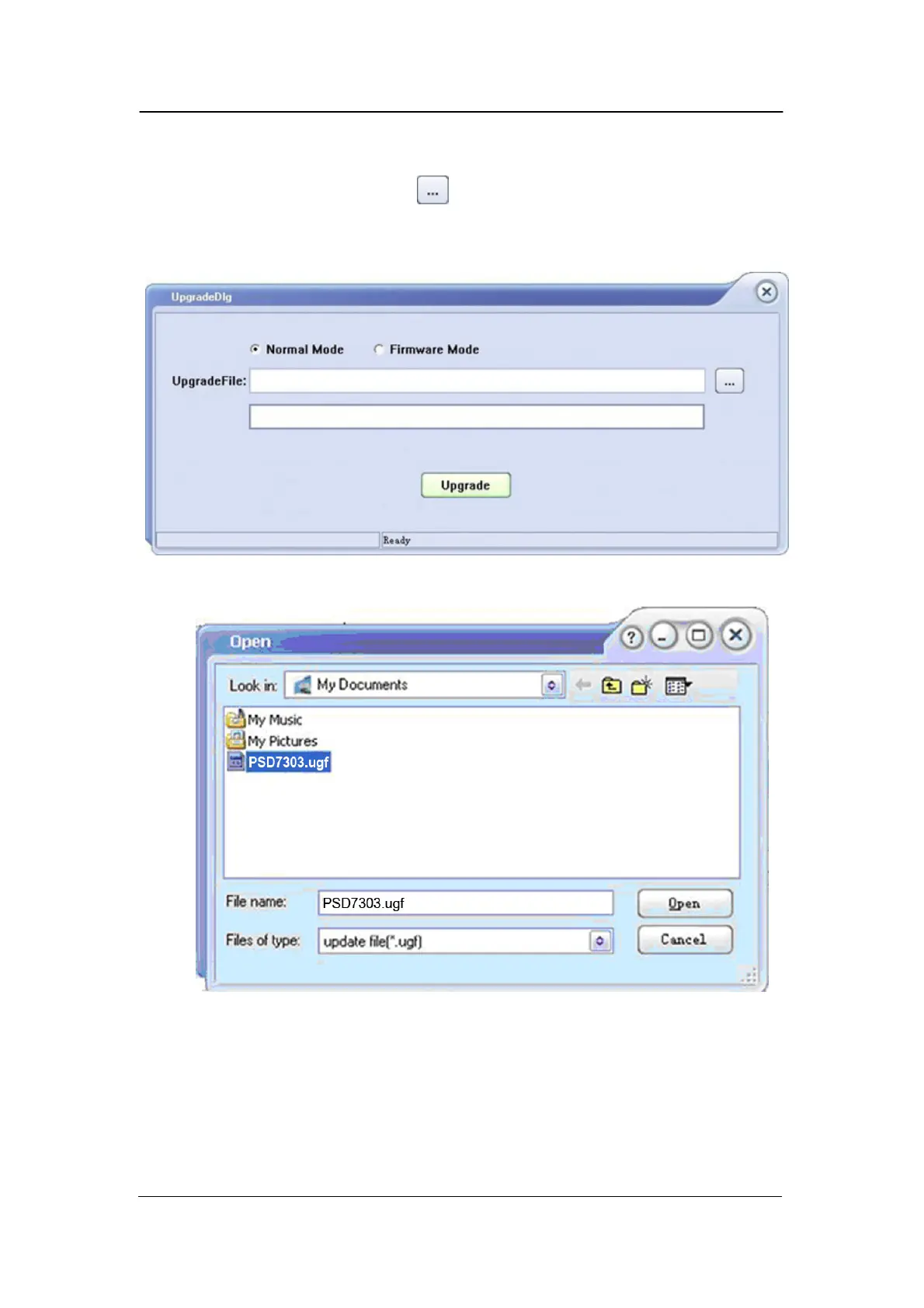
3. Figure 2 shows the firmware upgrade dialog. Choose “Normal Mode”
and click file choosing icon , a dialog will popup as it shows in figure
3 and then select the file to be upgraded which must have a postfix .ugf.
Figure 2
Figure 3
4. As it shows in figure 4, click Upgrade button to start
upgrading. The upgrade is finished when the progress bar
complete and the instrument will
run the version after upgrade.



 To Next Page