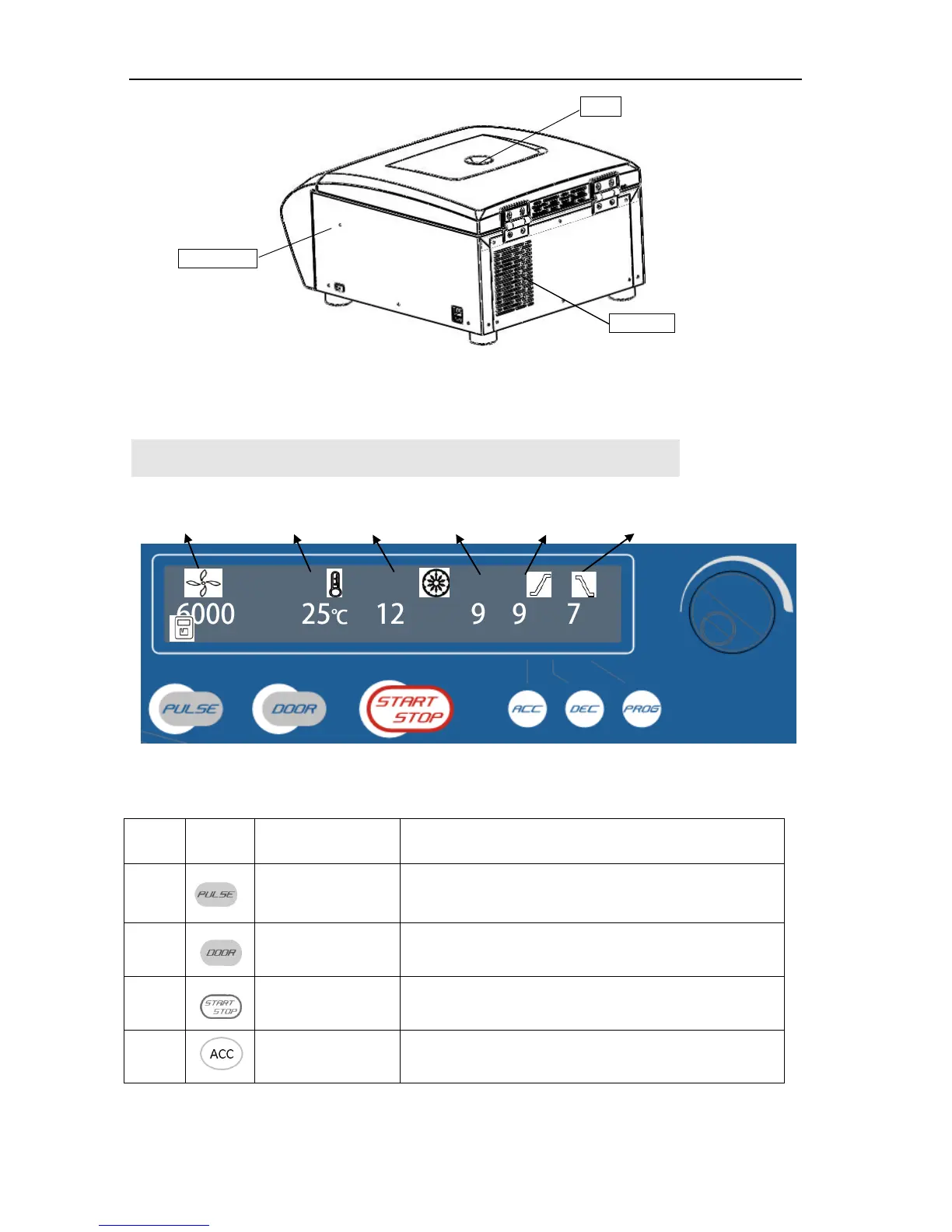
Figure 5.2 D1536 back view of the centrifuge
6. Operation panel
Figure 6-1 Operation Panel
When the door closed, press and hold the key to accelerate
running, release the key to stop it.
Press the key to open the door The key is not available
when the centrifuge is running.
Press the key to start running. The centrifuge will brake to
stop running if press the key during centrifugation.
Press the key to set the acceleration curve.
1: the slowest acceleration. 9: the fastest acceleration
Speed Temperature Time Acceleration Deceleration Memory


 To Next Page