imbalance is not exceeded.
7.4 Inspect the rotor
Check the rotor for corrosion or scratches before using.
CAUTION:
If any abnormality such as corrosions or scratches are found, stop using the rotor and contact our
service center.
Only manufacturer‟s rotors must be used with the unit.
7.5 Symmetrically load centrifuge tubes in rotor
CAUTION:
Make sure the rotor lid is securely fixed on the rotor, as well as the rotor and shaft are tightened.
Otherwise, the rotor may be moved off while rotating and cause damage of the centrifuge and rotor.
Firmly tighten the rotor door with rotor.
CAUTION:
Do not push or lean against the centrifuge while it is running.
Do not run the centrifuge when fragments or sample solutions are left in the centrifuge chamber.
Always keep the centrifugal chamber clean.
If the centrifuge makes strange noise during operation, stop it immediately and contact our service
center. Notify them of the warning code if displayed.
8.1 Normal Operation
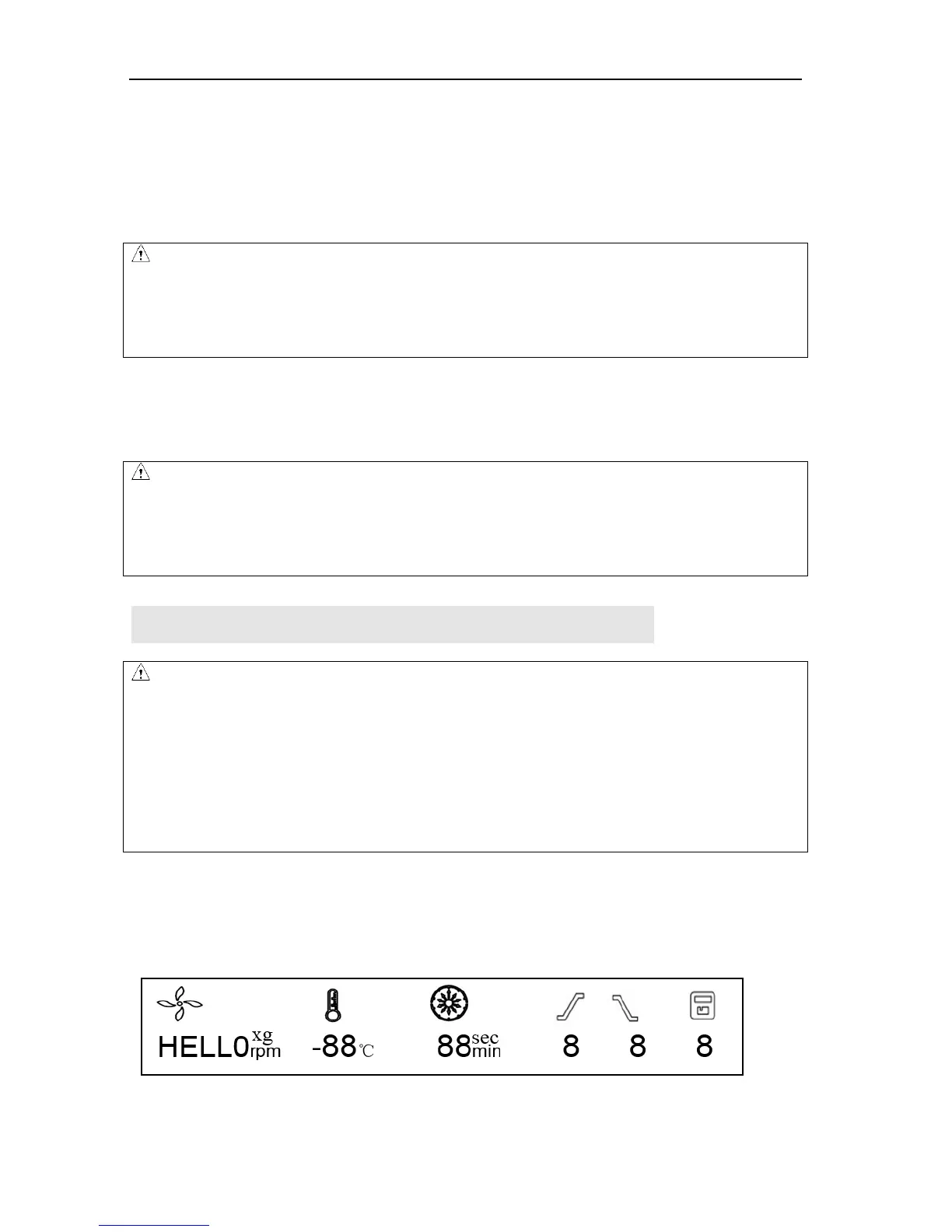
Turn on the power switch, centrifuge will start self-diagnostic checks, see figure 8-1 below:
Figure 8-1 Self-checking interface


 To Next Page