USER MANUAL
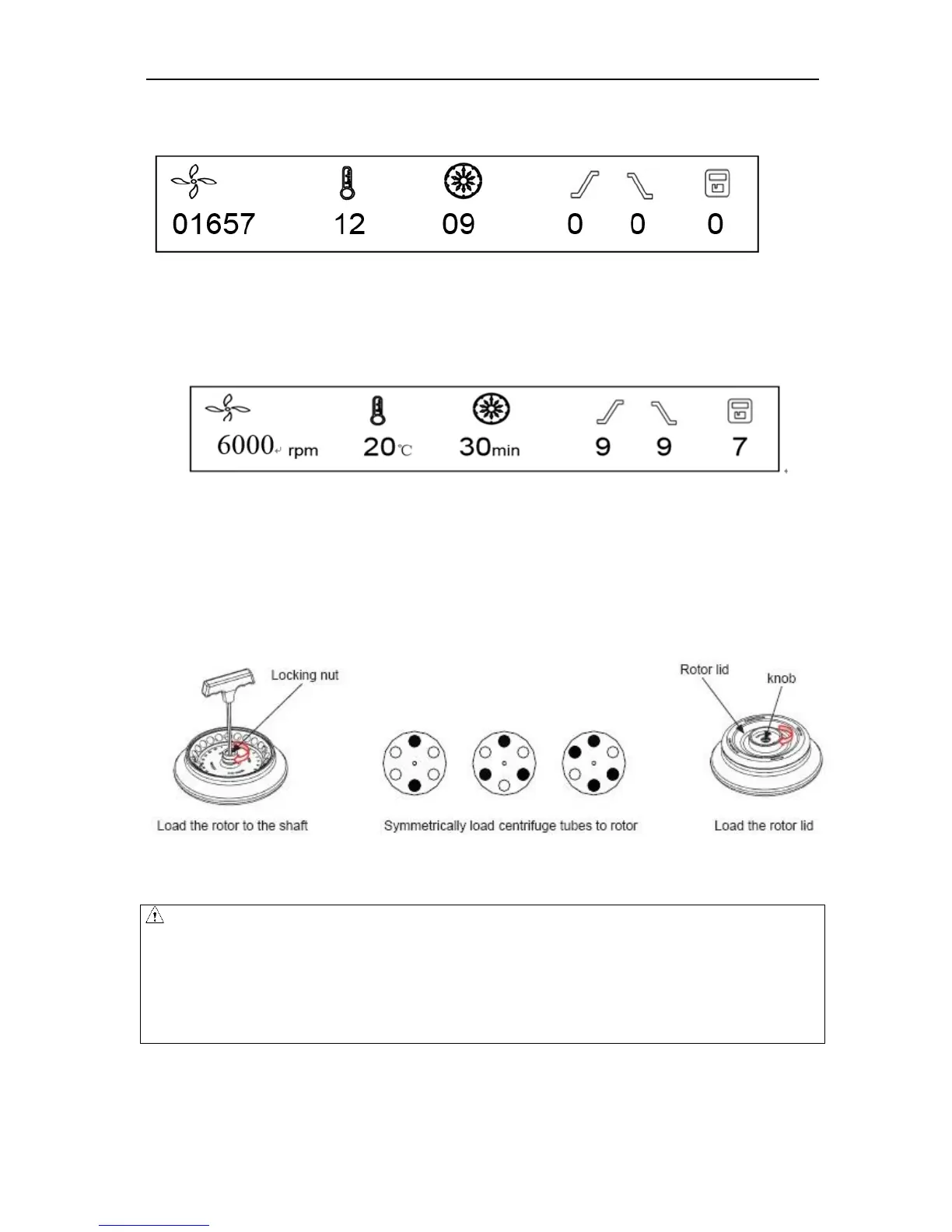
After self-checking, instrument will display accumulative running time, see figure below:
Figure 8-2 Accumulative running time interface
Figure 8-2 indicates the centrifuge has accumulated running time 1657 hours 12 minutes and 9 seconds, and
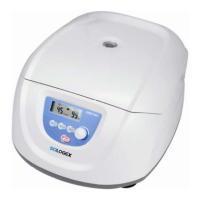
then the centrifuge displays the last running values, see figure 8-3 below:
Figure 8-3 Last running interface
Speed: 6000rpm. Running time: 30 minutes.
The door lock is released.
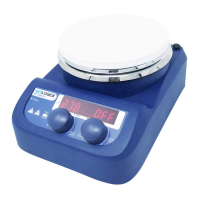
8.1.1 Load and replace the rotor
Figure 8-2 Load the rotor
CAUTION
Attach the rotor to the rotor shaft. Ensure the rotor is in position and connected with the shaft,
tightening the locking nut to secure the rotor with shaft, to prevent the rotor damaging the centrifuge.
Ensure the rotor lid is firmly tightened to the rotor.
Load the rotor to shaft to ensure rotor is in position until it connected with the shaft.
You should feel a „click‟ when the rotor is properly loaded to the shaft. If not, there may be something


 To Next Page