EasyManua.ls Logo

Scilogex DM0636 - User Manual

Scilogex DM0636
27 pages
Print Icon
To Next Page IconTo Next Page
Loading...
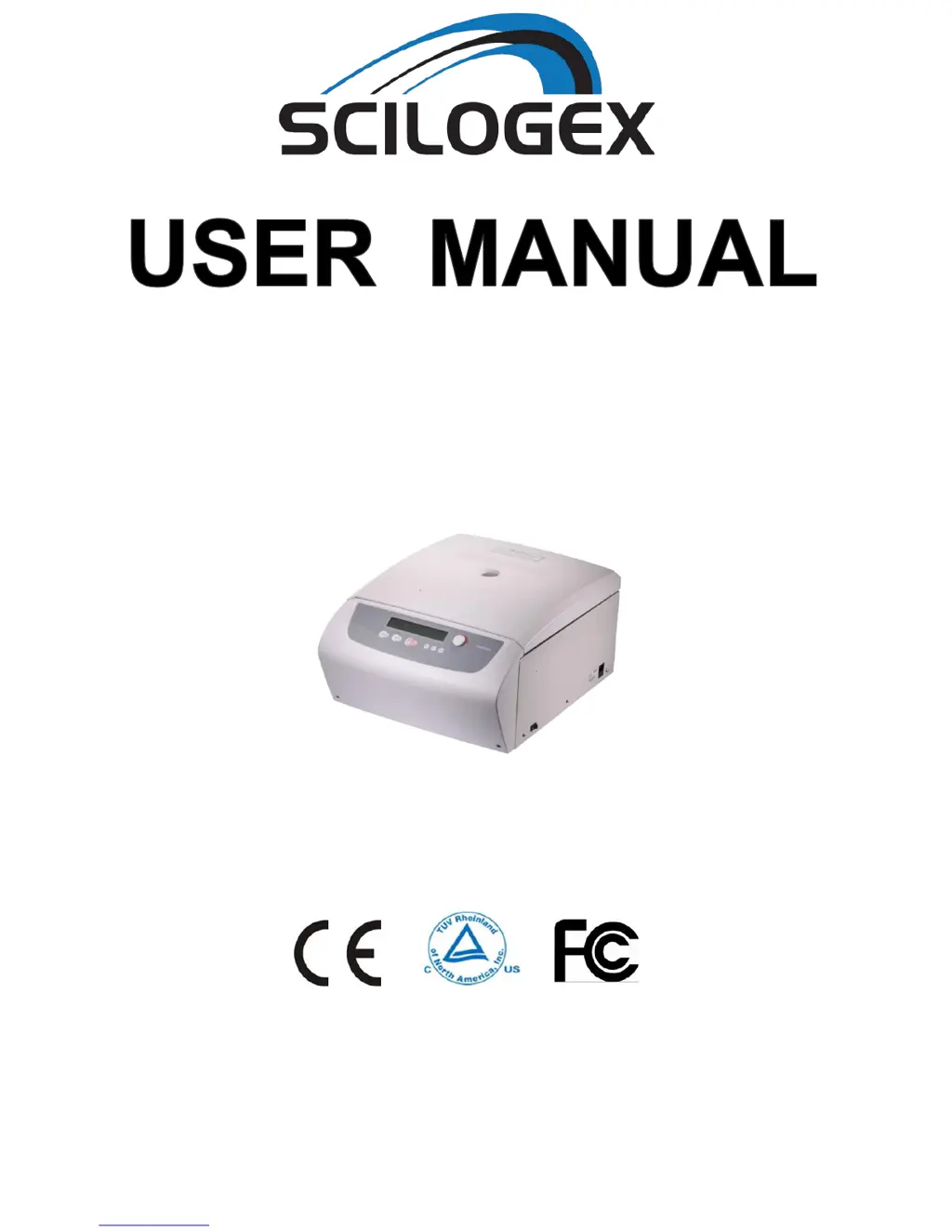
DM0636
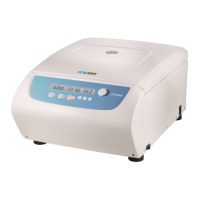
Multi-purpose Centrifuge
Before using centrifuge, please carefully read this user manual for its efficient operation and safety.

Questions and Answers

  • E
    Eric OrtizJul 31, 2025
    What to do if Scilogex DM0636 Laboratory Equipment shows error E-09 imbalance?
    • L
      louishammondJul 31, 2025
      If error code E-09 appears, indicating an imbalance, it means that the allowable imbalance has been exceeded or there is an issue within the drive system. To resolve this, balance the sample. If the problem persists, have the drive system checked by a professional.
  • V
    Valerie BarrAug 5, 2025
    Why does Scilogex DM0636 show error E-08 Chamber over hot?
    • J
      James SchaeferAug 5, 2025
      Error code E-08 indicates the chamber is overheating. This can occur if the air inlets are blocked or the cooling fan is damaged. Clean the air inlets. If the problem continues, replace the cooling fan.
  • O
    ojonesAug 9, 2025
    What to do if Scilogex Laboratory Equipment displays error E-06, indicating a wrong parameter?
    • G
      greenrebeccaAug 9, 2025
      Error code E-06 means that the set parameter exceeds the allowable range. To fix this, modify the parameter value to be within the correct range.
  • W
    William LindseyAug 14, 2025
    How to fix Scilogex DM0636 Laboratory Equipment when nothing appears on the screen?
    • D
      Diane NovakAug 14, 2025
      If nothing appears on the screen when you turn on the Scilogex Laboratory Equipment, it could be due to a tripped building power circuit breaker or a blown fuse. Remove the trouble and turn on the power. If it's a blown fuse, replace it.
  • J
    James SmithAug 18, 2025
    What to do if Scilogex DM0636 shows error E-02 Door fault?
    • D
      Deanna KerrAug 18, 2025
      Error code E-02 indicates a door fault, which can occur if the door is opened during operation or if a key is pressed while the door is opening. Close the door immediately. If that doesn't work, close the door and then start to operate the equipment.
  • E
    edward58Aug 22, 2025
    What does error E-03 ROTOR ID mean on Scilogex Laboratory Equipment?
    • J
      Jennifer ParsonsAug 22, 2025
      Error code E-03 means the centrifuge can't identify the rotor ID. Reconfirm the ID code of the rotor and make a correct selection.
  • F
    Frank MahoneyAug 27, 2025
    What does error E-04 Temp sensor fault mean for Scilogex DM0636 Laboratory Equipment?
    • P
      Patrick AdamsAug 27, 2025
      Error code E-04 indicates a temperature sensor fault. This could be due to a connection fault or a sensor fault. Reconnect the sensor. If that doesn't work, replace the temperature sensor.

Summary

Safety Reminder

Common safety precautions

General safety precautions and warnings for operating the centrifuge.

1. Specifications

2. Declaration of Conformity

3. Required Operational Condition

3.1 Basic operational Conditions

Specifies power, temperature, humidity, and environmental requirements for operation.

3.2 Transport and storage condition

Details the temperature and humidity conditions for transport and storage.

4. Installation

4.1 Location

Guidance on choosing a suitable and safe location for the centrifuge.

4.2 Connection of the power cord and grounding

Instructions on correctly connecting the power cord and ensuring proper grounding.

5. Structure

6. Operation panel

7. Rotor Preparation

7.1 Prepare the samples

Instructions on preparing samples before loading into tubes.

7.2 Inject the samples into tubes

Step-by-step guide for accurately filling centrifuge tubes.

7.3 Keep the tubes balance

Guidance on maintaining balance for optimal centrifuge performance and longevity.

7.4 Inspect the rotor

Procedure for checking the rotor for damage or corrosion before use.

7.5 Symmetrically load centrifuge tubes in rotor

Instructions on how to load tubes symmetrically into the rotor.

8. Operation

8.1 Normal Operation

Detailed steps for operating the centrifuge under normal conditions.

8.1.1 Load and replace the rotor

Instructions for installing and removing the centrifuge rotor.

8.1.2 Set the operation parameters

How to set speed, time, acceleration, and deceleration parameters.

8.1.4 Start the operation

Steps to initiate the centrifugation process.

8.1.5 End the operation

Procedures for stopping the centrifuge and safely opening the door.

8.2 RCF Operation

8.3 Pulse Operation

9. Maintenance

9.1 Cleaning

Guidelines for cleaning the centrifuge and its components.

9.2 Consumables

Lists replaceable wearing parts and recommended replacement conditions.

9.3 The replacement of rotor seal rings

Instructions for replacing worn-out rotor seal rings.

9.4 Routine inspection

Steps for performing regular inspections of the centrifuge.

10. Troubleshooting

10.1 Possible problems and solutions

Common issues, their causes, and solutions for the centrifuge.

10.2 How to open the door

Procedures for opening the centrifuge door during normal operation and power outages.

10.3 Replacement of fuses

Steps for replacing the internal fuses of the centrifuge.

11. Instructions of rotor and tube

11.1 The rotor instructions

Details on the structure and types of available rotors.

11.1.2 Available rotors and adapters

Information on various rotor types and their specifications.

11.1.3 Notice

Critical notices regarding sample density and rotor maintenance.

11.1.4 Autoclaving

Procedures and warnings related to autoclaving rotors and adapters.

11.1.5 Bio-safe seal ring

Information about the bio-safe seal rings and their maintenance.

11.2 Tubes

11.2.1 Cleaning and sterilizing tubes

Detailed methods for cleaning and sterilizing various types of centrifuge tubes.

11.2.2 Cleaning PC tubes

Specific cleaning instructions for PC (Polycarbonate) tubes.

11.2.3 Autoclaving PA PC and PP tubes

Guidelines for autoclaving different plastic tube materials (PA, PC, PP).

11.2.4 Condition and life expectancy of tubes

Information on the condition and expected lifespan of plastic centrifuge tubes.

12. Calculate Relative Centrifuge Force(RCF)

13. Ordering information

14. Warranty

14.1 Warranty of the centrifuge

Details the warranty period and conditions for the centrifuge unit.

14.2 Warranty of the rotor

Outlines the warranty terms and conditions specifically for the rotor.

15. After-sales Service

Scilogex DM0636 Specifications

General IconGeneral
BrandScilogex
ModelDM0636
CategoryLaboratory Equipment
LanguageEnglish

Related product manuals