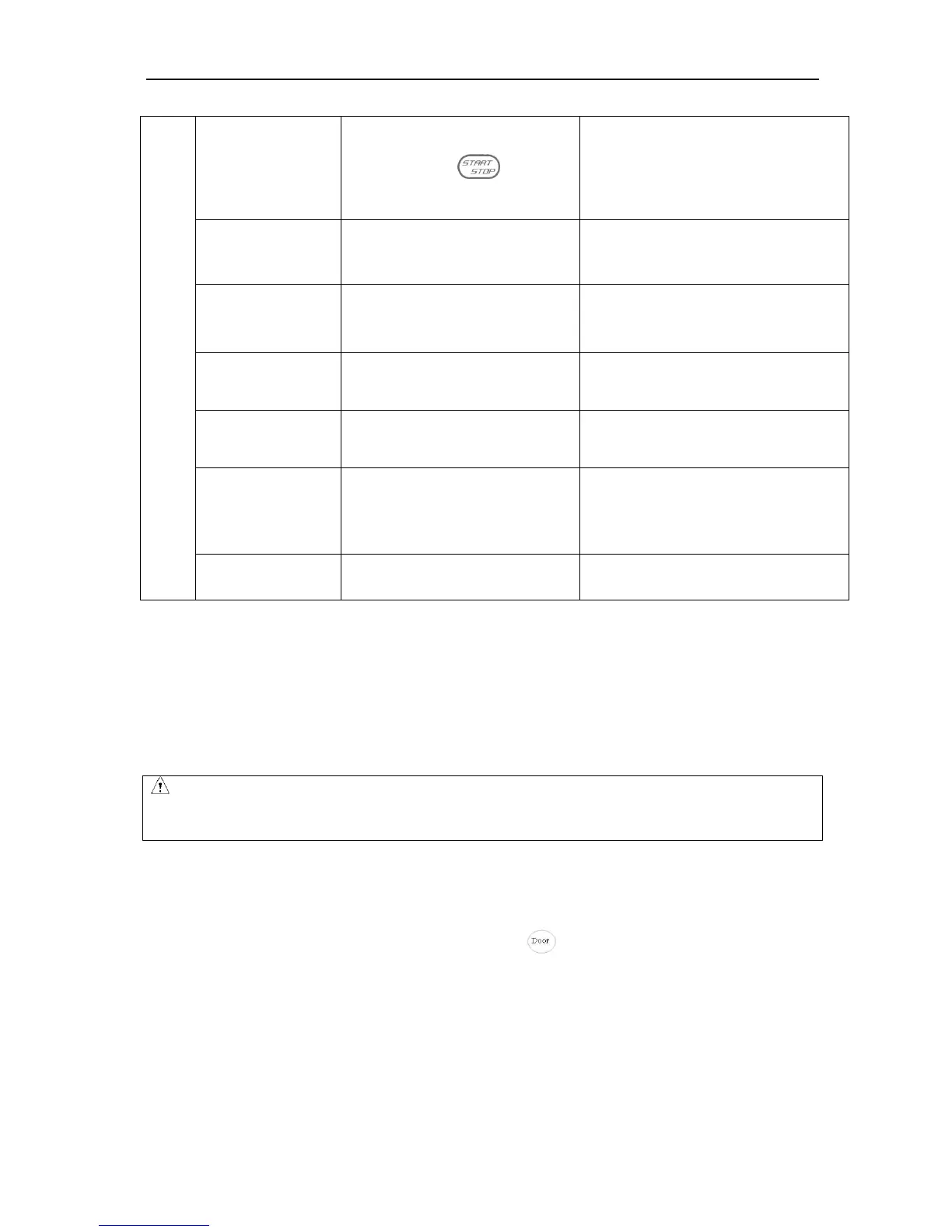
Error code appeared on the time display screen
·The door opened in running.
·Press the key while the
door opening.
·Close the door immediately.
·Close the door , and then start to
operate.
·The centrifuge can not identify the
rotor ID.
·Reconfirm the ID code of the rotor and
make a correct selection.
·the connection fault.
·the sensor fault.
·reconnect
·Replace temperature sensor
·The setting parameter exceed the
allowable range.
·Modify the parameter value.
·The air inlets are blocked.
·cooling fan is damaged.
·Clean air inlets.
·Replace the cooling fan.
· the allowable imbalance is
exceeded.
·some wrong in the drive system
·Balance the sample
·checked by professional person.
·Read the service manual.
·Contact with service center.
Table 10-1 Possible problems and solutions
10.2 How to open the door
10.2.1 In the case of power on
(1)Turn on the POWER switch, the door lock will release automatically.
(2)The door lock will release automatically once the operation finished.
(3)It is available to release the door by pressing key once the rotor stops.
10.2.2 In the case of power outage
The door cannot be opened automatically if there is a power outage. It is available to be opened manually.
(1)Ensure if the rotor has stopped rotating.
Listen carefully to ensure no rotating sound can be heard.
(2)Insert a screw driver into the hole to open the door.
CAUTION
The door just can be opened while the power on and rotor stops rotating.


 To Next Page