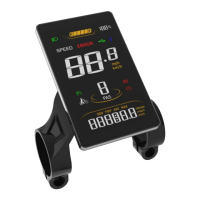
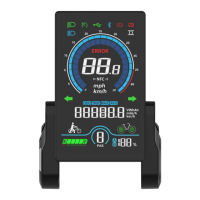
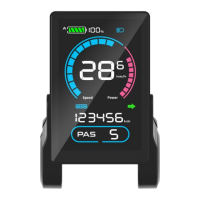
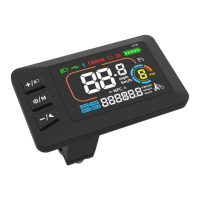
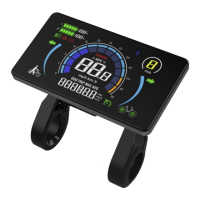
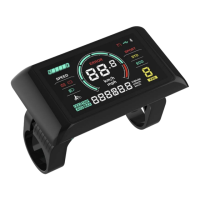
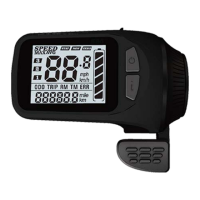
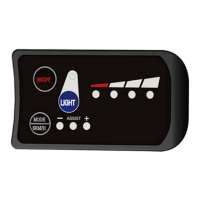
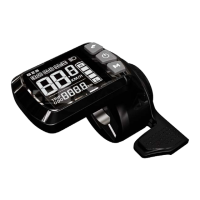
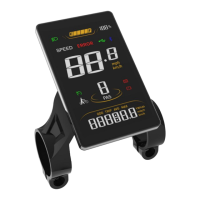
3.1 On/Off
Turn on the Display: When the display is off, press and hold the On/Off Key
to turn on the display, it will show boot interface and then enter riding
interface. (If boot password is activated, enter the boot password at start).
Turn off the Display: When the display is on, press and hold the On/Off
Key, the display will be turned off. If no operation is engaged for 10min
(0km/h), the display will be auto-off. Auto-off time can be set in the
Settings.
3.2 Assist Level
Press the Plus Key or Minus/Walk Assist Key to switch assist levels. There are
5 levels by default: 0/1/2/3/4/5. 0 means no assist power.
3.3 Toggle Displays
When the display is on, press the Info Key to toggle among ODO (total
range), Trip (single trip range), TIME (riding time) etc.
3.4 Light On/Off
Turn on the Front Light: when the front light is off, press the Light Key to
turn it on, and the light icon will be shown on the riding interface (to remove
this functions, please reconfigure the controller).
Turn off the Front Light: when the front light is on, press the Light Key to
turn it off, and the light icon will be off on the riding interface.
3.5 Walk Assist Mode
Engage Walk Assist Mode: On the riding interface, press and hold the
Minus/Walk Assist Key to enter walk assist mode. Hold the Minus/Walk Assist
Key to engage walk assist mode, the walk mode icon will be shown on the
riding interface, the real-time speed will be shown in the speed section.
Disengage Walk Assist Mode: release the Minus/Walk Assist Key to
disengage the walk assist mode, the icon will off on the riding interface.


 To Next Page