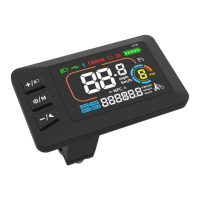
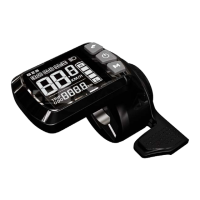
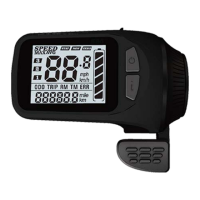
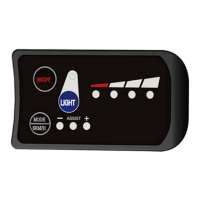
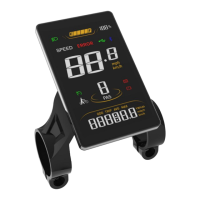
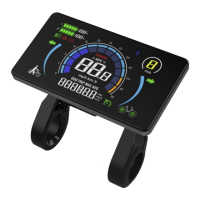
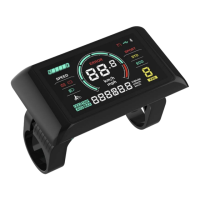
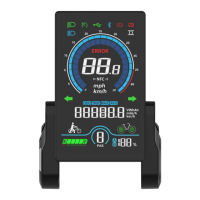
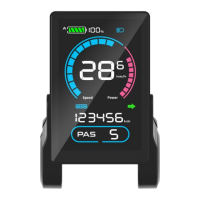
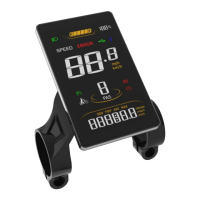
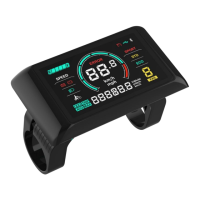
The G518-LCD is a smart display designed for e-bikes, providing various functions to facilitate the riding experience. It serves as a central interface for monitoring and controlling key aspects of the e-bike's operation.
Function Description:
The G518-LCD offers a comprehensive set of features to enhance e-bike usage. Its primary functions include:
- Boot Password (Optional): Provides an extra layer of security for the e-bike.
- System Unit Switch: Allows users to toggle between metric (km/h) and imperial (mph) units for speed and distance measurements.
- Battery Indicator: Displays the current battery level, keeping the rider informed about remaining power.
- Speed Display: Shows real-time speed (SPEED), maximum speed (MAX), and average speed (AVG) during a ride.
- Distance Tracking: Records single-trip distance (TRIP) and total travel distance (ODO).
- Assist Level Control: Enables control over 3, 5, or 9 levels of pedal assist, allowing riders to adjust the motor's assistance according to their preference and terrain.
- Assist Level Display: Clearly indicates the current assist level.
- Error Code Indication: Alerts the rider to any system malfunctions or errors through specific error codes.
- Cruise Mode: Offers a cruise control function for maintaining a constant speed.
- Braking Indicator: Provides a visual cue when the brakes are engaged.
- Front Light Indication: Shows the status of the front light, if supported by the controller.
Beyond these core display functions, the G518-LCD also incorporates several control functions:
- Power On/Off: Simple control for turning the e-bike system on and off.
- Front/Rear Light On/Off: Allows the rider to control the e-bike's lights.
- 6km/h Walk Assist Mode: A convenient feature for easily maneuvering the e-bike at walking speed.
- Real-Time Cruise Mode: Activates and deactivates cruise control during a ride.
- Wheel Size Setting: Allows calibration of the display for accurate speed and distance readings based on the e-bike's wheel size.
- PWM Settings: Provides adjustable Pulse Width Modulation settings, likely related to motor control.
- Speed Limit Setting: Enables the user to set a maximum speed limit for the e-bike.
- Auto-Off Time Setting: Configures the display to automatically turn off after a set period of inactivity, conserving battery.
Important Technical Specifications:
- Product Name: E-Bike Display
- Product Model: G518
- Working Voltage: DC 24V/36V/48V/60V/72V compatible (other working voltage levels can be customized).
- Rated Working Current: 12mA
- Leakage Current: <1uA
- Screen Size: 2.5" LCD
- Communication Type: UART (by default)
- Working Temperature: -20°C ~ 70°C
- Storage Temperature: -30°C ~ 80°C
- Waterproof Rating: IPX6
- Standard Fixing Torque: 0.8N•m (for assembly)
The display connects to the controller via a 5-pin connector. The wire color assignments are:
- Red (VCC): Display Power Cable
- Blue (K): Controller Power Cable
- Black (GND): Display Ground Cable
- Green (RX): Display Data Receiving Wire
- Yellow (TX): Display Data Sending Wire
For extended functions, the light connection uses Brown (DD) for the power wire (+) and White (GND) for the ground wire (≡).
Usage Features:
The G518-LCD features a user-friendly interface with three keys:
- /M (Mode Key): Used for switching displayed items in the multi-function section and turning the display on/off.
- +/D (Plus Key): Used to increase values in settings, change PAS/throttle level, and turn the front light on/off.
- -/ (Minus Key): Used to decrease values in settings, change PAS/throttle level, enter/exit walk assist mode, and enter/exit real-time cruise mode.
Key Operations:
- During ride: Press Plus or Minus to change PAS/throttle level. Press the Mode Key to switch items displayed in the versatile area (Digital Voltage, Wh, Ah, Total Range, Single Trip Distance, Riding Time).
- Setting Menu: Press and hold both the Plus Key and the Minus Key together to enter the Setting Menu. In the Setting Menu, use Plus or Minus to set values, and the Mode Key to save and switch to the next item. Press and hold both Plus and Minus keys to exit, or the system will auto-save and exit after inactivity.
- Walk Assist Mode: When parked, press and hold the Minus Key.
- Real-Time Cruise Mode: During a ride, press and hold the Minus Key to enter; press and hold again to exit.
- Front Light Control: Press and hold the Plus Key for 3 seconds to turn the front light on or off.
- Display On/Off: Press and hold the Mode Key for 3 seconds.
- ODO Clearance: Press and hold the up key for 5 seconds to clear the ODO distance.
Setting Items (P-Settings):
- P01: Backlight Brightness (1: darkest; 3: brightest)
- P02: Mileage Unit (0: km; 1: mile)
- P03: Voltage Class (24V / 36V / 48V / 60V / 72V)
- P04: Auto-Off Time (0: never, other values in minutes)
- P05: Pedal Assist Level (Configurable for 0/3 or 1/5 gear modes)
- P06: Wheel Size (Unit: inch, Precision: 0.1)
- P07: Motor Magnets Number (for Speed Test; Range: 1-100)
- P08: Speed Limit Range (0-50km/h, 50 means no speed limit)
- P09: Direct Start / Kick-to-Start Setting (0: Direct Start; 1: Kick-to-Start)
- P10: Drive Mode Setting (0: Pedal Assist; 1: Electric Drive; 2: Pedal Assist + Electric Drive)
- P11: Pedal Assist Sensitivity (Range: 1-24)
- P12: Pedal Assist Starting Intensity (Range: 0-5)
- P13: Magnets Number in Pedal Assist Sensor (5 / 8 / 12pcs)
- P14: Current Limit Value (12A by default; Range: 1-20A)
- P15: Unspecified
- P16: ODO Clearance
- P17: Cruise (0: without cruise function, 1: with cruise function)
Error Codes:
The display provides error codes to diagnose issues:
- E00: Normal
- E03: Brake Engaged
- E05: Throttle Failure
- E06: Low Voltage Protection
- E07: Over Voltage Protection
- E08: Motor Hall Signal Error
- E09: Motor Phase Error
- E16: Controller Error
- E23: Front Light Error
- E27: Controller Over Current Error
- E30: Communications Error
Maintenance Features:
The G518-LCD is designed for durability and ease of maintenance, with specific guidelines to ensure its longevity:
- Assembly: Fix the display on the handlebar using an M4 Hex Wrench with a standard fixing torque of 0.8N•m. Over-tightening can cause damage and is not covered by warranty.
- Waterproof Rating: IPX6 rating indicates strong resistance to water splashes, but users should avoid using it in heavy rains, snows, or long exposure to strong sunlight. The waterproof film on the screen surface should not be torn to maintain water-tight performance.
- Connection: Do not plug or unplug the display while the e-bike system is powered on to prevent damage.
- Default Settings: Unauthorized adjustment to default settings is not suggested, as it may compromise the normal operation of the e-bike.
- Repair: If the display product does not work properly, it should be sent for authorized repair in a timely manner.
Warranty:
Sciwil provides a limited warranty of 24 months from the manufacturing date (indicated by the serial number) for quality issues under normal operations. The warranty is not transferable to a third party unless specified in an agreement with Sciwil.
Warranty Exclusions:
- Products opened, modified, or repaired without authorization.
- Damage to connectors.
- Surface damage (shell, screen, buttons, etc.) after leaving the factory.
- Damage to wiring and cables (breaks, exterior scratches) after leaving the factory.
- Damage or loss due to force majeure (e.g., fire, earthquake, lightning).
- Issues occurring outside the warranty period.
Each display product has a unique Serial Code on the back shell, which includes information such as Customer Code, Protocol Code, Program override status, and Purchase Order Number. This serial code is crucial for warranty and product identification.

 Need help?
 General

 To Next Page