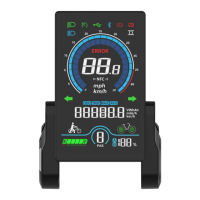
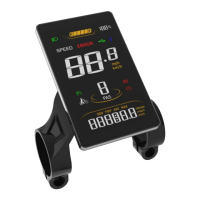
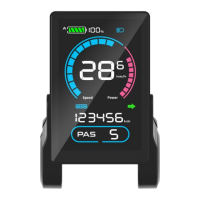
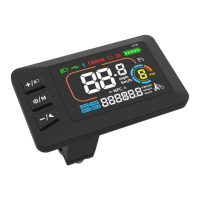
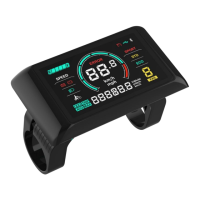
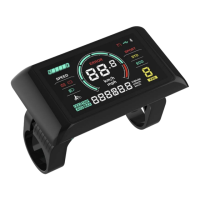
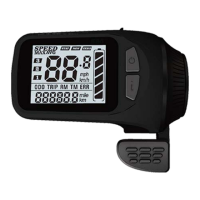
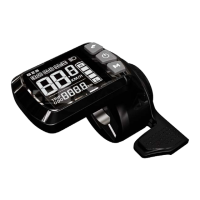
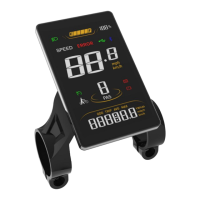
The SCIWIL SW-M808X is an E-Bike Display designed to serve as an ideal Human-Machine Interface (HMI) solution for EN15194 electric bikes. It features a high-brightness, anti-glare color LCD and a minimalist interface, providing essential information and control for the rider.
Function Description:
The SW-M808X display offers a comprehensive set of functions to enhance the e-biking experience. It provides real-time riding status, including Bluetooth connectivity, front light status, brake status, low voltage warnings, turning signals, cruise control, and drive status. The display also shows battery status with a percentage indicator and low voltage warning. A multi-function section allows riders to toggle between various data points such as ODO (total range), TRIP (single ride range), MAX (maximum speed), AVG (average speed), TIME (riding time), VOL (battery voltage), Wh (motor power), and CUR (current). It supports multiple assist level modes (3, 5, or 9 levels available) and a walk assist mode. Additional features include front light indication (status supported by the controller), error code indication, and optional NFC and Bluetooth connectivity for OTA (Over-The-Air) upgrades via mobile phone. For advanced e-bikes, it supports dual drive control and display, as well as the status of double battery packs, both working with a compatible controller. A boot password feature adds security.
Important Technical Specifications:
- Working Voltage: DC 24V/36V/48V/60V/72V
- Rated Working Current: 12mA
- Leakage Current: <1uA
- Screen Size: 4.0″ LCD
- Communication Type: UART (by default) / CAN (optional)
- Optional Functions: Bluetooth, NFC
- Working Temperature: -20°C ~ 70°C
- Storage Temperature: -30°C ~ 80°C
- Waterproof Rating: IP65
- Dimensions: Approximately 114.34mm (width) x 63.84mm (height) x 19.97mm (depth) for the display unit, and 80.10mm (width) x 63.84mm (height) for the mounting bracket.
- Mounting Torque: Standard fixing torque for the display is 1N·m. For the keypad, it's also 1N·m. Damage due to excessive fixing torque is not covered by warranty.
- Serial Code Structure:
192: Customer Code2: Protocol Code1: Program can be overridden (0 means cannot be reprogrammed)210603011: P.O. (purchase order number)
Usage Features:
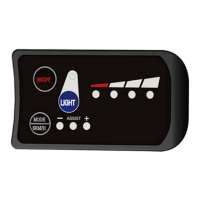
The SW-M808X is operated via a 5-key keypad (SWK2) with intuitive controls:
- On/Off: Press and hold the On/Off Key to turn the display on or off. The display will auto-off after 10 minutes of no operation (0km/h), with the auto-off time configurable in settings.
- Assist Level Control: Use the Plus Key or Minus/Walk Assist Key to switch between 5 default assist levels (0/1/2/3/4/5), where 0 means no assist power.
- Toggle Displays: Press the Info Key to cycle through ODO, TRIP, and TIME displays.
- Light On/Off: Press the Light Key to turn the front light on or off.
- Walk Assist Mode: Press and hold the Minus/Walk Assist Key to engage walk assist mode, displaying the walk mode icon and real-time speed. Release the key to disengage.
- Settings Menu: To enter settings, press and hold the Plus Key and Minus/Walk Assist Key simultaneously. Settings include system voltage, wheel size, magnetic steel number for speed gauge, and speed limit. Values can be adjusted using the Plus or Minus/Walk Assist Keys, saved with the On/Off Key, and the menu exited by pressing and holding Plus and Minus/Walk Assist Keys again. The system auto-saves and exits after 10 seconds of inactivity.
Configurable Settings (P-codes):
- P00: Factory Reset (optional)
- P01: Backlight Brightness (1: darkest; 3: brightest)
- P02: System Unit (0: km (metric); 1: mile (imperial))
- P03: System Voltage (24V/36V/48V/60V/72V)
- P04: Auto-Off Time (0: never; other values in minutes)
- P05: Pedal Assist Level (supports 0-3, 1-3, 0-5, 1-5, 0-9, 1-9 level modes)
- P06: Wheel Size (Unit: inch; Increment: 0.1)
- P07: Motor Magnets Number for Speed Gauge (Range: 1-100)
- P08: Speed Limit (Range: 0-100km/h, controller-controlled. Note: displayed speed unit changes with system unit, but the speed limit value in imperial unit interface won't change accordingly.)
- P09: Direct Start / Kick-to-Start (0: Direct Start; 1: Kick-to-Start)
- P10: Drive Mode Setting (0: Pedal Assist only; 1: Electric Drive only; 2: Pedal Assist + Electric Drive)
- P11: Pedal Assist Sensitivity (Range: 1-24)
- P12: Pedal Assist Starting Intensity (Range: 0-5)
- P13: Magnets Number in Pedal Assist Sensor (3 Types: 5/8/12pcs)
- P14: Current Limit Value (Default: 12A; Range: 1-20A)
- P15: Display Low Voltage Value
- P16: ODO Clearance (Press and hold Plus key for 5s to clear ODO value)
- P17: Cruise (0: deactivated; 1: activated)
Error Codes:
The display provides error indications with specific codes to help diagnose issues:
- E00: Normal
- E01: Reserved
- E02: Brake Error
- E03: PAS Sensor Error (Riding Mark) - Not Realized
- E04: Walk Assist Mode
- E05: Real-Time Cruise
- E06: Low Voltage Protection
- E07: Motor Error
- E08: Throttle Error
- E09: Controller Error
- E10: Communications Error
- E12: BMS Communications Error
- E13: Front Light Error
Maintenance Features / Safety Notes:
- Installation: The display and keypad are fixed to the handlebar using holder rings/rubber spacers and M4/M3 Hex Wrenches, respectively. Proper torque (1N·m) is crucial to prevent damage.
- Waterproof: The device has an IP65 waterproof rating. Avoid tearing the waterproof film on the screen, as this can degrade its water-tight performance.
- Handling: Avoid clashes or bumps to the display. Do not use in heavy rains, snows, or expose to strong sunlight for prolonged periods.
- Connection: Do not plug or unplug the display while the e-bike is powered on.
- Settings: Unauthorized adjustment to default settings is not suggested, as it may affect the normal use of the e-bike.
- Repair: If the display does not work properly, it should be sent for authorized repair.
- Warranty: Sciwil provides a limited warranty for 24 months after the manufacturing date for quality issues under normal operations. Warranty exclusions include products opened, modified, or repaired without authorization; damage to connectors, surface, wiring/cables; damage due to force majeure or natural disaster; and products out of the warranty period.
- Connectivity: The display connects to the controller via a 5-pin connector. The wire colors and their functions are: Red (VCC) for Display Power, Blue (K) for Electric Lock, Black (GND) for Display Ground, Green (RX) for Display Data Receiving, and Yellow (TX) for Display Data Sending. For extended functions like the front light, Brown (DD) is the power wire (+) and White (GND) is the ground wire (≡). For waterproof connectors, wire sequences may be concealed.

 Need help?
 General

 To Next Page