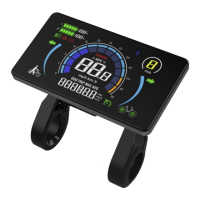
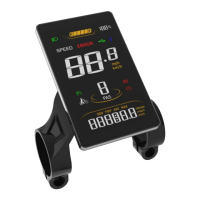
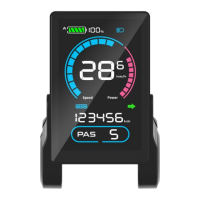
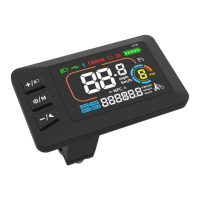
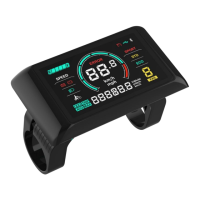
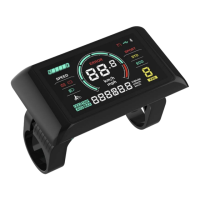
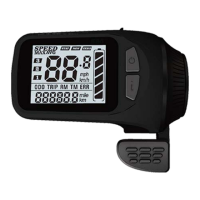
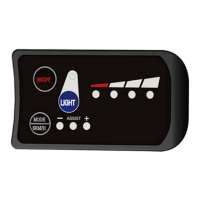
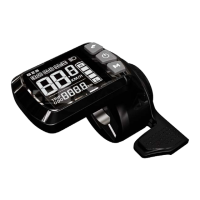
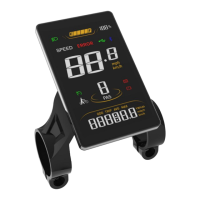
The SCIWIL SW-M818 is an E-Bike Display designed as a Human-Machine Interface (HMI) solution for EN15194 electric bikes. It features a high-brightness, anti-glare color LCD and a minimalist interface, providing essential information and control for e-bike riders.
Function Description:
The SW-M818 display provides a comprehensive range of functions for monitoring and controlling an e-bike:
- Boot Password: Allows for securing the display with a 4-digit password (default: 1212).
- System Unit Switch: Toggles between metric (km/h) and imperial (mph) units for speed and distance.
- Assist Level Control and Display: Enables riders to adjust and view the current pedal assist level. It supports 3, 5, or 9 assist levels, with default settings often including 0 (no assist power) to 5.
- Battery Indication: Shows the battery level as a percentage and provides a low voltage indication. It also supports dual battery pack status (optional, works with controller).
- Speed Display: Displays real-time speed (SPEED), maximum speed (MAX), and average speed (AVG) in either km/h or mph.
- Distance Tracking: Records single-trip distance (TRIP) and total travel distance (ODO).
- Walk Assist Mode: Activates a low-speed assist function for walking the bike.
- Front Light Indication: Shows the status of the front light, supported by the controller.
- Error Code Indication: Displays error codes to help diagnose issues with the e-bike system.
- Riding Info: Provides real-time status updates including Bluetooth connection, front light status, brake status, low voltage, turning signals, cruise control, and drive status.
- Turning Signals: This function works in conjunction with a compatible controller.
- Dual Drive Control and Display: This function works with a compatible controller to manage dual motor systems.
- NFC Function: Optional, for near-field communication.
- Bluetooth Connection: Optional, supports Over-The-Air (OTA) firmware upgrades via a mobile phone.
- Multi-Function Section: Displays additional data such as battery voltage (VOL), motor power (Wh), and current (CUR).
Important Technical Specifications:
- Working Voltage: DC 24V/36V/48V/60V/72V
- Rated Working Current: 12mA
- Leakage Current: <1uA
- Screen Size: 4.0" LCD
- Communication Type: UART (by default) / CAN (optional)
- Optional Functions: Bluetooth, NFC
- Working Temperature: -20°C ~ 70°C
- Storage Temperature: -30°C ~ 80°C
- Waterproof Rating: IP65
Usage Features:
The SW-M818 display is operated via a SWK2 keypad with five keys: Plus (+), On/Off (G), Minus/Walk Assist (-), Light (D), and Info (i).
- On/Off: Press and hold the On/Off Key for more than 2 seconds to turn the display on or off. The display will auto-off after 10 minutes of inactivity (0km/h), with the auto-off time configurable in settings.
- Assist Level Adjustment: Use the Plus Key or Minus/Walk Assist Key to switch between assist levels (e.g., 0/1/2/3/4/5).
- Toggle Displays: Press the Info Key to cycle through different display modes such as ODO (total range), TRIP (single trip range), and TIME (riding time).
- Light Control: Press the Light Key to turn the front light on or off. The light icon will appear on the riding interface when active.
- Walk Assist Mode: Press and hold the Minus/Walk Assist Key to engage walk assist mode. The walk mode icon will be shown, and real-time speed will be displayed. Releasing the key disengages the mode.
- Dual Drive Control: Press and hold the Plus Key to switch between Rear Drive, Front Drive, and Dual Drive modes (if enabled by the controller). The corresponding wheel icon will blink.
- Settings Menu: To enter settings, press and hold both the Plus Key and Minus/Walk Assist Key simultaneously.
- Adjusting Settings: Use the Plus or Minus/Walk Assist Keys to change values. Press the On/Off Key to save and move to the next item.
- Saving and Exiting Settings: Press and hold both the Plus Key and Minus/Walk Assist Key again to save changes and exit. The system will auto-save and exit after 10 seconds of no operation.
Configurable Settings (P-Parameters):
- P00: Factory Reset: Optional.
- P01: Backlight Brightness: 1 (darkest) to 3 (brightest).
- P02: System Unit: 0 (km/metric) or 1 (mile/imperial).
- P03: System Voltage: 24V/36V/48V/60V/72V.
- P04: Auto-Off Time: 0 (never) or a value in minutes for auto-off.
- P05: Pedal Assist Level: Configures the number of assist levels (e.g., 0-3, 1-3, 0-5, 1-5, 0-9, 1-9).
- P06: Wheel Size: Unit in inches, increment 0.1.
- P07: Motor Magnets Number for Speed Gauge: Range 1-100.
- P08: Speed Limit: Range 0-100 km/h (controller-controlled). Note that while the displayed speed unit changes with P02, the speed limit value in the imperial unit interface won't change accordingly.
- P09: Direct Start / Kick-to-Start: 0 (Direct Start/Throttle-on-demand) or 1 (Kick-to-Start).
- P10: Drive Mode Setting: 0 (Pedal Assist), 1 (Electric Drive/Throttle only), or 2 (Pedal Assist + Electric Drive).
- P11: Pedal Assist Sensitivity: Range 1-24.
- P12: Pedal Assist Starting Intensity: Range 0-5.
- P13: Magnets Number in Pedal Assist Sensor: 3 types: 5/8/12pcs.
- P14: Current Limit Value: Default 12A, range 1-20A.
- P15: Display Low Voltage Value.
- P16: ODO Clearance: Press and hold the Plus key for 5 seconds to clear the ODO value.
- P17: Cruise: 0 (deactivated) or 1 (activated).
- P18: Auto-Light: 0 (deactivated) or 1 (activated).
- P19: Sensitivity of Light Sensor: Range 20-100.
- P20: Boot Password: 4-digit, default 1212.
- P21: Password for Advanced Settings: 4-digit.
Maintenance Features:
- Error Code Display: The display shows specific error codes (E00-E13) to indicate system malfunctions, aiding in troubleshooting.
- E00: Normal
- E01: Reserved
- E02: Brake Error
- E03: PAS Sensor Error (Riding Mark) - Not Realized
- E04: Walk Assist Mode
- E05: Real-Time Cruise
- E06: Low Voltage Protection
- E07: Motor Error
- E08: Throttle Error
- E09: Controller Error
- E10: Communications Error
- E12: BMS Communications Error
- E13: Front Light Error
- Warranty: Sciwil provides a limited warranty of 24 months from the manufacturing date for quality issues under normal operations.
- Warranty Exclusions: The warranty does not cover products that have been opened, modified, or repaired without authorization; damage to connectors, surface (shell, screen, buttons), wiring, or cables; damage due to force majeure (fire, earthquake, natural disaster, lightning); or products outside the warranty period.
- Repair Guidance: If the display malfunctions, it should be sent for authorized repair. Unauthorized adjustments to default settings are not recommended as they may affect normal e-bike operation.
Installation:
The display is assembled by opening the holder ring/rubber spacer, fixing it on the handlebar, adjusting the angle, and tightening the screws with an M4 Hex Wrench to a standard torque of 1N·m. The keypad is similarly fixed with an M3 Hex Wrench to 1N·m. The 5-pin connector of the display is then plugged into the controller's coupling connector. Damage from excessive fixing torque is not covered by warranty.
Serial Code:
The serial code, located at the back of the display, provides manufacturing and product information:
192: Customer Code2: Protocol Code1: Program can be overridden (0 means cannot be reprogrammed)210603011: P.O. (purchase order number)36V: Voltage
Connectivity:
The display connects to the controller via a 5-pin connector.
- Pin 1 (Red/VCC): Display Power Wire
- Pin 2 (Blue/K): Electric Lock Wire
- Pin 3 (Black/GND): Display Ground Wire
- Pin 4 (Green/RX): Display Data Receiving Wire
- Pin 5 (Yellow/TX): Display Data Sending Wire
For extended functions like the front light, Brown (DD) is the power wire (+) and White (GND) is the ground wire (≡). For waterproof connectors, wire sequences are concealed.
The SW-M818 is designed to be a reliable and user-friendly interface for electric bicycles, offering essential information and control in a durable, waterproof package.

 Need help?
 General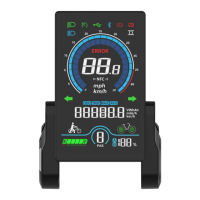

 To Next Page