2. Key Pad
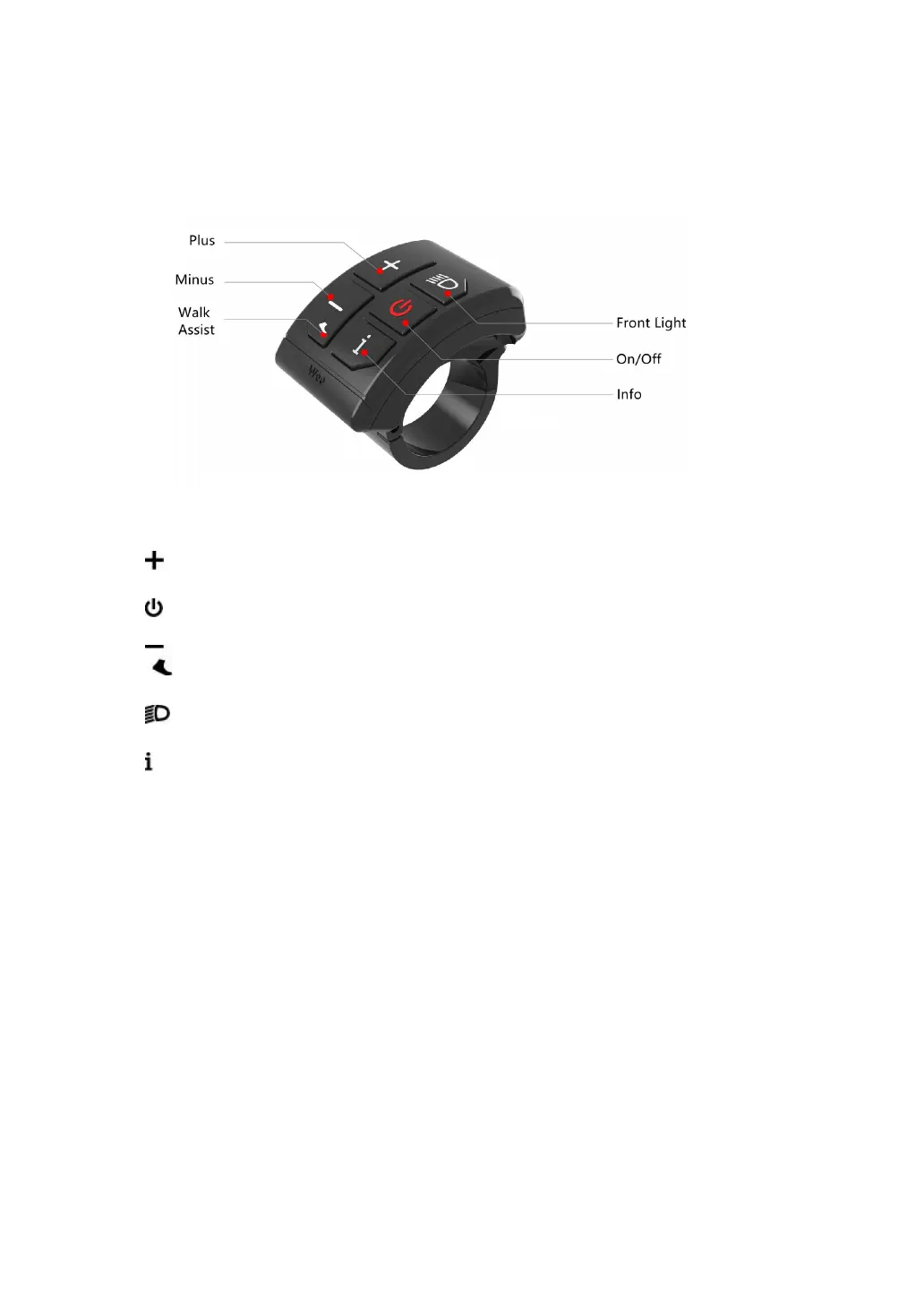
SWK2 Keypad Illustration:
There are 5 keys on the SWK2 keypad, in the following instructions:
is called Plus Key;
is called On/Off Key;
is called Minus/Walk Assist Key;
is called Light Key;
is called Info Key;
3. Key Operation
Key operation guide as follows:
Press and Hold: means press and hold the key(s) for more than 2s.
Press: means press the key(s) for less than 0.5s.
Double Tap: means double tap the key(s) within 0.3s
3.1 On/Off
Turn on the Display: When the display is off, press and hold the On/Off Key
to turn on the display, it will show boot interface and then enter riding
interface. (If boot password is activated, enter the boot password at start).
Turn off the Display: When the display is on, press and hold the On/Off
Key, the display will be turned off. If no operation is engaged for 10min


 To Next Page