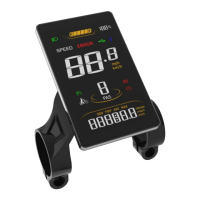
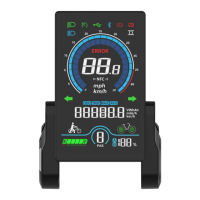
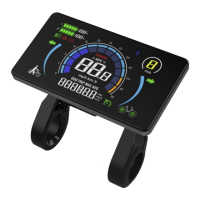
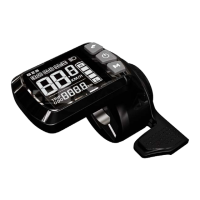
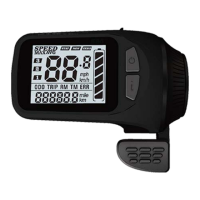
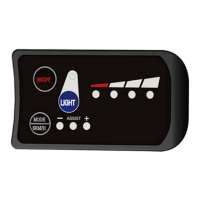
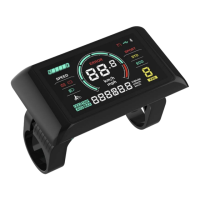
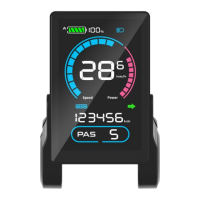
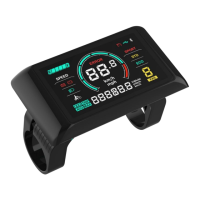
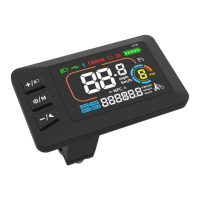
This document describes the Sciwil M58-LCD E-Bike Smart Display, a device designed to facilitate e-bike operation and provide essential riding information.
Function Description
The M58-LCD display offers a comprehensive set of functions to enhance the e-bike riding experience. Its core purpose is to provide real-time data, control various e-bike features, and allow for customization of settings.
Key functions include:
- Boot password (optional): For enhanced security, users can set a password to activate the display.
- System unit switch: Allows users to toggle between metric (km/h) and imperial (mph) units for speed and distance measurements.
- Battery indicator: Displays the current battery level, ensuring riders are aware of their remaining power.
- Speed display: Shows real-time speed (SPEED), maximum speed achieved (MAX), and average speed (AVG).
- Distance tracking: Records single-trip distance (TRIP) and total travel distance (ODO).
- Assist Level Mode Control: Enables riders to select between 3, 5, or 9 levels of pedal assist, adjusting the motor's power output.
- Assist Level Display: Clearly indicates the currently selected assist level.
- Error code indication: Notifies the rider of any system malfunctions through specific error codes.
- Cruise Mode: Allows the e-bike to maintain a constant speed without continuous throttle input.
- Braking Indicator: Provides visual feedback when the brakes are engaged.
- Front light indication: Shows the status of the front light, if supported by the controller.
Control functions include:
- Power On/Off: Simple control for turning the display and e-bike system on or off.
- Front/Rear Light On/Off: Direct control over the e-bike's lighting system.
- 6km/h Walk Assist Mode: A dedicated mode for easy maneuvering of the e-bike at low speeds.
- Real-Time Cruise Mode: Activates and deactivates the cruise control feature during a ride.
- Wheel Size Setting: Allows calibration of the display's speed and distance calculations based on the e-bike's wheel size.
- PWM Settings: For advanced motor control adjustments.
- Speed Limit Setting: Enables the user to set a maximum speed for the e-bike.
- Auto-Off Time Setting: Configures the display to automatically turn off after a period of inactivity to conserve battery.
Important Technical Specifications
The M58-LCD display is built with robust specifications to ensure reliable performance in various conditions.
General Specifications:
- Working Voltage: Compatible with DC 24V, 36V, 48V, 60V, and 72V systems, with other working voltage levels customizable.
- Rated Working Current: 12mA.
- Leakage Current: Less than 1uA, indicating efficient power management.
- Screen Size: 3.8" LCD, providing a clear and easy-to-read display.
- Communication Type: UART (Universal Asynchronous Receiver/Transmitter) by default, ensuring standard communication with the e-bike controller.
- Working Temperature: Operates effectively in temperatures ranging from -20°C to 70°C.
- Storage Temperature: Can be stored safely in temperatures from -30°C to 80°C.
- Waterproof Rating: IP65, offering protection against dust and low-pressure water jets, making it suitable for outdoor use.
Physical Dimensions:
- Display Unit: Approximately 56.4mm wide, 93.4mm high, and 6.4mm deep (excluding mounting).
- Holder: Approximately 41.0mm wide and 42.8mm deep, designed for a 31.8mm handlebar diameter.
- Assembly Torque: The display holder should be tightened to 0.8N·m using a M4 Hex Wrench. Exceeding this torque may void the warranty.
Cable Connection (Standard Cable Connector Diagram):
- Sequence No. 1 (Red VCC): Display Power Cable.
- Sequence No. 2 (Blue K): Controller Power Cable.
- Sequence No. 3 (Black GND): Display Ground Cable.
- Sequence No. 4 (Green RX): Display Data Receiving Wire.
- Sequence No. 5 (Yellow TX): Display Data Sending Wire.
- Extended Functions (Light): Brown (DD) for power wire (+), White (GND) for ground wire (=). Note that internal wire arrangements may not be identifiable in waterproof connectors.
Usage Features
The M58-LCD is designed for intuitive operation, with a simple three-key keypad and clear display interface.
Standard Display Interface:
The interface provides a quick overview of essential information:
- Low Beam Light: Icon appears when the front light is on.
- Battery: Visual representation of current battery level and percentage.
- USB/Bluetooth: Indicators for connectivity (if applicable).
- Error Indicator: Alerts the user to system errors.
- Speed Value: Displays current speed in large digits.
- Imperial/Metric Unit: Indicates the selected unit (mph/km/h).
- NFC: Indicator for Near Field Communication (if applicable).
- Cruise: Icon appears when cruise mode is active.
- Walk Assist Mode: Icon appears when walk assist is active.
- PAS: Displays the current pedal assist level.
- Low Battery: Warning icon for low battery.
- Brake Indicator: Icon appears when brakes are engaged.
- Multi-Function Section: Can display Digital Voltage (VOL), Wh, Ah, Total Range (ODO), Single Trip Distance (TRIP), and Riding Time (Time). Users can switch between these items by pressing the Mode Key.
Keypad Operations:
The M58-LCD features three keys: "Mode Key" (M), "Up Key" (▲), and "Down Key" (▼).
- Changing PAS/Throttle Level: During a ride, short press the Up or Down Key.
- Switching Multi-Function Display Items: During a ride, short press the Mode Key.
- Entering Walk Assist Mode: When parked, press and hold the Down Key.
- Entering Real-Time Cruise Mode: During a ride, press and hold the Down Key.
- Exiting Cruise Mode: While in cruise mode, press and hold the Down Key.
- Turning Front Light On/Off: Press and hold the Up Key for 3 seconds.
- Turning Display On/Off: Press and hold the Mode Key for 3 seconds.
- Entering Custom Settings Menu: Press and hold both the Up Key and Down Key simultaneously.
Custom Settings (P-Settings):
The display allows for detailed customization through a setting menu:
- P01: Backlight Brightness: (1: darkest; 3: brightest).
- P02: Mileage Unit: (0: km; 1: mile).
- P03: Voltage Class: (24V / 36V / 48V / 60V / 72V).
- P04: Auto-Off Time: (0: never; other values in minutes).
- P05: Pedal Assist Level: Configures voltage output for 3, 5, or 9 gear modes.
- P06: Wheel Size: (Unit: inch, Precision: 0.1).
- P07: Motor Magnets Number: (Range: 1-100, for speed test).
- P08: Speed Limit Range: (0-50km/h; 50 means no limit). Note: Speed limit values are in metric units; imperial display will show corresponding speed but the limit value itself won't change.
- P09: Direct Start / Kick-to-Start Setting: (0: Direct Start/Throttle-on-demand; 1: Kick-to-Start).
- P10: Drive Mode Setting: (0: Pedal Assist only; 1: Electric Drive/Throttle only; 2: Pedal Assist + Electric Drive).
- P11: Pedal Assist Sensitivity: (Range: 1-24).
- P12: Pedal Assist Starting Intensity: (Range: 0-5).
- P13: Magnets Number in Pedal Assist Sensor: (5 / 8 / 12pcs).
- P14: Current Limit Value: (12A by default; Range: 1-20A).
- P15: Unspecified.
- P16: ODO Clearance: Press and hold the Up Key for 5 seconds to clear ODO distance.
- P17: Cruise: (0: without cruise function; 1: with cruise function).
To set values in the menu, use the Up or Down Key. Press the Mode Key to save and move to the next item. Press and hold both Up and Down Keys to exit, or the system will auto-save and exit after inactivity.
Maintenance Features
The M58-LCD is designed for durability, but proper care and attention to error codes are crucial for its longevity.
Safety Notes:
- Do not plug or unplug the display while the e-bike is powered on. This can cause damage to the system.
- Avoid clashes or bumps to the display. Physical impact can damage the screen or internal components.
- Avoid using in heavy rains, snows, or long exposure to strong sunlight. While IP65 rated, extreme conditions can still affect performance.
- Do not tear the water-proof film on the surface of the screen. This film is essential for the product's water-tight performance; removing it will degrade protection.
- Unauthorized adjustment to default settings is not suggested. Modifying settings without proper understanding can compromise the normal use of your e-bike.
- If the display product does not work properly, send it for authorized repair in time. Attempting unauthorized repairs can further damage the device and void the warranty.
Error Code Table:
The display provides error codes to help diagnose issues:
- E00: Normal (no error).
- E03: Brake Engaged.
- E05: Throttle Failure.
- E06: Low Voltage Protection.
- E07: Over Voltage Protection.
- E08: Motor Hall Signal Error.
- E09: Motor Phase Error.
- E16: Controller Error.
- E23: Front Light Error.
- E27: Controller Over Current Error.
- E30: Communications Error.
Serial Code:
Each Sciwil display product has a unique Serial Code on its back shell, which helps in identifying the product for warranty and support. The serial code format is 192 2 1 210603011, where:
192: Customer Code.2: Protocol Code.1: Program can be overridden (0 means cannot be overridden).210603011: Purchase Order Number.
Quality and Warranty:
- Warranty Term: Sciwil provides a limited warranty of 24 months from the manufacturing date (indicated by the serial number) for quality issues under normal operations, in compliance with local laws.
- Warranty Exclusions: The warranty does not cover products that have been opened, modified, or repaired without authorization; damage to connectors; surface damage (shell, screen, buttons) after leaving the factory; wiring and cable damage (breaks, exterior scratch) after leaving the factory; damage or loss due to force majeure (e.g., fire, earthquake, natural disaster); or products outside the warranty period.
This user manual is based on the general software version (A/0). Actual display products on some e-bikes may have different software versions, and the actual version in use should be referred to.

 Need help?
 General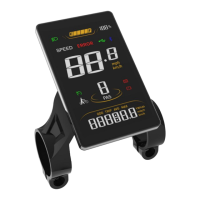

 To Next Page