Changzhou Sciwil E-Mobility Technology Co., Ltd.
9
th
Huashan Road, Changzhou, Jiangsu, China- 213022
Fax: +86 519-85602675 Tel: +86 519-85600675
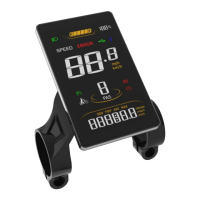
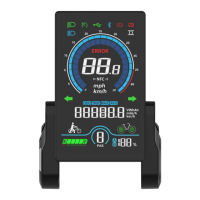
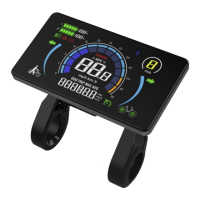
Maximum Speed (MAX SPEED):the max speed during ride, unit: km/h or mph
6
Error Code Indication
7
Assist Status Indication
1.3.4 Setting Items
P01: Backlight Brightness (1: darkest; 3: brightest)
P02: Mileage Unit (0: km; 1: mile)
P03: Voltage Class (24V / 36V / 48V / 60V / 72V )
P04: Auto-Off Time
(0: never, other value means time interval for display auto-off) Unit: minute
P05: Pedal Assist Level
0/3 Gear Mode: Gear 1-2V, Gear 2-3V, Gear 3-4V
1/5 Gear Mode: Gear 1-2V, Gear 2-2.5V, Gear 3-4V, Gear 4-3.5V, Gear 5-4V
P06: Wheel Size (Unit: inch Precision: 0.1)
P07: Motor Magnets Number (for Speed Test; Range: 1-100)
P08: Speed Limit Range: 0-50km/h, no speed limit if set to 50)
1. Communications status (controller-controlled)
The driving speed will be kept constant as the limited value.
Error Value: ±1km/h (applicable to both the PAS/throttle mode)
Note: The above-mentioned values are measured by metric unit (kilometers).
When the measuring unit is set to imperial unit (mile), the speed
displayed on the panel will be automatically switched to corresponding
imperial unit, however the speed limit value in the imperial unit interface
won’t change accordingly.
P09: Direct Start / Kick-to-Start Setting
0: Direct Start (Throttle-on-demand); 1: Kick-to-Start


 To Next Page