10
Changzhou Sciwil E-
Mobility Technology Co., Ltd.
9
th
Huashan Road, Changzhou, Jiangsu, China- 213022
Fax: +86 519-85602675 Tel: +86 519-
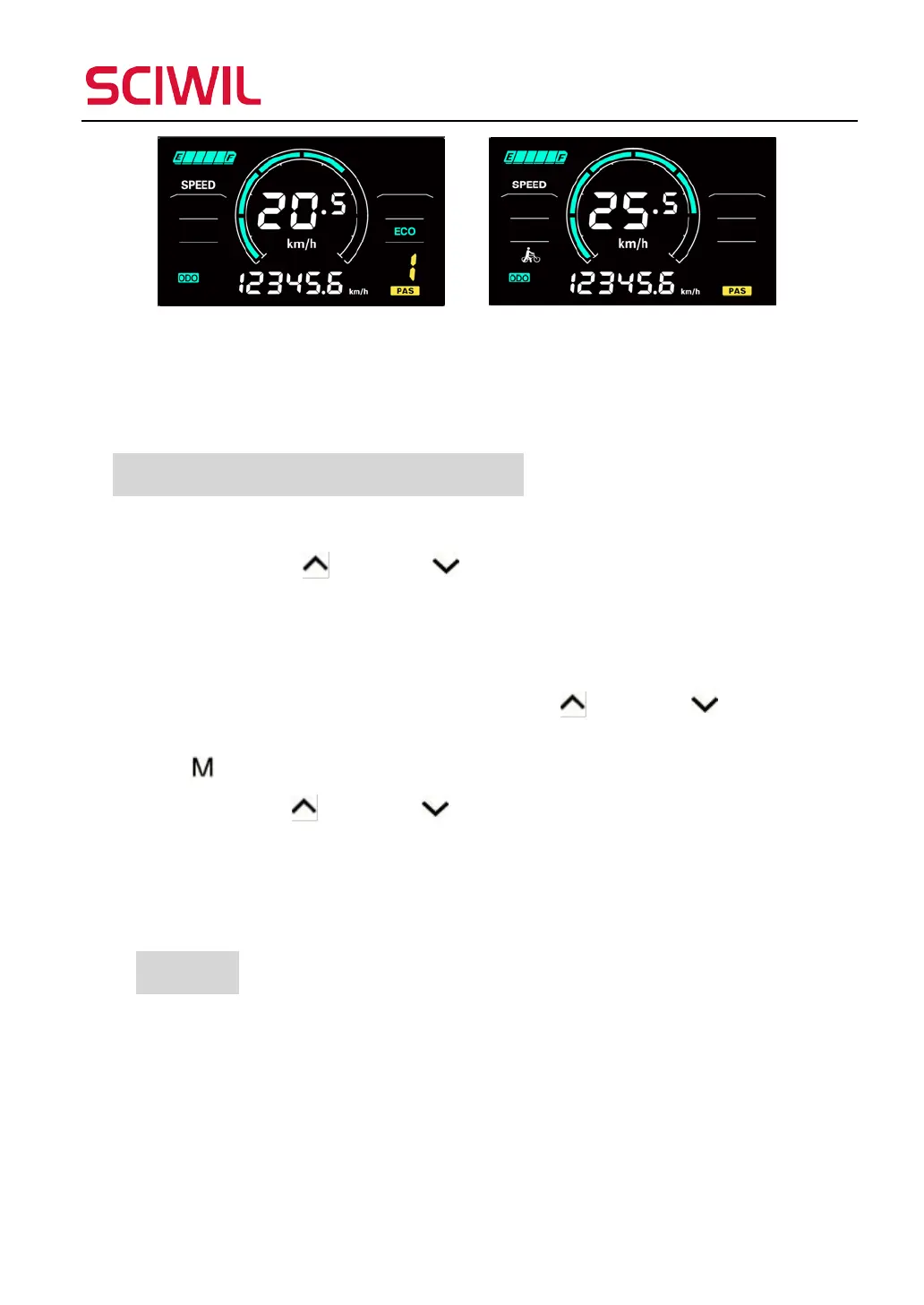
*This function may not be supported by some controllers.
9. Introduction of Setting Interface
Introduction of Setting Operations
1. Press and hold Up and Down together for 2s to enter the settings
interface. You may set Working Voltage, Wheel Size (inch), Magnetic Steel
Number, Speed Limit ect. Please refer to Settings P01-P17 for parameters
available.
Under the setting interface, you may press Up and Down to
increase/decrease the setting value. The value will blink after being modified. Press
Mode
to switch to the next item and save the previous changes automatically.
2. Press and hold Up and Down together for 2s again to save the adjusted
value and exit the settings interface. Otherwise system will automatically exit and
save values after 10 seconds.
10. Settings
P01: Backlight Brightness (1: darkest; 3: brightest)
P02: Mileage Unit (0: km; 1: mile)
P03: Voltage Class (24V / 36V / 48V / 60V / 72V )
P04: Auto-Off Time
(0: never, other value means time interval for display auto-off) Unit: minute


 To Next Page