EasyManua.ls Logo

Scosche ITCLS01B - User Manual

Scosche ITCLS01B
12 pages
Print Icon
To Next Page IconTo Next Page
Loading...
1.
2.
3.
4.
5.
6.
7.
8.
9.
10.
>
A
B
S
<
7
4
3
9
R
IG
H
T
7
4
3
9
R
IG
H
T
1
2
3
4
5
6
7
8
~
SCDSCI-IE"
ITCLS01B
ISO
DOUBLE
DIN
IN-DASH
INSTALLATION
KIT
WITH
POCKET
FOR
2006-2013
LEXUS
IS
MODELS
ITCLS01
B
Kit
Contents
ITCLS01
B
Main
Panel
(7438)
Dual
Touch
Screen
ITC
Module
Touch
Sensative
Hazard
Button
Passenger
Airbag
Light
Passenger
Seatbelt
Light
Left
Bracket
(7440)
Right
Bracket
(7439)
4x
Bracket
Mounting
Screws
ITC
Wiring
harness•
LSAAB
(Antenna
Adapter)'
*(Not
Shown)*
Tools
Required
PRT
(Panel
Removal
Tool)
Screwdriver
Picking
Tool
10mm
Socket
Wrench
Designed & Engineered
in
U.S.A.
Custom Manufactured
in
China
~
None
,
Extremely
high
temperatures
may
temporanlyaffectthed1splay Normal
operatonwllresumeoncetheun1tcools
(For Non-Nav Vehicles)
INTRODUCTION/PRELIMINARY
"'
~
...
.
,,
"'
"'
This premium installation kit is for 2006-13 Lexus
IS
series vehicles without navigation. Included are
all
the parts you need
to
mount
an
Aftermarket head unit into your vehicle's dash. Refer
to
individual
instruction
in
this manual
to
remove your vehicle's factory radio and assemble the
kit.
CAUTION:
DISCONNECT YOUR VEHICLE NEGATIVE BATTERY TERMINAL BEFORE THE
INSTALLATION
TO
HELP PREVENT ELECTRICAL DAMAGE. WE
RECOMMEND
THE USE
OF
A VOLT/
OHM
METER OVER A TEST
LIGHT
TO
CHECK WIRING. A TEST
LIGHT
OR GROUNDED WIRE PROBE
CAN CAUSE
DAMAGE
TO
THE VEHICLE'S COMPUTER
AND/OR
DIAGNOSTIC
SYSTEMS.
AVOID
ALL
FACTORY AIRBAG WIRING - AIRBAGS CAN ACCIDENTALLY DEPLOY CAUSING SERIOUS INJURY
OR DEATH.
NOTES---------------------------
See
your
vehicle's
instructions for
any
special
tools your installation might
require.
Read
all
instructions accompanying your
car
stereo
for proper wiring
and
mounting instructions.
IMPORTANT!
DO
NOT RETURN PRODUCT
TO
THE RETAILER
IF
YOU
NEED
ASSISTANCE
OR
REPLACEMENT
PARTS
CALL
US
TOLL
FREE: 1800-621-3695
X3
HOURS: MON-FRI 8AM-5:30PM (PST) SATUROAY 8AM-2PM (PST)
LIABILITY DISCLAIMER
This instruction booklet
is
based on carefully documented data and research of automobile disassembly, wire harness/codes
and information pertaining
to
the
installation of this
kit.
Scosche Industries,
Inc.
cannot
be
held responsible for discrepancies/
inconsistencies
that
may occur
due
to
the
automobile manufacturing changes or options, or
damage
that
may occur
in
the
automobile during
the
installation
of
components while using this booklet.
If
you
have any
further
questions, call
our
toll
free technical help line at:
©2017
SCOSCHE INDUSTRIES, INC.
1-800-621-369Sx3
ITCLSO
1 B 10/17
Question and Answer IconNeed help?

Do you have a question about the Scosche ITCLS01B and is the answer not in the manual?

Summary

INTRODUCTION AND PRELIMINARY INFORMATION

Safety Caution

Disconnect vehicle negative battery terminal before installation to prevent electrical damage.

General Notes

Refer to vehicle instructions for special tools and stereo instructions for wiring.

INSTALLATION GUIDE

Step 1: Remove Side Trim Panels

Use PRT to remove side trim panels on each side of the center console.

Step 2: Unscrew Shift Knob

Unscrew the shift knob.

Step 3: Remove Console Top Panel

Use PRT to remove the center console top panel and disconnect wires.

Step 4: Remove Ashtray

Extract 2 screws securing the ashtray to the center console and remove it.

Step 5: Release Vent Panel

Push locking tabs on A/C vents to release the vent panel and unplug wires.

Step 6: Remove Radio;AC Panel Bolts

Remove (4) 10mm bolts securing the radio and A/C panel to the dash.

Step 7: Mount Brackets to Panel

Mount provided brackets (Left 7440 & Right 7439) to the back of the Scosche panel 7438.

Step 8: Secure Radio to Panel

Adjust and secure the aftermarket radio to the panel assembly using supplied screws.

Step 9: Mount TPMS Bracket

Mount the factory TPMS and its bracket to the back of the left bracket using factory screws.

Step 10: Final Assembly and Wiring

Mount radio & TPMS, connect wiring, and secure the panel assembly to the vehicle.

STEERING WHEEL CONTROL

Steering Wheel Control Buttons

Diagram (FIGURE 1) showing steering wheel control buttons and their functions.

Steering Wheel Control Harness

Explanation of the SWC harness retaining vehicle's OEM steering wheel capabilities.

STEERINGWHEEL WIRING CONTROLS

SWC Wiring Diagram

Diagram (FIGURE 2) and chart for connecting the SWC steering wheel connector harness.

SWC Harness Samples

Samples of SWC harness wiring for different stereo brands.

SCOSCHE HVAC WIRING DIAGRAM

Main ITC Radio Wiring Diagram

Diagram detailing the main ITC radio wiring connections.

Hazard;Airbag;Seatbelt Wiring

Wiring harness connections for hazard, airbag, and seatbelt indicators.

LSAAB Antenna Adapter Wiring

Wiring connections for the LSAAB Antenna Adapter.

Wire Color Codes

Key to wire colors used in the installation and their corresponding functions.

CLIMATE & CONVENIENCE CONTROL

Left Screen A;C Button Layout

Diagram (FIGURE 4) and explanation of the left screen A/C button layout and functions.

Temperature & Fan Speed Control

Instructions on adjusting vehicle air temperature and fan speed using the touch screen.

Vent Directional Airflow

Guide to using the vent directional control icon and its airflow patterns.

CLIMATE CONVENIENCE CONTROLS

Right Screen A;C Button Layout

Diagram (FIGURE 5) and explanation of the right screen A/C button layout and functions.

Menu Configuration Access

Instructions on accessing and using the menu for configuration settings.

Climate Control Modes

Explanation of recirculation, defrost, and micro dust/pollen filter modes.

MENU NAVIGATION

Main Menu Navigation

Diagram (FIGURE 6) illustrating navigation within the main menu settings.

Sub-Menu Navigation

Diagram (FIGURE 7) illustrating navigation within sub-menu settings.

Configuration Options Legend

Legend (FIGURE 8) for configuration options and selection methods.

CONFIGURATION SETTING CHARTS

Vehicle Settings Chart

Chart detailing available vehicle settings and their options.

Picture Settings

Chart detailing options for screen brightness and theme settings.

Language Settings

Options for selecting the display language.

Version Information

Information about the module's software and resource versions.

Summary

INTRODUCTION AND PRELIMINARY INFORMATION

Safety Caution

Disconnect vehicle negative battery terminal before installation to prevent electrical damage.

General Notes

Refer to vehicle instructions for special tools and stereo instructions for wiring.

INSTALLATION GUIDE

Step 1: Remove Side Trim Panels

Use PRT to remove side trim panels on each side of the center console.

Step 2: Unscrew Shift Knob

Unscrew the shift knob.

Step 3: Remove Console Top Panel

Use PRT to remove the center console top panel and disconnect wires.

Step 4: Remove Ashtray

Extract 2 screws securing the ashtray to the center console and remove it.

Step 5: Release Vent Panel

Push locking tabs on A/C vents to release the vent panel and unplug wires.

Step 6: Remove Radio;AC Panel Bolts

Remove (4) 10mm bolts securing the radio and A/C panel to the dash.

Step 7: Mount Brackets to Panel

Mount provided brackets (Left 7440 & Right 7439) to the back of the Scosche panel 7438.

Step 8: Secure Radio to Panel

Adjust and secure the aftermarket radio to the panel assembly using supplied screws.

Step 9: Mount TPMS Bracket

Mount the factory TPMS and its bracket to the back of the left bracket using factory screws.

Step 10: Final Assembly and Wiring

Mount radio & TPMS, connect wiring, and secure the panel assembly to the vehicle.

STEERING WHEEL CONTROL

Steering Wheel Control Buttons

Diagram (FIGURE 1) showing steering wheel control buttons and their functions.

Steering Wheel Control Harness

Explanation of the SWC harness retaining vehicle's OEM steering wheel capabilities.

STEERINGWHEEL WIRING CONTROLS

SWC Wiring Diagram

Diagram (FIGURE 2) and chart for connecting the SWC steering wheel connector harness.

SWC Harness Samples

Samples of SWC harness wiring for different stereo brands.

SCOSCHE HVAC WIRING DIAGRAM

Main ITC Radio Wiring Diagram

Diagram detailing the main ITC radio wiring connections.

Hazard;Airbag;Seatbelt Wiring

Wiring harness connections for hazard, airbag, and seatbelt indicators.

LSAAB Antenna Adapter Wiring

Wiring connections for the LSAAB Antenna Adapter.

Wire Color Codes

Key to wire colors used in the installation and their corresponding functions.

CLIMATE & CONVENIENCE CONTROL

Left Screen A;C Button Layout

Diagram (FIGURE 4) and explanation of the left screen A/C button layout and functions.

Temperature & Fan Speed Control

Instructions on adjusting vehicle air temperature and fan speed using the touch screen.

Vent Directional Airflow

Guide to using the vent directional control icon and its airflow patterns.

CLIMATE CONVENIENCE CONTROLS

Right Screen A;C Button Layout

Diagram (FIGURE 5) and explanation of the right screen A/C button layout and functions.

Menu Configuration Access

Instructions on accessing and using the menu for configuration settings.

Climate Control Modes

Explanation of recirculation, defrost, and micro dust/pollen filter modes.

MENU NAVIGATION

Main Menu Navigation

Diagram (FIGURE 6) illustrating navigation within the main menu settings.

Sub-Menu Navigation

Diagram (FIGURE 7) illustrating navigation within sub-menu settings.

Configuration Options Legend

Legend (FIGURE 8) for configuration options and selection methods.

CONFIGURATION SETTING CHARTS

Vehicle Settings Chart

Chart detailing available vehicle settings and their options.

Picture Settings

Chart detailing options for screen brightness and theme settings.

Language Settings

Options for selecting the display language.

Version Information

Information about the module's software and resource versions.

Overview

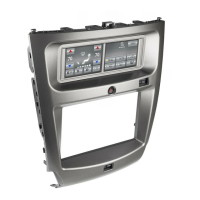
The Scosche ITCLS01B is an ISO Double DIN In-Dash Installation Kit with a pocket, designed specifically for 2006-2013 Lexus IS models without navigation. This kit facilitates the installation of an aftermarket head unit into the vehicle's dashboard, while also integrating climate, convenience, and personalization controls through a touch screen interface.

Function Description:

The primary function of the ITCLS01B kit is to provide a seamless and integrated solution for replacing the factory radio in compatible Lexus IS vehicles with an aftermarket double DIN head unit. It includes all necessary components for mounting the new head unit and retaining essential vehicle functions. A key feature is the Scosche Touch Screen Interface, which replaces the factory climate, convenience, and personalization controls that were originally built into the Lexus radio/dash panel. This interface offers improved ergonomics and touch screen capabilities, along with steering wheel control functionalities.

The kit's components include:

  • ITCLS01B Main Panel (7438): The central fascia that accommodates the aftermarket head unit and the integrated touch screen.
  • Dual Touch Screen ITC Module: The core of the interface, providing the touch screen functionality for climate and other controls.
  • Touch Sensitive Hazard Button: Integrates the hazard light function into the new panel.
  • Passenger Airbag Light and Passenger Seatbelt Light: Retains these important safety indicators.
  • Left Bracket (7440) and Right Bracket (7439): Mounting brackets for securing the aftermarket radio and the new panel assembly.
  • 4x Bracket Mounting Screws: Hardware for attaching the brackets.
  • ITC Wiring Harness: Connects the touch screen module to the vehicle's electrical system.
  • LSAAB (Antenna Adapter): Ensures compatibility with the vehicle's antenna system.

The integrated touch screen interface allows users to control various aspects of the vehicle's climate system, including:

  • Driver and Passenger Temperature Control: Independent temperature adjustment for both sides of the vehicle, with numeric indicators.
  • Fan Speed Control: Buttons to increase or decrease fan speed, with a graphic level indicator showing the current setting (up to 6 increments from off to maximum).
  • A/C On/Off: Toggles the air conditioning system.
  • Vent Directional Control: Allows users to select airflow patterns (e.g., upper body, feet, upper body and feet, feet and front windshield defogger).
  • Air Recirculation Mode: Recirculates interior air to quickly cool the vehicle or prevent outside air/odors from entering.
  • Front Windshield Defogger: Clears fog or moisture from the windshield.
  • Rear Window Defogger: Clears the rear window.
  • Micro Dust & Pollen Filter: Switches to recirculated air mode, filtering pollen.

Beyond climate control, the interface also provides access to a Configuration Menu for various settings, including:

  • Vehicle Settings: Allows adjustment of amplifier volume (25-45), fader (F7-R7), auto recirculation (fitted/not fitted), and driver position (left/right, which swaps AC control screens).
  • Picture Settings: Controls screen brightness for day and night (0-100% auto), and allows selection of day, night, or auto themes for the TFT color display.
  • Language Settings: Supports English, Français, and Español.
  • Version Information: Displays MCU (HVAC For Lexus), Resources (Lexus Resource V103), and Roboto font data.

Important Technical Specifications:

  • Compatibility: Specifically designed for 2006-2013 Lexus IS series vehicles without navigation.
  • Head Unit Type: ISO Double DIN.
  • Control Integration: Retains OEM steering wheel control capabilities when equipped. The kit includes an SWC harness and provides configuration options for various aftermarket stereo brands (Alpine, Clarion, JVC, Kenwood, Panasonic, Pioneer/Sony, and others).
  • Wiring: Includes detailed wiring diagrams for SWC and HVAC connections, with color codes for easy identification (White, White/Black, Black, Yellow, Red, Blue, Blue/White, Gray, Gray/Black, Orange).
  • Display: Color TFT touch screen for climate and configuration controls.
  • Power: Operates on +12V Constant Power (Yellow) and +12V Accessory (Red).
  • Antenna: Includes LSAAB (Antenna Adapter) for vehicle antenna compatibility.

Usage Features:

  • Intuitive Touch Screen Interface: Replaces physical buttons with a modern touch screen for most controls, enhancing the user experience.
  • Steering Wheel Control Retention: Allows users to continue using their vehicle's existing steering wheel buttons for audio control (volume up/down, scan stations/tracks up/down, power on/toggle audio sources, toggle display items).
  • Dual Zone Climate Control: The "DUAL" button allows switching between individual and simultaneous temperature control for driver and passenger.
  • Automatic Temperature Setting: The "AUTO" button enables the system to automatically adjust air outlets and fan speed to maintain the desired temperature.
  • Installer Menu: Tapping the Scosche logo 5 times displays an installer menu pop-up window, likely for advanced configurations or diagnostics.
  • Customizable Display: Picture settings allow users to adjust brightness and choose between day, night, or automatic color themes for the TFT screen.
  • Multi-Language Support: The interface supports English, French, and Spanish.

Maintenance Features:

  • Troubleshooting Support: A toll-free technical help line (1-800-621-3695 x3) is provided for assistance with installation, replacement parts, or any further questions.
  • Temperature Resilience: The device includes a notice stating that "Extremely high temperatures may temporarily affect the display. Normal operation will resume once the unit cools," indicating a built-in mechanism to recover from thermal stress.
  • Pre-Installation Warnings: The manual emphasizes disconnecting the vehicle's negative battery terminal to prevent electrical damage and recommends using a volt/ohm meter over a test light to check wiring, to avoid damage to the vehicle's computer and diagnostic systems. It also warns against tampering with factory airbag wiring to prevent accidental deployment.
  • Detailed Instructions: The manual provides step-by-step disassembly and assembly instructions with illustrations, making the installation process manageable for users. It also advises referring to the vehicle's owner manual for specific tools and the car stereo's instructions for proper wiring.
  • Liability Disclaimer: Scosche Industries, Inc. provides a liability disclaimer, acknowledging that the instruction booklet is based on documented data but cannot be held responsible for discrepancies due to manufacturing changes or damage during installation.

Scosche ITCLS01B Specifications

General IconGeneral
BrandScosche
ModelITCLS01B
CategoryAutomobile Accessories
LanguageEnglish

Related product manuals