SECTION
F
IMPORTANT!
THE
DATA
CONNECTORS MUST BE PROPERLY ALIGNED BEFORE INSERTING THEM INTO
THE
DATA
SOCKETS. THERE
IS
A SMALL NOTCH/TAB
FEATURE
INSIDE EACH CONNECTOR
FOR ALIGNMENT.
DO
NOT
TWIST
OR
TURN
THE CONNECTOR WHILE INSERTING. DOING
SO
WILL RESULT IN IRREPARABLE DAMAGE
TO
THE CONTACT PINS
OF
THE
CABLE OR
DEVICE. ONCE
THE
CONNECTOR IS SEATED, HAND TIGHTEN ONLY.
IGNITION & ILLUMINATION CABLE
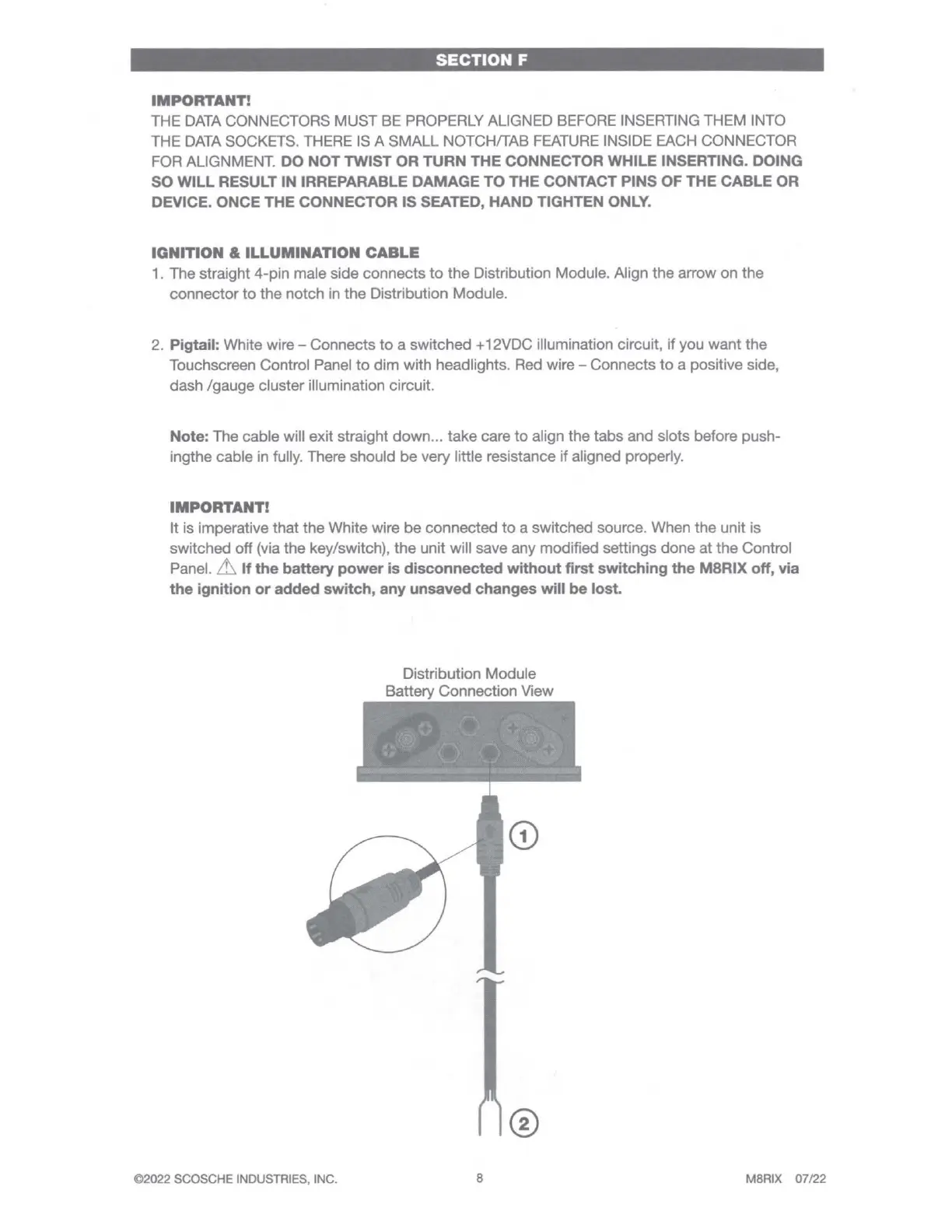
1. The straight 4-pin male side connects
to
the Distribution Module. Align the arrow on the
connector
to
the notch
in
the Distribution Module.
2. Pigtail: White wire - Connects
to
a switched + 12VDC illumination circuit,
if
you want the
Touchscreen Control Panel
to
dim with headlights. Red wire - Connects
to
a positive side,
dash /gauge cluster illumination circuit.
Note: The cable will exit straight down ... take care
to
align the tabs and slots before push-
ingthe cable in fully. There should be very little resistance
if
aligned properly.
IMPORTANT!
It
is imperative that the White wire be connected
to
a switched source. When the unit is
switched off (via the key/switch),
the
unit will save any modified settings done at the Control
Panel.
Lh
If
the
battery
power
is disconnected without first switching
the
M8RIX
off, via
the
ignition
or
added switch, any unsaved changes will
be
lost.
©2022 SCOSCHE INDUSTRIES, INC.
Distribution Module
Battery Connection View
8
MBRIX 07/22



 To Next Page