MODULE
BUTTON
LAYOUT
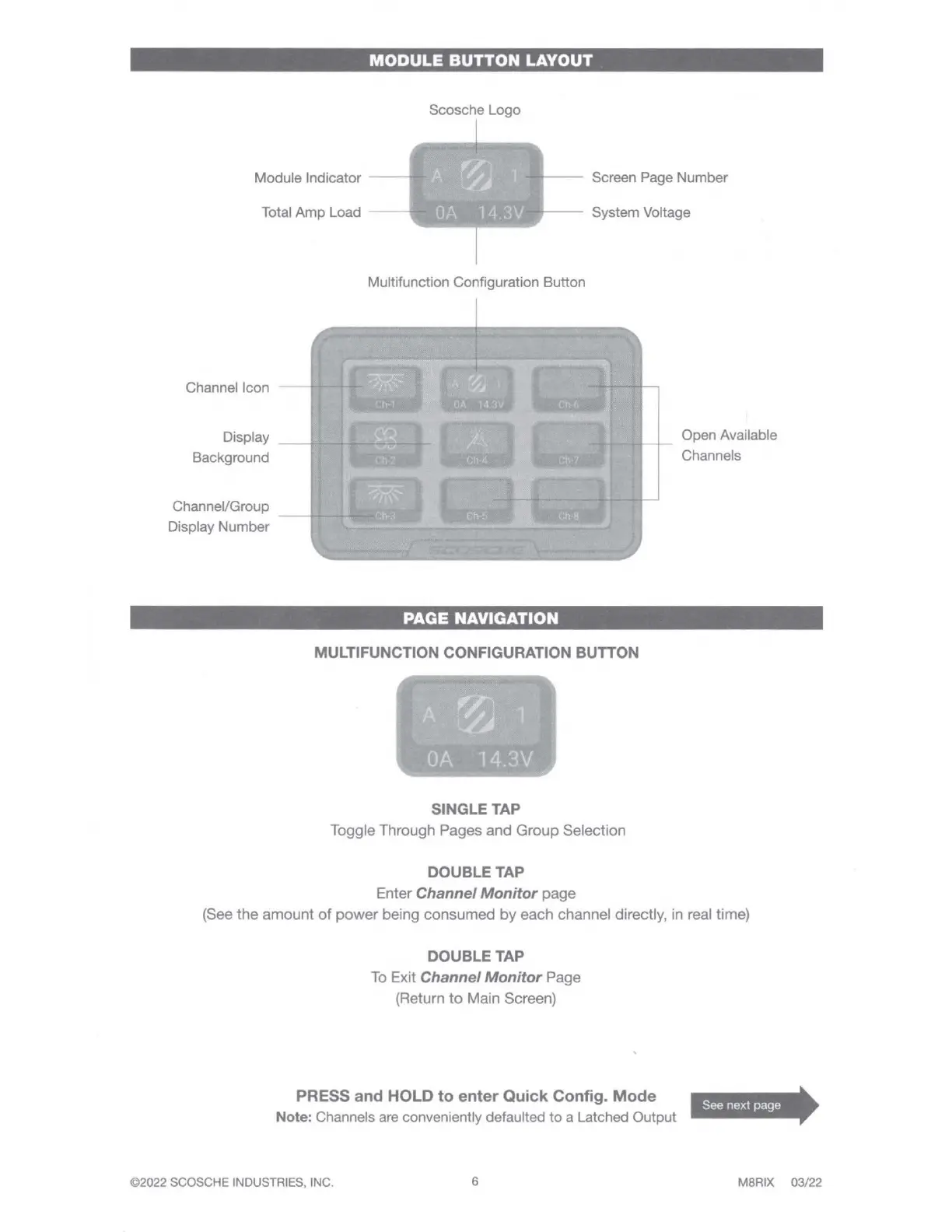
Scosche Logo
Module Indicator
Total Amp Load
Screen Page Number
System Voltage
Channel Icon
Display
Background
Channel/Group
Display Number
Multifunction Configuration Button
PAGE
NAVIGATION
MULTIFUNCTION CONFIGURATION BUTTON
SINGLE TAP
Toggle Through Pages
and
Group
Selection
DOUBLE TAP
Enter Channel Monitor
page
Open Available
Channels
(See
the
amount
of
power
being
consumed
by
each
channel directly, in real time)
DOUBLE TAP
To
Exit Channel Monitor Page
(Return
to
Main Screen)
PRESS
and
HOLD
to
enter
Quick
Config.
Mode
Note: Channels
are
conveniently defaulted to a Latched Output
©2022 SCOSCHE INDUSTRIES, INC.
6
See next page
MBRIX
03
/
22



 To Next Page