GB–18
LOCATING A SPECIFIC TITLE, CHAPTER OR TRACK
DVD DISCS ARE NORMALLY DIVIDED INTO TITLES WHICH ARE SUB-DIVIDED INTO
CHAPTERS. WHILE CD DISCS ARE DIVIDED INTO TRACKS.
Locating a title using the title menu
You can locate a specific title using the title menu function, if a DVD video disc contains a title
menu.
1. Press TITLE button
On the LCD or TV screen, the title menu will appear
2. Press ( / / / ) buttons to select the title you want.
You can also directly locate a specific title by pressing its assigned number with the DIGIT
buttons.
3. Press /OK or button
This will cause the DVD video player to start playback from chapter one of the title selected.
You also can use skip buttons to select a title or track:
Press or repeatedly till the desired one displays.
PLAYING REPEATEDLY
THIS DVD VIDEO PLAYER ALLOWS YOU TO PLAYBACK A SPECIFIC TITLE, CHAPTER,
TRACK, OR SEGMENT REPEATEDLY. (TITLE REPEAT, CHAPTER/TRACK REPEAT, A-B
REPEAT)
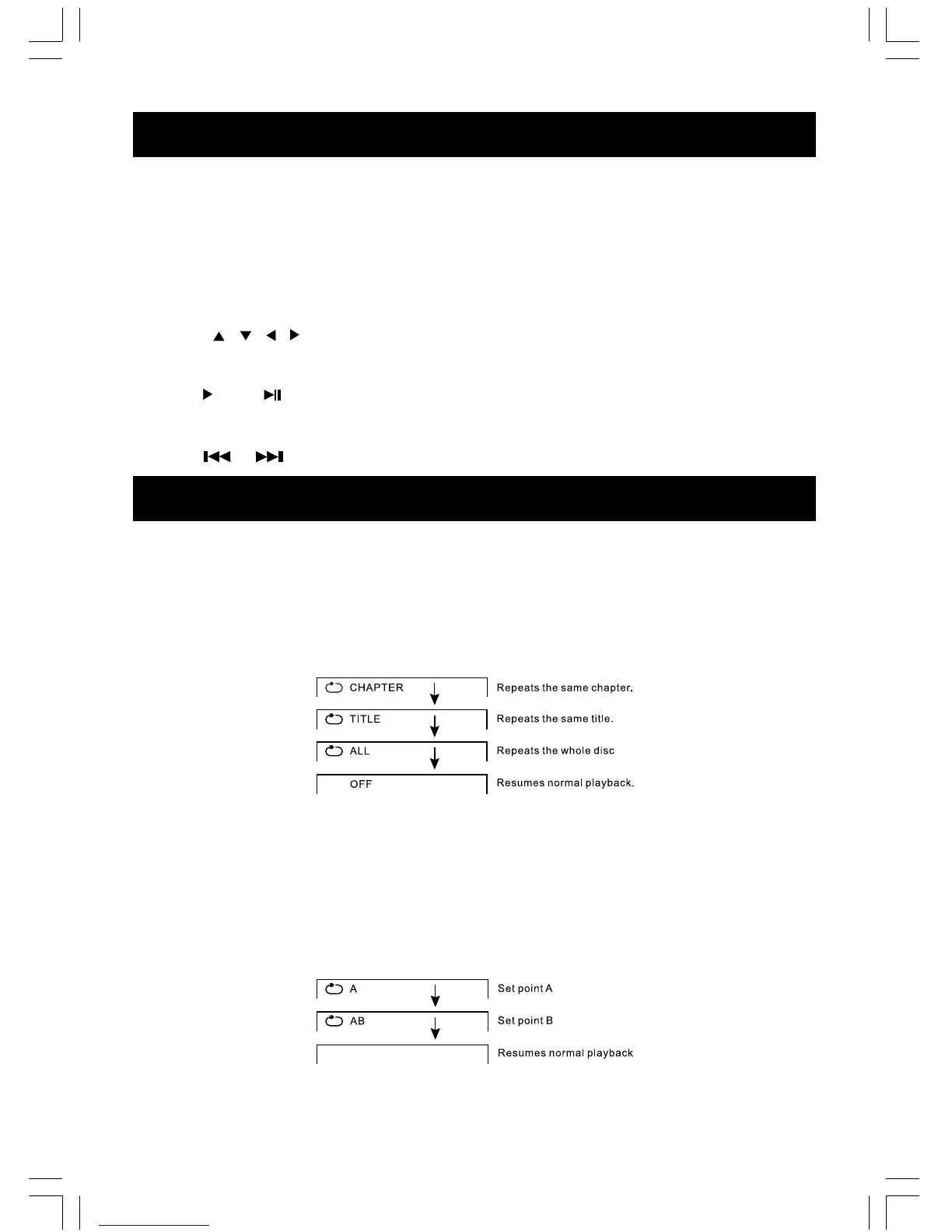
How to repeat a title, chapter or disc
During normal playback, press the REPEAT button.
The repeat mode changes, each time you press the REPEAT button
How to repeat a specific segment
1. Press A-B button at the beginning of the segment in which you want to repeat playback (point
A).
2. Press A-B button again at the end of the segment (point B)
The DVD video player will automatically return to point A and start to repeat playback of the
selected segment (A-B).
3. Press A-B button to cancel the A-B repeat function
The DVD video player will resume to normal playback.



 To Next Page