GB–6
CONNECTIONS
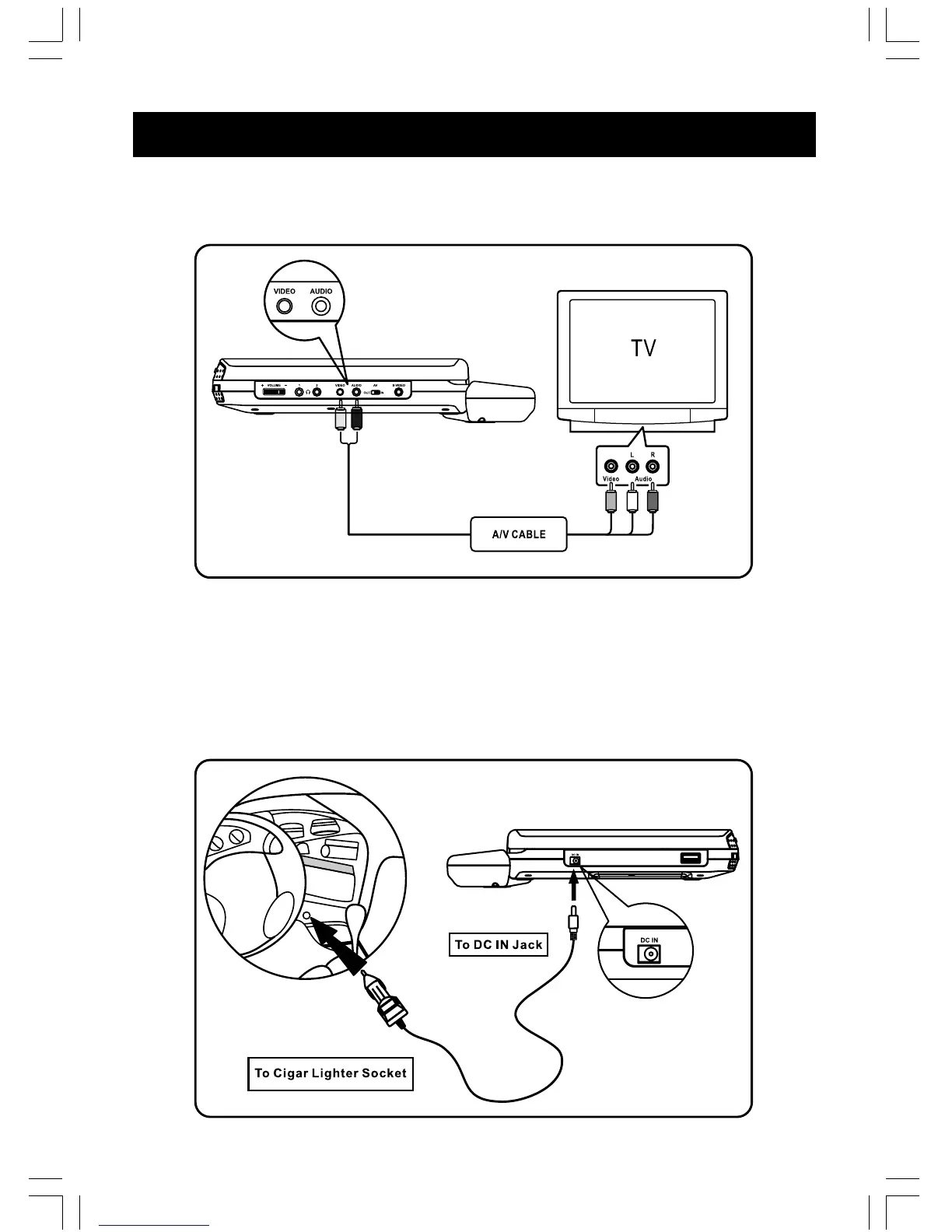
1. Connecting to TV
Connect the Audio ( Black ) and Video ( Yellow ) cable to Audio/Video Out jacks on your DVD
Player, and to the corresponding Audio/Video Input jacks on your TV.
NOTE : AV switch must be switched to “OUT” position
Remarks : To prevent EMI interference with other electronic equipment, we recommend you
use an A/V cable (included).
2. Connecting for in car use
Use the Car Power Adaptor (included) for power when using the DVD player in a car.
1. Plug the adaptor into the car cigarette lighter.
2. Plug the pin into the DC IN jack on the main unit.



 To Next Page