GB–19
PLAYING IN FAVORITE ORDER
How to set titles, chapters, or tracks in a favorite order
1. Press the PROG button.
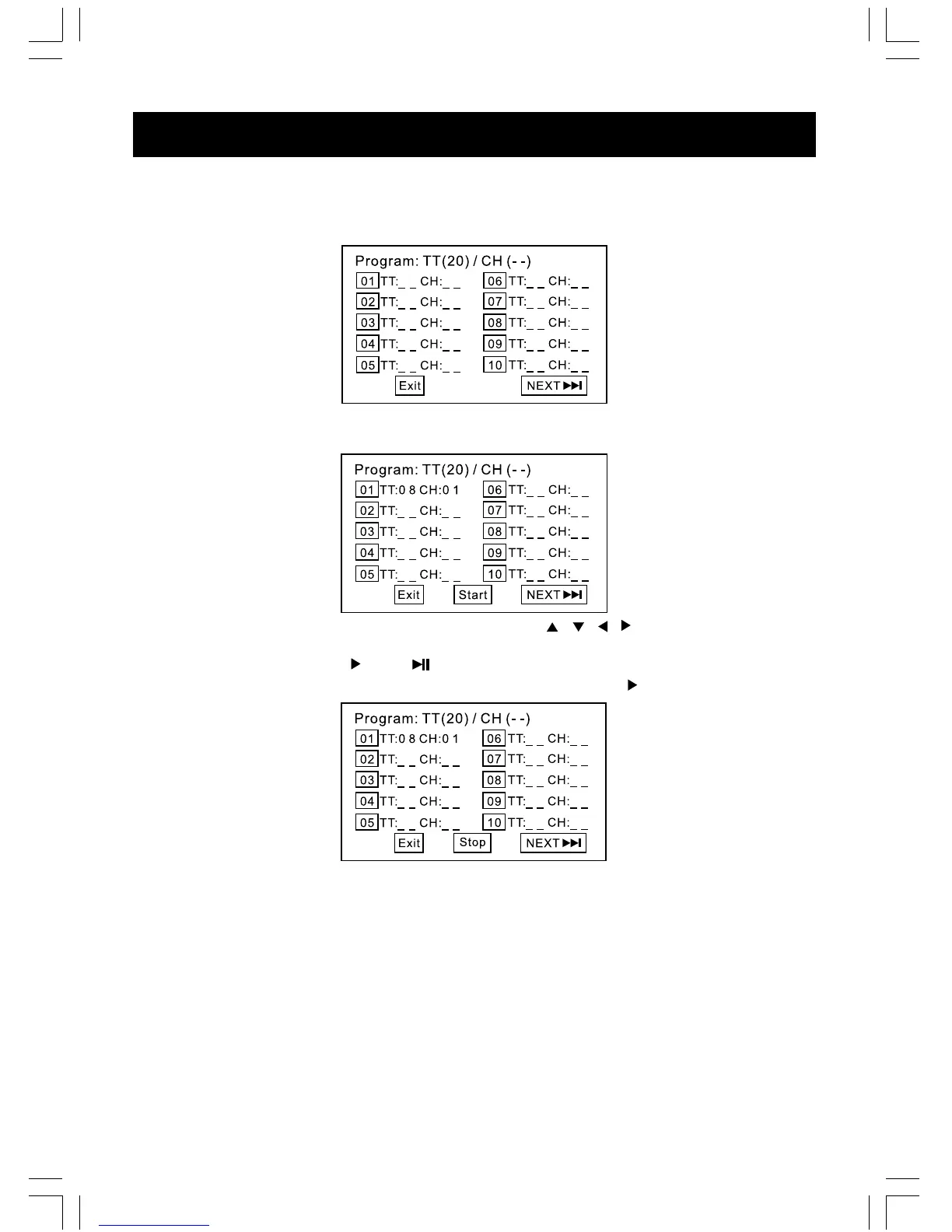
PROGRAM MENU display on the screen.
2. Using DIGIT buttons, select the items you want in the order you want them programmed in.
The number of the item selected will be input into the PROGRAM menu.
3. If you make a mistake, you can highlight it by using the ( / / / ) and press CLEAR
button to clear the undesired program. OR re-enter the new title/chapter number.
4. Highlight START and press /OK or to start program playback.
5. To clear all the programs, move the cursor to STOP and then press /OK to confirm it.
NOTE :
Picture CD and MP3 / WMA CD does not support the program function.



 To Next Page