EasyManua.ls Logo

SCOTT I-WXH 80 - User Manual

SCOTT I-WXH 80
13 pages
Print Icon
To Next Page IconTo Next Page
Loading...
I-WXH 80
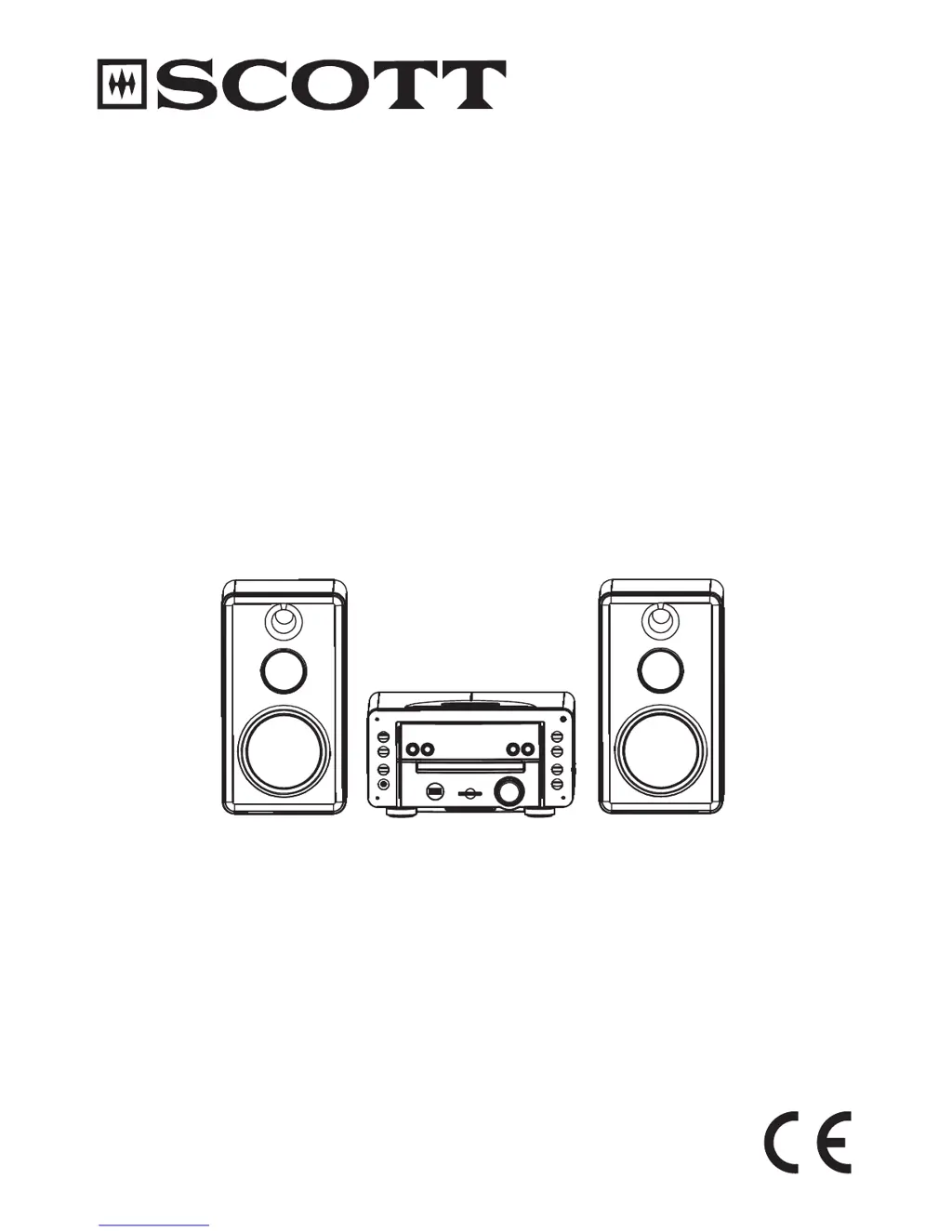
HIGH POWER AUDIO SYSTEM
FOR iPod
Instruction Manual

Questions and Answers

Summary

WARNING AND PRECAUTIONS

CLASS 1 LASER PRODUCT WARNING

Identifies the unit as a Class 1 Laser Product with associated warnings.

GENERAL SAFETY PRECAUTIONS

Covers placement, electrical safety, condensation, and general usage advice.

BOX CONTENTS

LOCATION OF CONTROLS

Main unit (Back View)

Details controls and ports on the rear of the main unit.

UNIT FRONT PANEL AND REMOTE CONTROL

Main Unit Front Panel Controls

Identifies and explains functions of buttons and knobs on the main unit's front.

Remote Control Functions

Explains functions of buttons on the infrared remote control.

LCD DISPLAY INDICATORS

CONNECTIONS

Connecting Speaker Boxes

Guides on connecting the main unit to speaker boxes.

EXTERNAL DEVICE AND POWER CONNECTIONS

Connecting Audio-Video Devices

How to connect MP3 players, TVs, or other devices via AUX or VIDEO OUT.

Power and Headphone Connections

Steps for plugging in the main unit and connecting headphones.

REMOTE CONTROL BATTERY INSTALLATION

Battery Usage Precautions

Safety guidelines for battery handling and disposal.

BASIC OPERATIONS

Power and Standby Mode

How to turn the unit on, off, and manage standby mode.

Clock and Source Settings

Steps to set the time and select the audio input source.

Volume, Mute, and Sound Effects

Adjusting volume, muting sound, and using XBASS/EQ.

RADIO OPERATION

Tuning and Reception

Basic tuning, stereo/mono selection, and improving reception.

Managing Radio Presets

Storing, auto-storing, and listening to preset radio stations.

CD;MP3;WMA PLAYBACK

Playback Controls and Search

Starting, pausing, stopping, and searching within tracks.

ID3 Tag Display

Displaying song, artist, and album information for MP3/WMA files.

ADVANCED DISC AND MEDIA OPERATIONS

Repeat, Program, and Intro Playback

Setting playback modes and creating custom sequences.

USB and SD;MMC Card Usage

Playing music from USB drives and memory cards.

IPOD INTEGRATION

iPod Dock Adapter Installation

Guide to selecting and fitting the correct iPod adapter.

Playing and Charging iPod

Steps for docking the iPod and controlling music playback.

ADVANCED FEATURES AND MAINTENANCE

iPod Video Output

How to output iPod video content to an external display.

AUX IN Functionality

Connecting and playing audio from external devices via AUX input.

Unit Maintenance

Instructions for cleaning the unit and CD discs.

TROUBLESHOOTING AND SPECIFICATIONS

Troubleshooting Common Problems

Step-by-step solutions for operational issues.

Technical Specifications

Detailed technical data of the audio system's components and capabilities.

Summary

WARNING AND PRECAUTIONS

CLASS 1 LASER PRODUCT WARNING

Identifies the unit as a Class 1 Laser Product with associated warnings.

GENERAL SAFETY PRECAUTIONS

Covers placement, electrical safety, condensation, and general usage advice.

BOX CONTENTS

LOCATION OF CONTROLS

Main unit (Back View)

Details controls and ports on the rear of the main unit.

UNIT FRONT PANEL AND REMOTE CONTROL

Main Unit Front Panel Controls

Identifies and explains functions of buttons and knobs on the main unit's front.

Remote Control Functions

Explains functions of buttons on the infrared remote control.

LCD DISPLAY INDICATORS

CONNECTIONS

Connecting Speaker Boxes

Guides on connecting the main unit to speaker boxes.

EXTERNAL DEVICE AND POWER CONNECTIONS

Connecting Audio-Video Devices

How to connect MP3 players, TVs, or other devices via AUX or VIDEO OUT.

Power and Headphone Connections

Steps for plugging in the main unit and connecting headphones.

REMOTE CONTROL BATTERY INSTALLATION

Battery Usage Precautions

Safety guidelines for battery handling and disposal.

BASIC OPERATIONS

Power and Standby Mode

How to turn the unit on, off, and manage standby mode.

Clock and Source Settings

Steps to set the time and select the audio input source.

Volume, Mute, and Sound Effects

Adjusting volume, muting sound, and using XBASS/EQ.

RADIO OPERATION

Tuning and Reception

Basic tuning, stereo/mono selection, and improving reception.

Managing Radio Presets

Storing, auto-storing, and listening to preset radio stations.

CD;MP3;WMA PLAYBACK

Playback Controls and Search

Starting, pausing, stopping, and searching within tracks.

ID3 Tag Display

Displaying song, artist, and album information for MP3/WMA files.

ADVANCED DISC AND MEDIA OPERATIONS

Repeat, Program, and Intro Playback

Setting playback modes and creating custom sequences.

USB and SD;MMC Card Usage

Playing music from USB drives and memory cards.

IPOD INTEGRATION

iPod Dock Adapter Installation

Guide to selecting and fitting the correct iPod adapter.

Playing and Charging iPod

Steps for docking the iPod and controlling music playback.

ADVANCED FEATURES AND MAINTENANCE

iPod Video Output

How to output iPod video content to an external display.

AUX IN Functionality

Connecting and playing audio from external devices via AUX input.

Unit Maintenance

Instructions for cleaning the unit and CD discs.

TROUBLESHOOTING AND SPECIFICATIONS

Troubleshooting Common Problems

Step-by-step solutions for operational issues.

Technical Specifications

Detailed technical data of the audio system's components and capabilities.

SCOTT I-WXH 80 Specifications

General IconGeneral
Frequency response20Hz to 20kHz
Tuning rangeFM, AM
Power output40 watts per channel into 8Ω (stereo)
Input sensitivity200mV (line)
Speaker load impedance8Ω
TypeStereo System