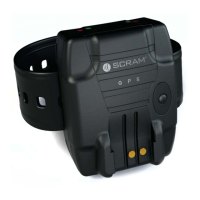
SCRAM GPS
Quick Reference Guide
x
TABLE OF CONTENTS
Introduction ............................................................................. 1
Glossary of Terms ........................................................................... 1
Log On SCRAMNET GPS .............................................................. 2
System Setup ........................................................................... 2
Add Users ...................................................................................... 2
Add Additional Recipients ................................................................. 2
Add Account Zones .......................................................................... 3
Initial SCRAM GPS Offender Setup ............................................ 3
Add New Offender ........................................................................... 3
Install SCRAM GPS Bracelet .............................................................. 6
Ongoing Offender Management ................................................ 7
Process Events................................................................................ 7
Utilize GPS Analytics ........................................................................ 8
View Offender’s Current Location ....................................................... 9
View Offender’s Last Known Location ................................................. 9
View Offender’s Movement - Past 24 Hours ......................................... 9
View Offender’s Movement - Custom .................................................. 9
Closing Tasks ......................................................................... 10
Inactivate Offender/Unassign SCRAM GPS Bracelet .............................10
Remove SCRAM GPS Bracelet ..........................................................10
Clean/Disinfect SCRAM Equipment ....................................................11
Inventory Management .......................................................... 12
Move SCRAM GPS Bracelets to Another Account .................................12
Return Equipment ..........................................................................13
Bracelet Alerts/Events .....................................................................13
Troubleshooting ..................................................................... 16
Product Specifi cations ............................................................ 17



 To Next Page