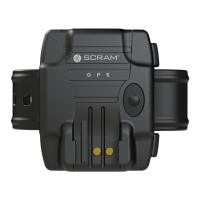
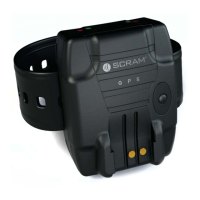
SCRAM GPS
Quick Reference Guide
11
3. Repeat steps 1 and 2 on the other tab-release slot.
4. With both tabs broken, pull the bracelet away from
the back plate.
5. Remove the back plate and strap from the offender’s
ankle area.
CLEAN/DISINFECT SCRAM EQUIPMENT
To avoid damaging SCRAM equipment, use only cleaning
and disinfecting products approved by SCRAM Systems
as listed below. NEVER USE CITRUS/PINE-BASED
CLEANING PRODUCTS OR ALCOHOL AND/OR
ALCOHOL-CONTAINING CLEANING PRODUCTS.
APPROVED PRODUCTS
• Sporicidin® Disinfectant (USA)
• SporeClear™ Disinfectant (outside of USA)
• Windex® Multisurface Disinfectant Cleaner
(yellow Windex)
SPORICIDIN/SPORECLEAR
Sporicidin (USA) is available to order online or from
SCRAM Systems, SporeClear (outside of USA) is only
available online. Both products are strongly recommended
for disinfecting all SCRAM ankle bracelets. These are
medical-grade disinfectants that do NOT contain alcohol
and kill 100% of disease and odor-causing organisms*.
To disinfect a SCRAM bracelet using either of these
products:
1. If the situation warrants, remove the faceplate and
bracelet straps.
2. Spray on and allow surfaces to remain wet for 10
minutes.
3. Rinse with water or wipe surfaces.
4. Dry with a paper towel or cloth.
5. If the bracelet straps were removed, install bracelet
straps and faceplate.



 To Next Page