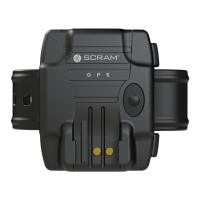
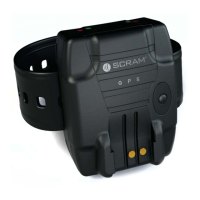
SCRAM GPS
Quick Reference Guide
17
Issue Indication Recommended Action
Strap Tamper Indicates that there
was a potential
strap tamper. On
the Dashboard
page, a blinking
red
icon appears in the
Equipment column for
the client.
Visually inspect the bracelet for
signs that the strap has been
cut or compromised by a heat
source.
If there are no signs of a
tamper, replace the bracelet and
request an RMA from AMS.
Battery Critical
Low Battery
May indicate that
the bracelet is not
charging properly or
the bracelet is not
holding a charge. The
‘Event Details’ window
will display the
charging history.
For a bracelet that is not
charging, ensure that a
green
fl ashing light turns on when the
bracelet is placed on a charger.
If no lights turn on, replace the
charger.
If replacing the charger does
not correct the issue, replace
the bracelet and request an RMA
from AMS.
For a bracelet that is not holding
a charge, check the ‘Event
Details’ window to ensure that
the offender is charging the
bracelet as instructed.
If the offender appears to
be charging the bracelet as
instructed and the battery is
depleting faster than normal,
replace the bracelet and request
an RMA from AMS.
PRODUCT SPECIFICATIONS
BRACELET
Dimensions:
8.3 cubic inches (3.37” tall x 2.75”
wide x 0.90” deep)
Weight: 5.5 oz (156 grams)
Waterproof: IP68 military standard (2 meters)
Strap Material: Hypoallergenic, industrial-grade
plastic, embedded fi ber optic cable
Cellular Network: 3G GSM (AT&T)
GPS Monitoring Options: Active, Hybrid, Passive



 To Next Page