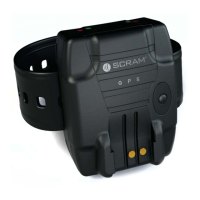
SCRAM GPS
Quick Reference Guide
16
TROUBLESHOOTING
Issue Indication Recommended Action
No
Communication
Indicates that the
bracelet is unable to
communicate with
cell tower. On the
Dashboard page, a
solid red icon appears
in the Equipment
column for the client.
Instruct offender to plug device
in for 15 minutes.
If communication failure does
not clear, instruct offender to
stand outside for 15 minutes in
an attempt to communicate with
cell tower.
No Location Indicates that the
satellites are unable
to acquire the
offender’s bracelet
to give a current
location point. On the
Dashboard page, a
solid red icon appears
in the Location
column for the client.
Instruct offender to step outside
for 15 minutes and send a
‘Locate Now’ command to the
offender’s bracelet through the
software.
“NA” Battery
Status
Indicates that the
bracelet battery
voltage has not
updated within the
last 2 hours. On the
Dashboard page,
the Battery icon in
the Locator Battery
column will display
“NA” inside the
battery.
Check the ‘Events Detail’ window
to determine if the offender let
the bracelet battery completely
deplete due to lack of charging.
If so, have offender charge the
bracelet.
If the bracelet has been in
communication failure for over
2 hours then the bracelet will go
into “NA” battery status.
Follow the recommended actions
to clear the communication
failure.
Bracelet Tamper Indicates that there
was a potential
back plate tamper.
On the Dashboard
page, a blinking
red
icon appears in the
Equipment column for
the client.
Visually inspect the bracelet for
signs of a tamper around the
back plate.
If there are no signs of a
tamper, replace the back plate.
If the back plate fails to secure
completely or the bracelet
regenerates a tamper alert
shortly after replacing the back
plate, replace the bracelet and
request an RMA from AMS.



 To Next Page