
 Need help?
Do you have a question about the Scytek electronic ASTRA 777-TC and is the answer not in the manual?
Details optional inputs and outputs for personalized security and convenience features.
Explains how to check the current vehicle status using the 2-way transmitter.
Procedure to set the date and time displayed on the pager transmitter.
Procedure to set the AutoStart time for the system via the pager.
Procedure to set the alarm clock function on the pager transmitter.
How to choose sound or vibration feedback for the pager.
Enabling or disabling siren chirps for arming/disarming confirmation.
Enabling or disabling the automatic passive arming feature.
Configuring the cold temperature threshold for the AutoStart feature.
Configuring the hot temperature threshold for the AutoStart feature.
Synchronizing the pager's clock to the security system's time.
Synchronizing the system's clock to the pager's time.
Procedure to set the first AutoStart time for the system.
Procedure to set the second AutoStart time for the system.
How to access and view the system's alarm history.
How to check the inside vehicle temperature using the remote transmitter.
Enabling Cold, Hot, and general Autostart features.
How to set and reset the system's Valet mode.
How to lock and unlock the transmitter to prevent accidental transmissions.
Receiving a pager report when out of range from the unit.
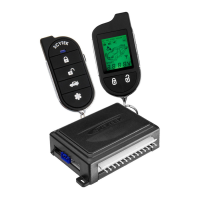
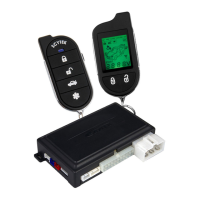
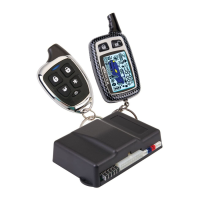
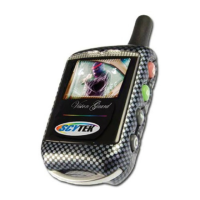
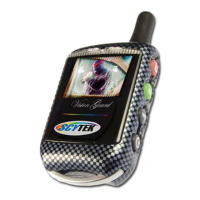
Understanding the icons and information displayed on the pager.
Procedure for programming or replacing one-way transmitters.
Operating two vehicles with a single remote transmitter.
Instructions for replacing the battery in the remote transmitter.
Activating the LCD backlight on the transmitter.
Programming siren chirps, sound tones, and passive arming via the transmitter.
Description of button functions for the 5-button remote transmitter.
Explanation of shift button functions for additional features or car operation.
Step-by-step guide to arming the vehicle security system remotely.
Step-by-step guide to disarming the vehicle security system remotely.
Interpreting LED flashes to identify triggered zones or system events.
Using silent operation for arming and disarming the system.
Details on the automatic passive arming feature and its activation.
How to activate and deactivate the remote panic feature for emergencies.
Procedure to disarm the system if the transmitter is lost or inoperable.
Setting and using a coded emergency override for enhanced security.
How the system automatically re-arms and locks after disarming.
Instructions for activating and deactivating the system's Valet mode.
Activating the feature to page the transmitter if it is lost or misplaced.
Ignition locks and dome light activation for user convenience.
Details on auxiliary outputs and disarming via auxiliary functions.
Temporarily bypassing sensor inputs using the remote transmitter.
Explanation of the three programmable Anti-Carjacking modes.
Recommended locations and procedures for mounting the main control unit.
Recommended locations and procedures for mounting the siren.
Recommended locations and procedures for mounting the shock sensor.
Detailed description of each pin connection for the 14-pin main harness.
Explanation of the different plug-in connectors and their uses.
How to set jumpers for parking light polarity and other configurations.
Steps to enter the system programming mode for configuration.
Procedure to reset all programmable system options to factory defaults.
Description of various system options that can be programmed.
Enables automatic re-arming and locking 30 seconds after disarming.
Selects between Manual, Passive, or Full-Time Anti-Carjacking.
Sets Auxiliary 1 to momentary, 10-second timed, or latched operation.
Sets Auxiliary 2 to momentary, 10-second timed, or latched operation.
Wiring for main power, +12V battery input, and ignition signal.
Wiring for siren output, horn output, and parking light output.
Wiring for door lock/unlock outputs and door trigger inputs.
Wiring for auxiliary outputs, armed status, and dome light output.
Wiring for hood/trunk inputs, ground connection, and shock sensor.
 General
| Alarm Type | Car Alarm |
|---|---|
| Model | ASTRA 777-TC |
| Brand | Scytek electronic |
| Remote Control | Yes |
| Keyless Entry | Yes |
| Shock Sensor | Yes |
| Anti-Theft System | Yes |
| Engine Immobilizer | Yes |
| Panic Mode | Yes |
| Valet Mode | Yes |
| Siren | Yes |
| Disarming Mode | Remote |
| Remote Start | No |
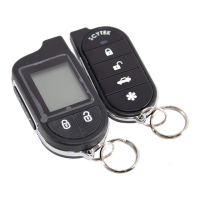
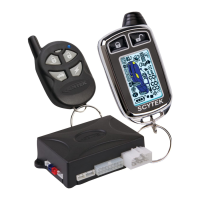
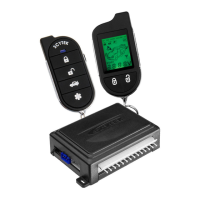
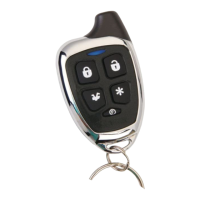
| Number of Buttons on Remotes | 4 |
| Compatibility | Universal |



 To Next Page