
 Need help?
Do you have a question about the Scytek electronic VISIONGUARD 6000 and is the answer not in the manual?
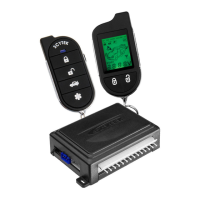
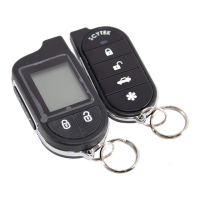
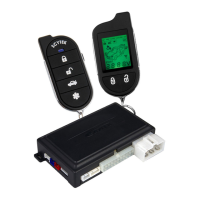
Details the functions and layout of the standard 5-button remote transmitter.
Instructions for programming new or replacing lost/stolen remote transmitters.
Guide for operating two vehicles with a single remote transmitter set.
Procedure for replacing the batteries in the remote transmitter.
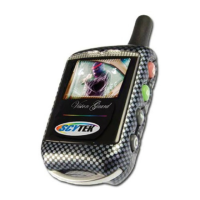
Steps to program additional 2-way LCD transmitters into the system.
Explains how to check vehicle status using the 2-way transmitter's display.
Process for replacing the battery in the LCD remote transmitter.
Step-by-step instructions for arming the vehicle security system remotely.
Procedure for disarming the vehicle security system using the remote transmitter.
Explanation of LED flash codes indicating triggered zones after disarming.
How to perform silent arming and disarming operations.
How the system automatically arms after ignition off and doors closed.
Procedure to disarm the system if the transmitter is lost or inoperable.
How to use a programmed code to disarm the system for added security.
System automatically rearms 30 seconds after disarming if doors are not opened.
Steps to initiate remote engine start and its safety safeguards.
Methods to safely stop the remotely started engine.
Allows exiting the vehicle with the engine running for brief stops.
How to set the system for automatic engine starts at scheduled intervals.
Specific instructions for remote starting manual transmission vehicles.
Details ignition door locking/unlocking and dome light activation.
Explains auxiliary outputs and their specific uses like trunk release.
How to temporarily disable sensors to prevent false alarms.
Recommended locations for mounting the main control unit.
Guidelines for securely mounting the system's siren.
Advice on optimal placement for the shock sensor.
Description of various connectors for sensors, LED, valet switch, and network port.
Guide to selecting and setting the parking light polarity jumper.
Steps to access the system's programming mode.
Procedure to restore all system programming parameters to factory defaults.
Overview of available features that can be programmed for customization.
 General
| Number of Remotes Included | 2 |
|---|---|
| Alarm Features | Remote Start, Shock Sensor, Anti-Carjacking, Panic Mode |
| Keyless Entry Features | Yes |
| Door Lock Outputs | Yes |
| Anti-Carjacking Feature | Yes |
| Panic Mode | Yes |
| Valet Mode | Yes |
| Shock Sensor | Dual Stage |
| Operating Frequency | 433 MHz |




 To Next Page