
 Need help?
Do you have a question about the Scytek electronic VISIONGUARD 8000 and is the answer not in the manual?
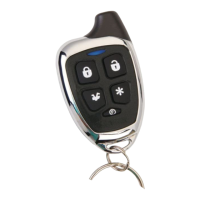
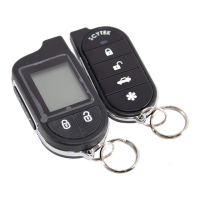
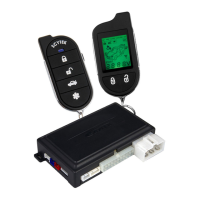
Details the functions and layout of the standard 5-button remote transmitter.
Step-by-step guide to program new or replace lost remote transmitters.
Instructions for operating multiple vehicles with a single remote transmitter.
Guide to replacing batteries in the standard remote transmitter.
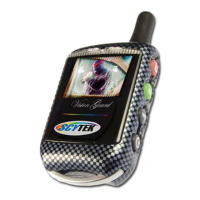
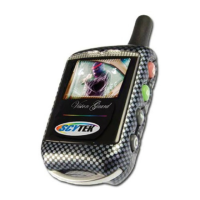
Explains the features and operation of the 2-way LCD camera-ready remote transmitter.
Process for programming additional 2-way LCD transmitters.
How to check the system's current status using the 2-way transmitter.
Instructions for replacing the battery in the LCD transmitter.
Configuration options accessible via the LCD transmitter's button 4.
How to locate a misplaced LCD transmitter using the system.
Guide on how to capture a still image with the built-in camera.
Instructions for viewing stored images on the transmitter.
Method for copying captured images to memory.
System automatically records images upon alarm trigger.
Step-by-step guide to arm the vehicle security system.
Step-by-step guide to disarm the vehicle security system.
Explains LED flash indicators for triggered zones.
How to perform arming/disarming without audible chirps.
Details the automatic arming process after ignition off.
Procedure to activate the alarm in emergency situations.
Method to disarm the system without a transmitter.
Enhanced security for disarming with a programmed code.
System automatically re-arms if not disarmed by user.
Temporarily disables system functions for vehicle servicing.
Instructions for remotely starting the vehicle's engine.
Ways to safely shut down the remote-started engine.
Allows leaving the engine running while briefly exiting the vehicle.
Enables automatic engine starts at set intervals.
Procedure for remote starting a manual transmission vehicle.
Methods to safely stop the engine of a manual transmission vehicle.
Automatically locks doors upon ignition turn-on.
Automatically unlocks doors upon ignition turn-off.
Illuminates the vehicle's dome light after disarming.
Details the system's auxiliary outputs for added functions.
Allows system disarming when an auxiliary function is activated.
Temporarily bypasses sensors to prevent false alarms.
Guidelines for installing the main control unit securely and accessibly.
Recommendations for siren placement for optimal sound projection and protection.
Advice on locating the shock sensor for effective impact detection.
Specific wiring instructions for the 6-pin starter harness.
Detailed connection guide for the 20-pin main harness.
Explains connections for various plug-in components and ports.
Instructions on setting jumpers for system configuration.
How to configure the polarity for the parking light relay output.
Steps to access and navigate the system's programming menu.
Procedure to restore all system settings to factory defaults.
Overview of configurable system features and their settings.
 General
| Remote Start | Yes |
|---|---|
| Two-Way Communication | Yes |
| Remote Control Range | Up to 3000 feet |
| LCD Remote Display | Yes |
| Panic Mode | Yes |
| Keyless Entry | Yes |
| LED Status Indicator | Yes |
| Number of Buttons on Remotes | 5 |
| Number of Remotes | 2 |
| Engine Immobilizer | Yes |
| Door Trigger | Yes |
| Trunk Trigger | Yes |
| Hood Trigger | Yes |
| Valet Mode | Yes |
| Starter Kill | Yes |
| Power Output | 12V DC |
| System Type | Car Alarm |
| Alarm Type | 2-Way |
| Shock Sensor | Yes |
| Alarm Features | Siren |



 To Next Page