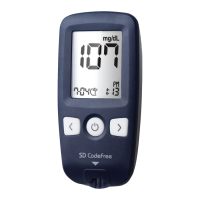
SD CodeFree™ BLOOD GLUCOSE MONITORING SYSTEM
59
Using the Meter Memory
2. Downloading results to a computer
You can use your meter with the SD Diabetes
Management Software to store your records
and to help you spot patterns for planning
meals, exercise, and medication. The SD
Diabetes Management Software puts
information downloaded from the meter into
charts, diagrams and graphs.
1) Obtain the SD Diabetes Management
Software (see below) and the SD SW
Interface Cable. These are both available
from your healthecare professional or from
the place you purchased this meter.
2) Install the software on a personal
computer. Please refer to Software Product
Manual.
• Whenthemeterisconnectedtothe
PC, it is not possible to perform a
blood glucose test.
• TodownloadtheSDDiabetes
Management Software and manual
(both are free of charge), please visit
www.sdbiosensor.com
• Select English at top right of the
screen, then select “software” or SD
DMS manual.
• For further information, please refer to
the Software Product Manual.
• SD Diabetes Management Software
is intended for both professional and
home use.
NOTE


 To Next Page