SD CodeFree™ BLOOD GLUCOSE MONITORING SYSTEM
68
Maintenance and Troubleshooting
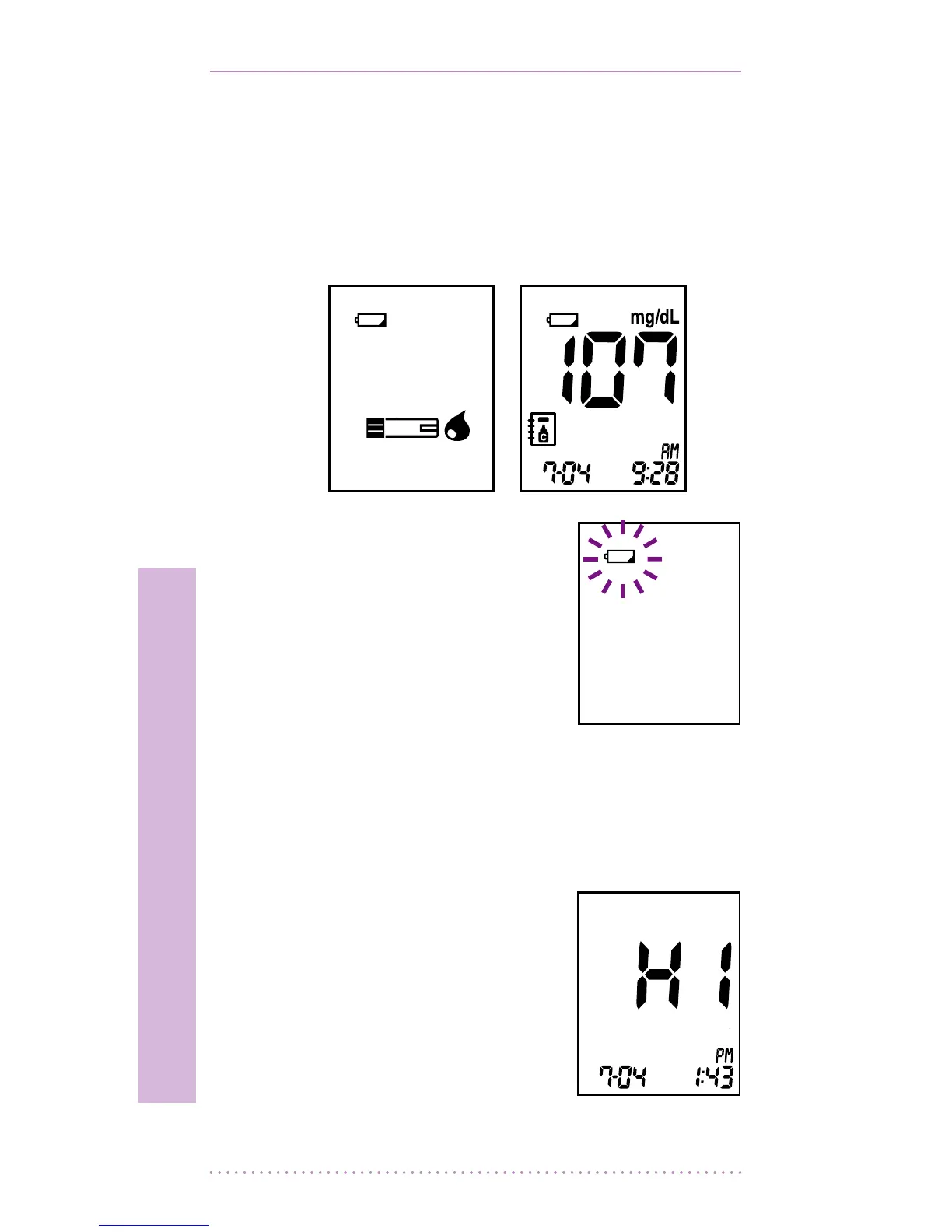
[Low battery]
When the battery is getting low the
meter will show the low battery icon but
you will still be able to carry out about 50
more tests. Replace the battery soon. See
Chapter 1, “9. Inserting the Battery”
[Replace battery]
• Whenthelowbattery
icon ashes you must
replace the battery
immediately. See
Chapter 9. “Inserting the
Battery” If you press the
ON/OFF button after
the battery is discharged, the battery
icon will ash and the meter will turn o
automatically after ten seconds.
[HI message]
• Blood glucose may
be higher than the
measuring range of the
meter. See chapter 3
“4. Understanding Test
Results”


 To Next Page