4/22 Ref. GPAO : 33502017201_1_1
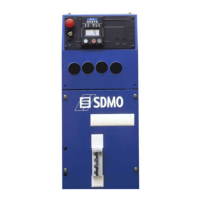
2.1.1 Presentation of the front panel
Fig. 2.1 – View of the front side
c Emergency stop button for switching off the generating set in the event of a fault which could endanger personnel or
damage equipment
d Key switch for starting up/shutting down the module and RESET function
e Electronic card protection fuse
f Screen-scroll button, press successively to access the various screens which are available
g STOP button, press to switch off the generating set
h START button, press to switch on the generating set
i Normal operation LEDs and alarm and fault warning LEDs
j Slot reserved for panel fascia options
k Mounting bolt.
l LCD for displaying alarms and faults, operating states, electrical and mechanical quantities
2
1
3
5
9
9
9
6
7
8
4
9
10


 To Next Page