SATA Internal Hard Drive6
6Gb/sec SATA drive connected to a
1.5Gb/sec or 3.0Gb/sec SATA card or
motherboard
Barracuda drives with 6Gb/sec SATA are
designed for easy installation. It is usually not
necessary to set any jumpers on the drive
for proper operation; however, if you connect
the drive and receive a “drive not detected”
error, your SATA-equipped motherboard or
host adapter may use a chipset that does not
support SATA speed autonegotiation.
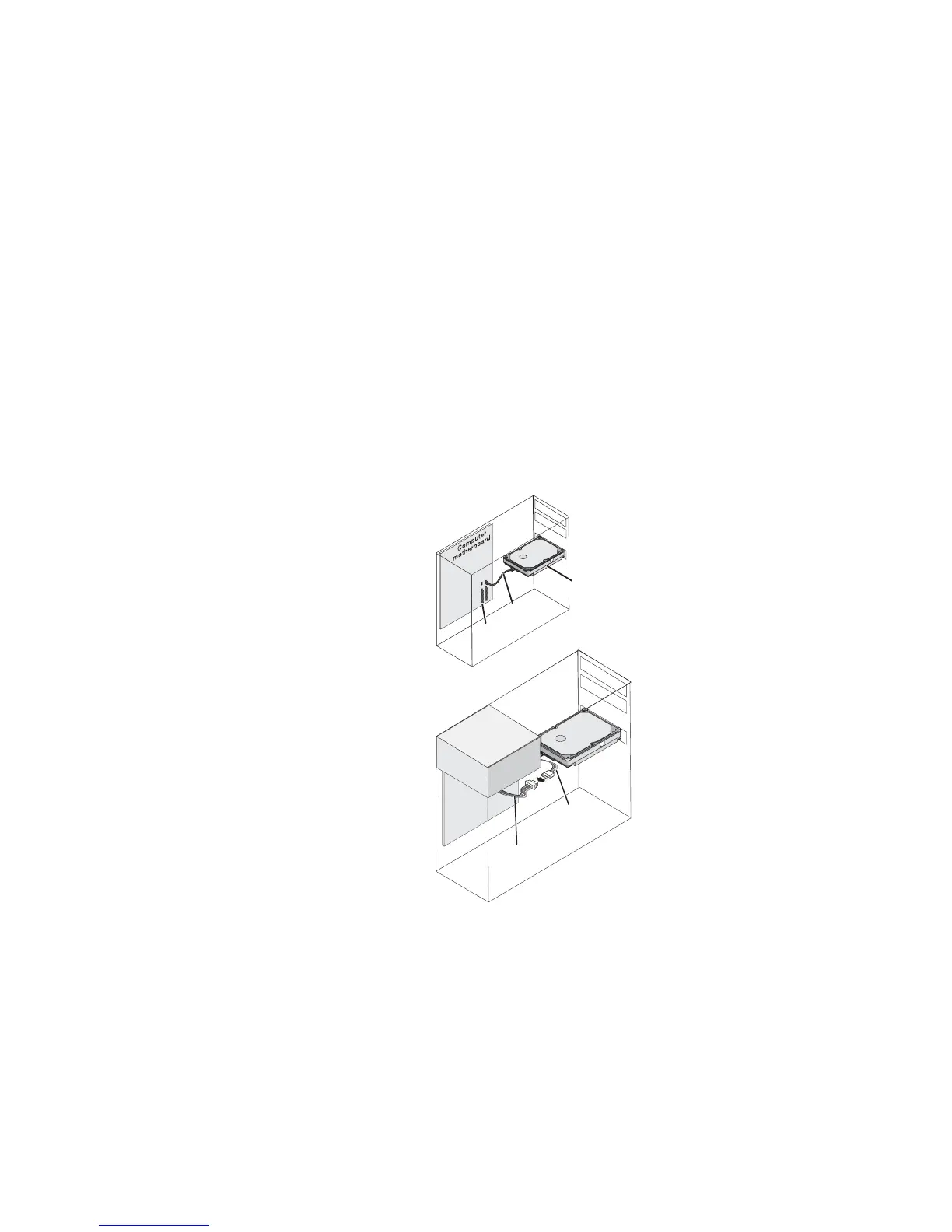
Attach power and SATA data cables
1 Locate an available SATA port on your
motherboard or add-in SATA card and
connect one end of the data cable.
2 Connect the other end of the data cable to
the rear of the hard drive.
3 Connect the 15-pin SATA power connector
to the drive and power supply.
New
Seagate
drive
SATA
ports
Power
supply
SATA power-
adapter
cable
Power
cable
SATA
cable










 To Next Page