Geng Started
Register Seagate One Touch SSD and start syncing files from your PC/Mac computers and compatible
Android mobile devices.
PC/Mac computers Connect One Touch SSD to your computer and use Seagate Toolkit to sync
folders, so your files are available in both places. Let Toolkit automatically copy
files you've deleted to the archive folder on One Touch SSD to prevent lost
data.
Android mobile devices Connect One Touch SSD to a compatible Android mobile device and use the
Seagate SSD Touch app to easily back up, move, copy, and delete files on One
Touch SSD and your mobile device.
PC/Mac computers
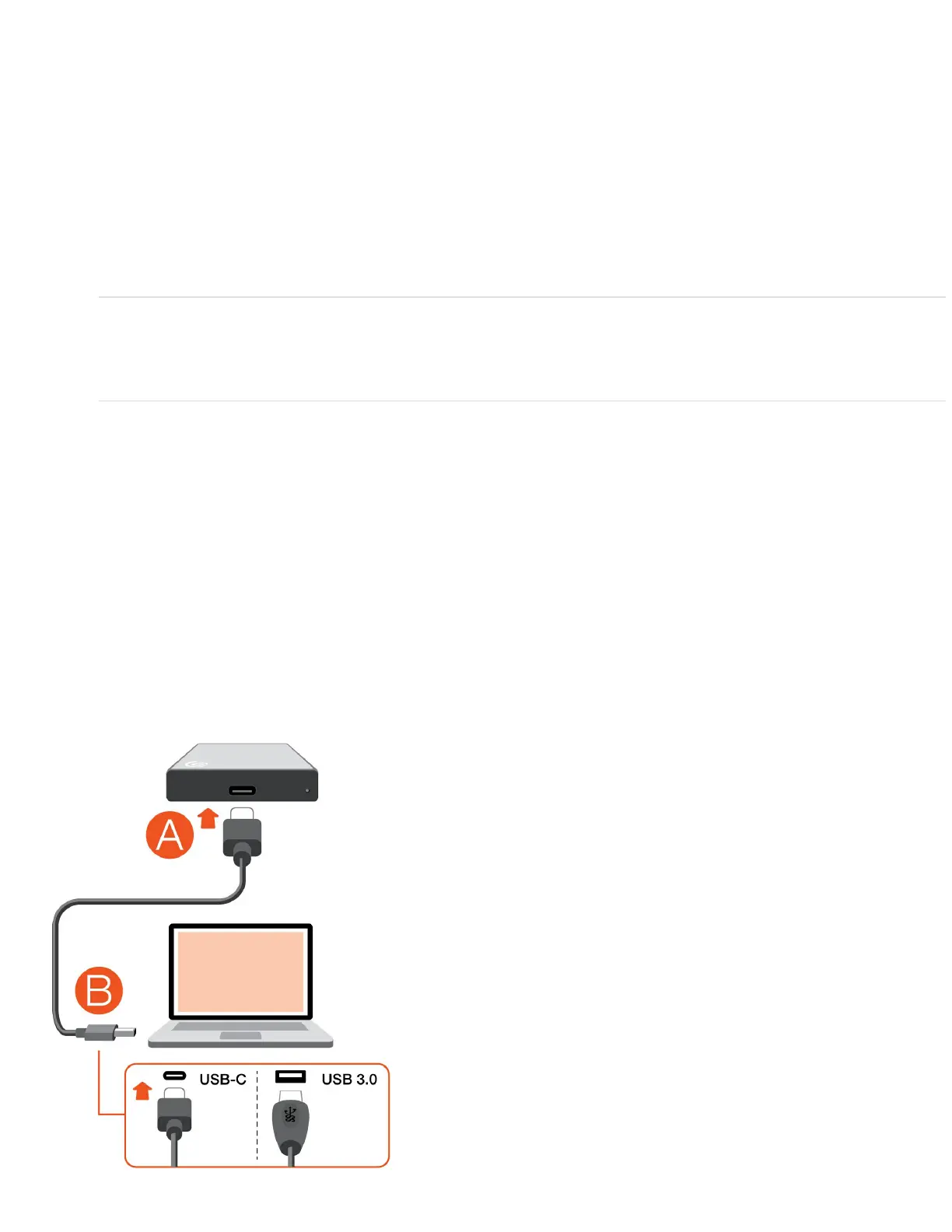
Connect the USB cable
Use the USB-C cable if your computer has a USB-C port. If your computer doesn't have a USB-C port, use
the USB-C to USB-A cable.











 To Next Page