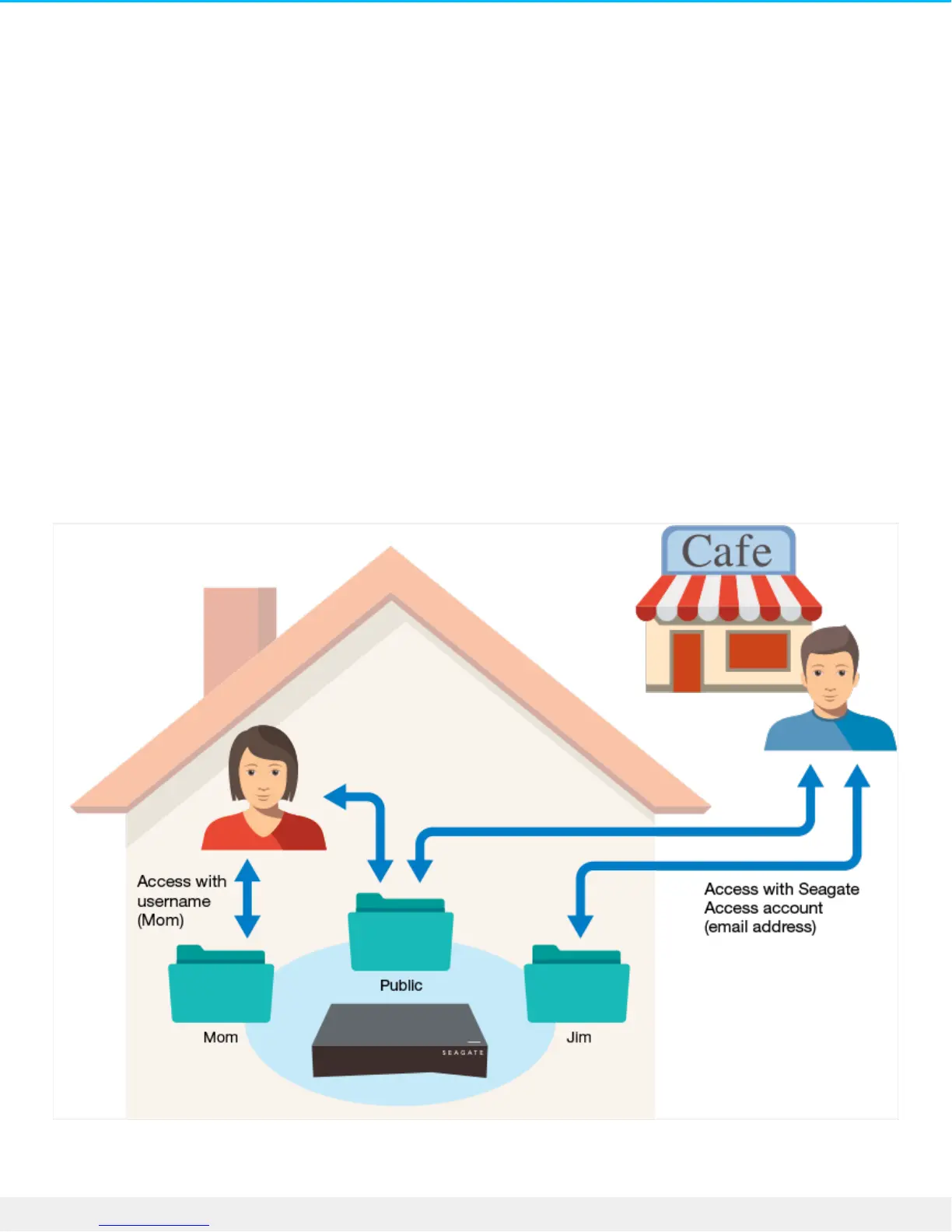
Public and Private Folders
Your Personal Cloud has a Public folder that anyone can use and a private folder where each local user can
store personal content that others cannot see.
What’s the difference?
Everyone on your home network can access the Public folder. Anyone who has been given a Seagate Access
account to the storage device can also access the Public folder. Use the Public folder for files you want to
share and for your centralized media library.
A private folder is created for each user account and is password protected. Use your private folder to back
up content that you don’t want to share with others.
Which folder to use





 To Next Page