location (offsite).
Backups between Seagate Personal Cloud and other network
storage devices
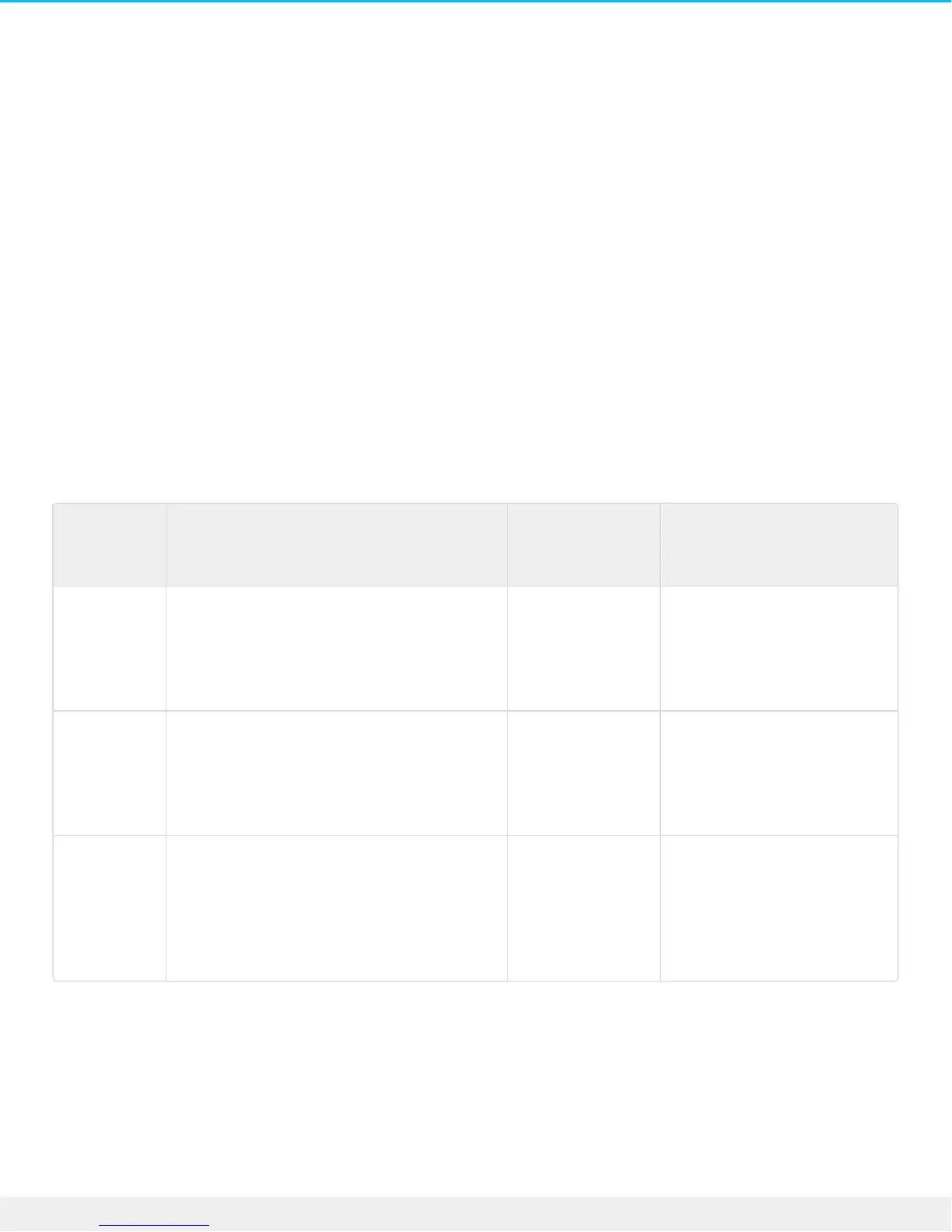
Backups to and from your Personal Cloud and other Seagate network storage devices require a unique
destination share called server.
Backups to and from your Seagate Personal Cloud and a third-party network device can use an existing
shared folder.
For example, the owner wants to back up shares on Seagate Personal Cloud A to Seagate Personal Cloud B.
Seagate Personal Cloud A is the source network device and Seagate Personal Cloud B is the destination
network device. To receive the backup data from Seagate Personal Cloud A, the destination device,
Seagate Personal Cloud B, must enable its Network Backup server. Refer to the table below for examples of
backups to and from Seagate and third-party network devices.
Type of
network
backup
Source device Destination
device
Destination folder
Backup to a
Seagate
network
storage
device
Seagate Device A on the local network Seagate Device
B on the local or
remote network
(offsite).
Network Backup server
Backup to a
third-party
network
storage
device
Seagate Device on the local network. Third-party
network device
on the local or
remote network
(offsite).
Shared folder on the third-
party network device that
supports a compatible
network protocol (see
below).
Backup
from a
third-party
network
storage
device
Third-party network device on the local
or remote network (offsite). The device’s
shared folders must support a
compatible network protocol (see
below).
Seagate Device
on the local
network.
Shared folder on the
Seagate network device.
Enable Network Backup server
Before configuring network backups between Seagate devices, the administrator must enable the Network
Backup server on the destination device.
1. Go to Backup Manager > Network Backup server.
2. Choose Enable.
3. At the prompt, enter and confirm a password. The password can be different from the password you





 To Next Page