OPERATION
MANUAL
Product: Document #: Rev: Page:
SEAKEEPER 6 90403 1 4 of 6
Section 2: SYSTEM OPERATION
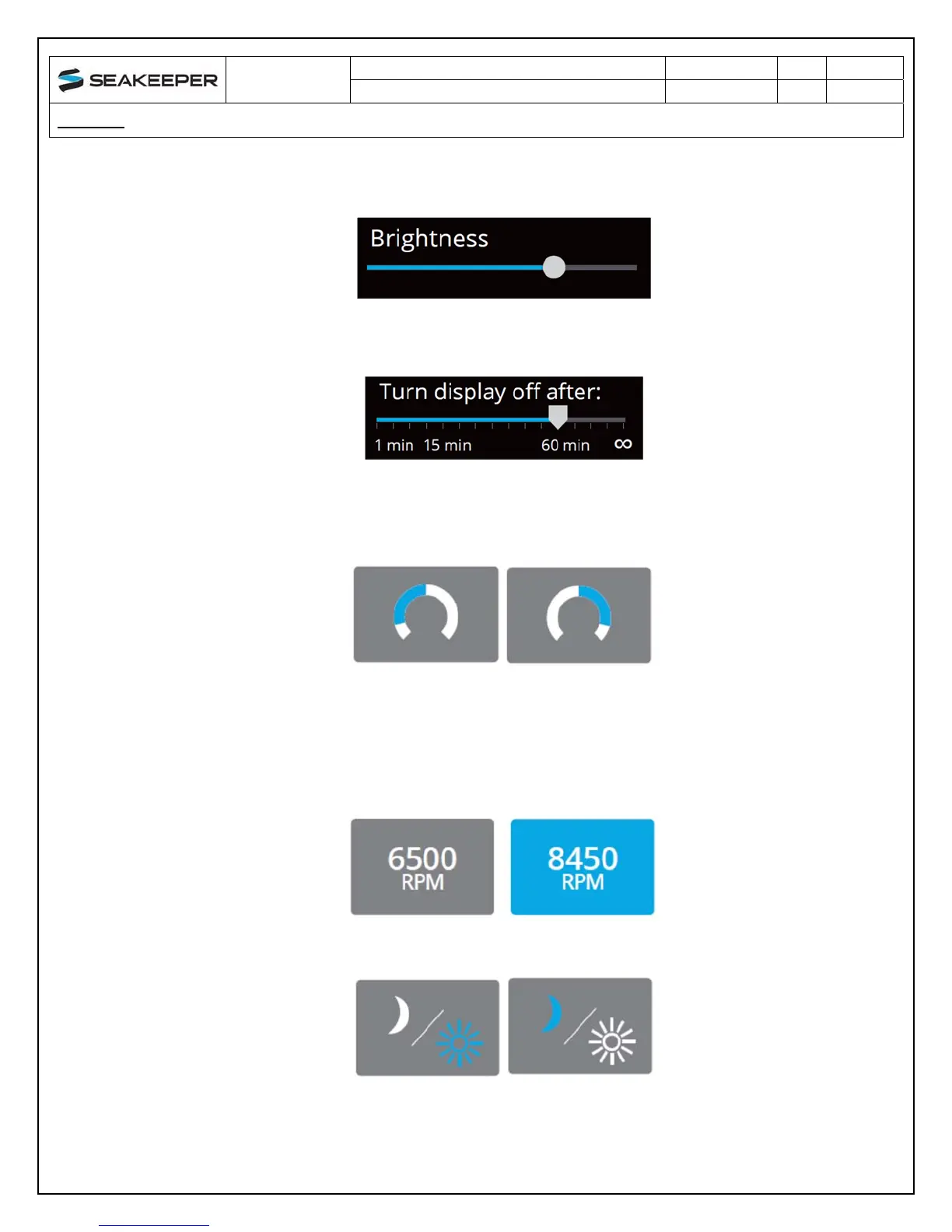
Increase or decrease the brightness of the display with the brightness slider.
Adjust the sleep timer from 1 minutes to 60 minutes or on all of the time using sleep time
slider. Touching the screen will wake the display up after it has gone to sleep.
Change the sign of the roll angle value displayed in the roll angle gauge so the gauge
matches the motion of the boat. This will depend on installation orientation and will only
need to be adjusted once.
Change the speed of the Seakeeper between normal operation and low power
operation. The selected speed is colored blue. When power is cycled (or Seakeeper
turned Off), this speed will default back to the normal operating speed. Speed selection
buttons shown below are examples and may not match operating speed of installed
Seakeeper.
Change the display between day and night mode. The selected mode is colored blue.


 To Next Page