OPERATION
MANUAL
Product: Document #: Rev: Page:
SEAKEEPER 6 90403 1 5 of 6
Section 2: SYSTEM OPERATION
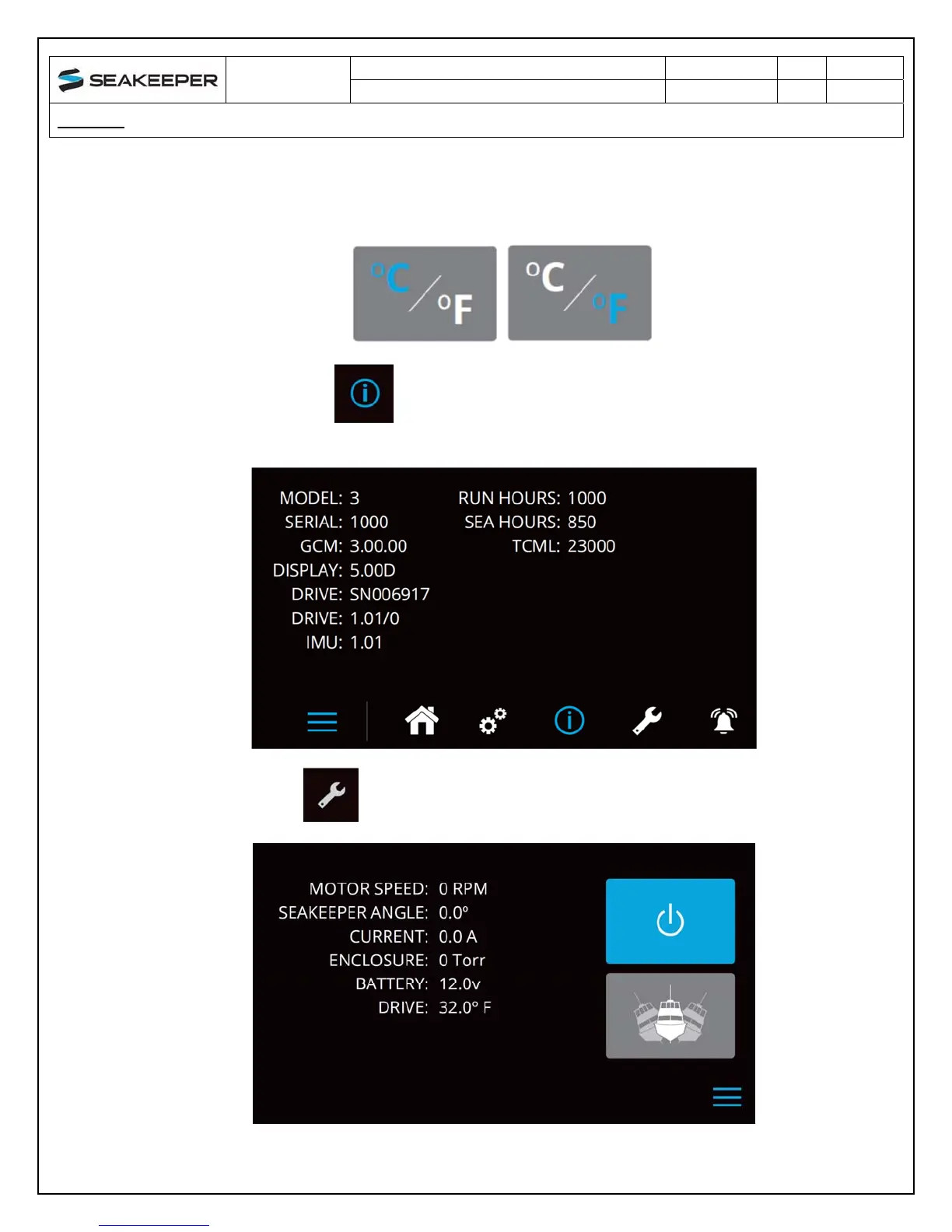
Change the units of the temperatures displayed on the service page between degrees
Celsius and degrees Fahrenheit. The selected units are colored blue.
6) The information page displays the Seakeeper model, Seakeeper serial number,
Seakeeper software versions, RUN hours, and SEA hours, and other information
7) The service page displays operating information from the Seakeeper.


 To Next Page