4-2
© 2013 SeaStar Solutions i6800 Installation Supplement, Rev. C
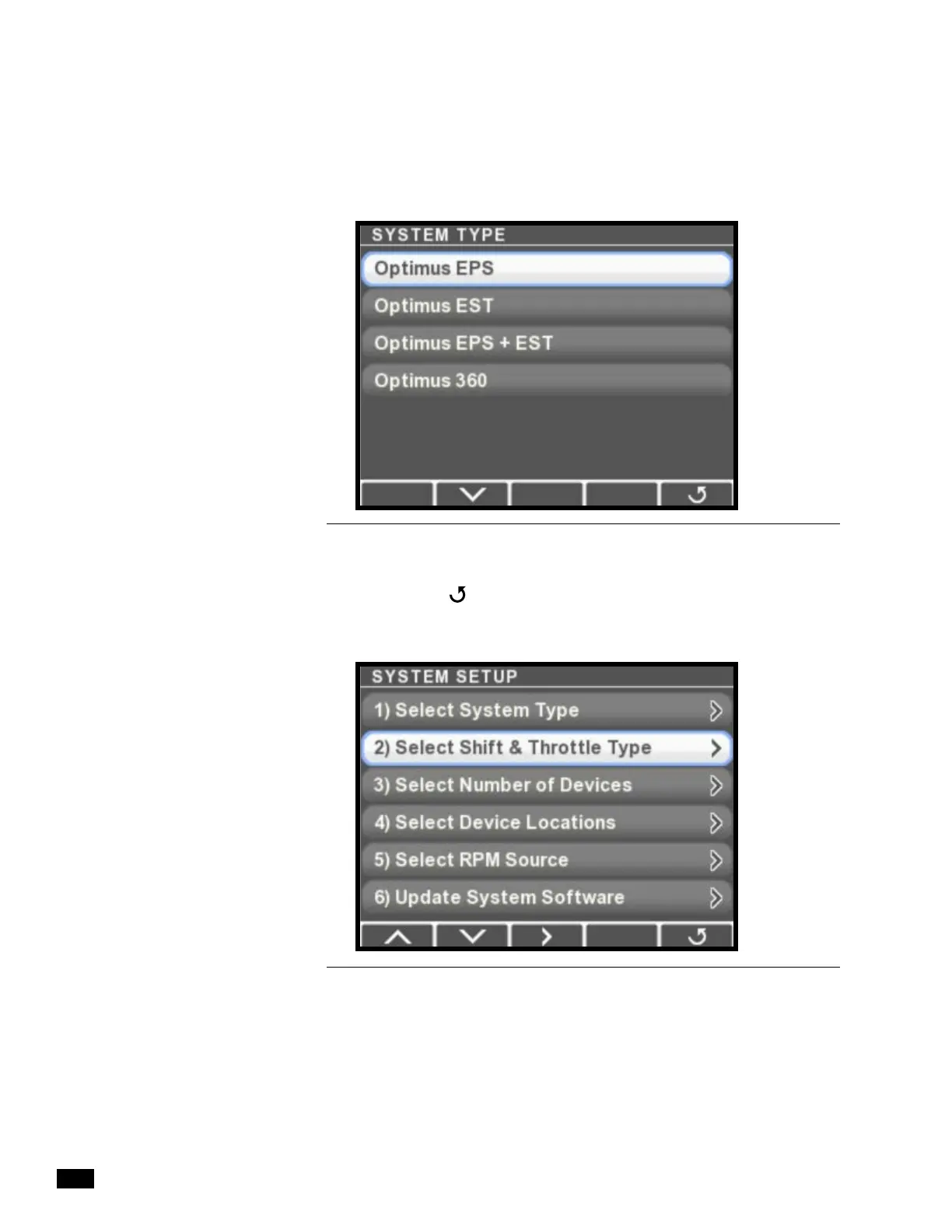
2. Press > to enter the System Type menu.
3. Use the down arrow button to select Optimus EST, then press
Save. Press
to return to the System Setup menu. You’ll see
that the menu now has an item called Select Shift & Throttle
Type. Highlight it and press >.
Figure 4-2.
Figure 4-3.


 To Next Page