C-5
© 2013 SeaStar Solutions i6800 Installation Supplement, Rev. C
C.4 Actuator Setup
C.4.1 Step 1 – Actuator Configuration Using Datalink
This step will establish communication between the shift and throttle
actuators and Datalink and will configure the shift and throttle actuator
settings. From the factory, all actuators default to being Port Shift
actuators. This section will assign the correct function to each of
the actuators.
Ensure mechanical cables are not connected to the actuators at
this point.
CAUTION
Procedure
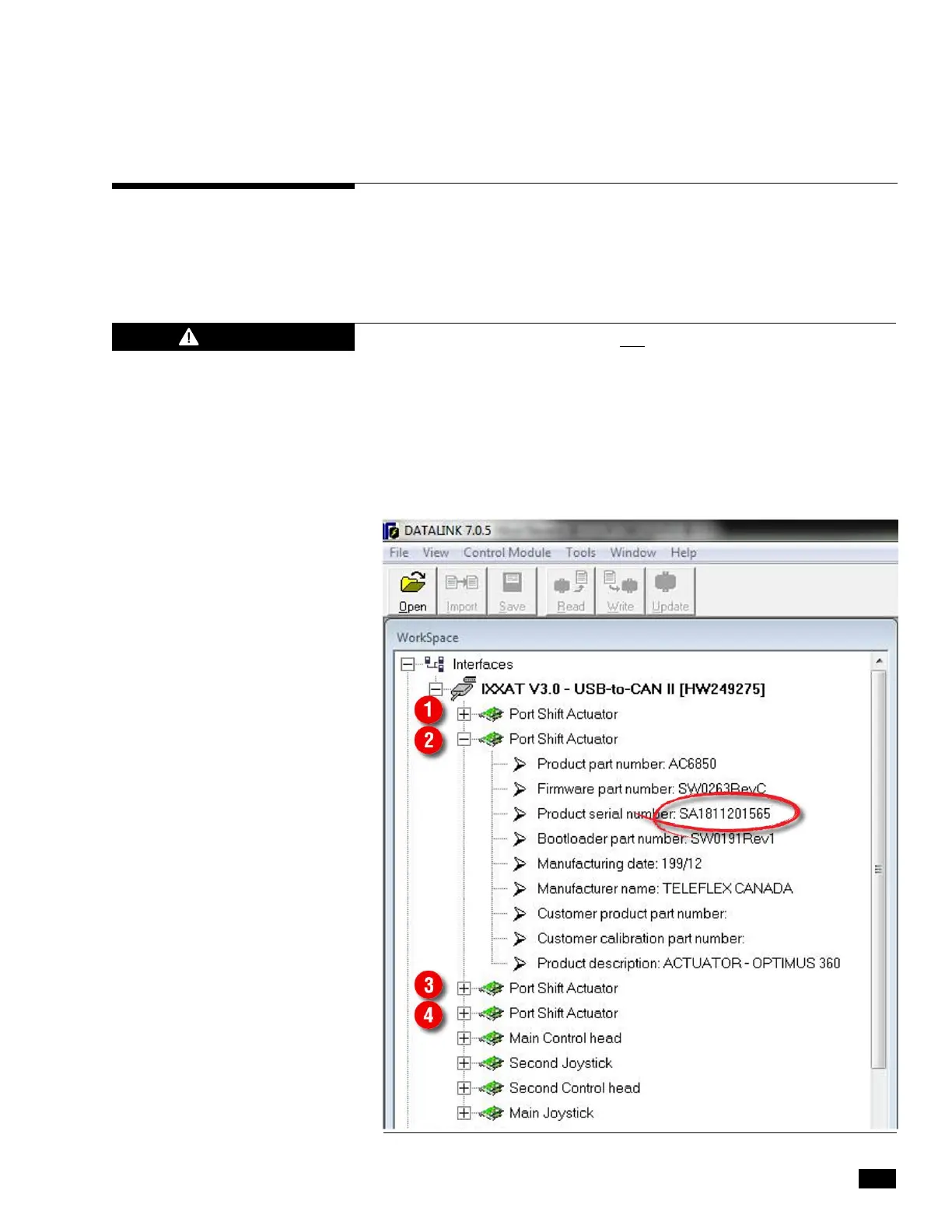
1. In the Datalink workspace you should see two Port Shift Actuators
for each engine, as shown in figure C-3 below. Click on the + beside
an actuator to view the part and serial number information
associated with it.
Figure C-3. Shift/Throttle actuator configuration.


 To Next Page