Replacement instructions
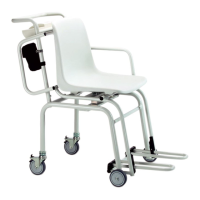
seca 374/376
24.09.2010 /MRE 5 30-34-00-813
2.2 Replacing load cells
(see Fig. 03)
When replacing a load cell (F), unsolder the 4 cable connections (G) for the cell from
the electronics module (H). Please also refer to the cabling diagram no.
08-02-06-050
Remove the screws to separate the load cell (F) from the scale. It is easier to fit the
new load cell (F) if you use the connecting cable of the old load cell to pull in the
connecting cable of the new load cell or an auxiliary cable.
For adjustment, turn the scale over so that the tray is facing down. Choose a suitable
support to keep the scale stable in this position.
2.3 Replacing the electronic module
(see Fig. 03)
Unsolder all cable connections from the electronic module (H) before unscrewing the 6
screws from the module.
For adjustment, turn the scale over so that the tray is facing down. Choose a suitable
support to keep the scale stable in this position.
2.4 Replacing the mains connection
(see Fig. 03)
Unsolder the 2 mains cables from the electronic module (H) and unscrew the screws
to detach the mains socket (I) from the frame.
2.5 Replacing the radio module
(see Fig. 03)
Unscrew the plastic screw (J) from the radio module (K) and detach the radio module
from the connector.
Figure 03: Replacing load cells, electronic module, mains connection, radio module
G
H
F
J
K
I



 To Next Page