78 •
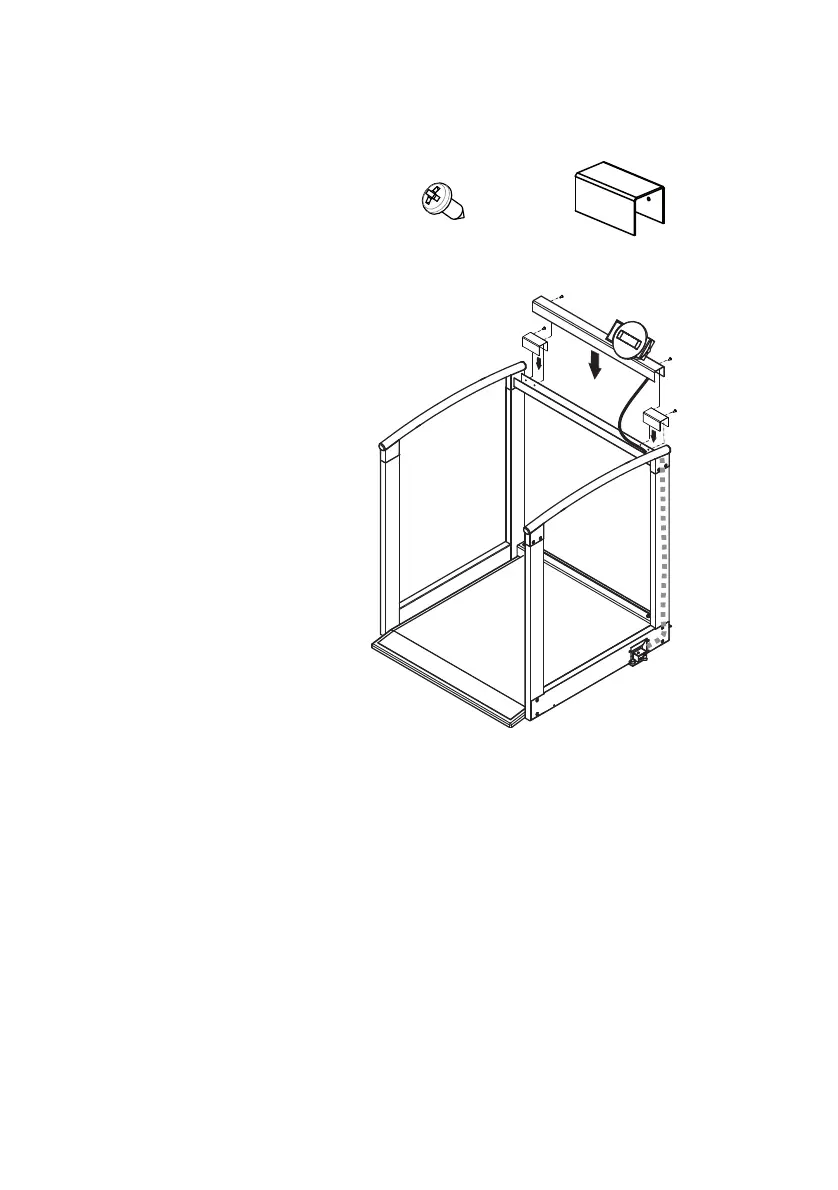
Assembling the display
support
You need the following fastenings for this assembly
step:
1. Insert the loose end of the display cable in the top
cross-piece so that the connector points towards
the right-hand side part.
Caution!
Risk of tripping
If the display cable is pulled too far through the
upright, it forms a loop which patients and users
may trip over.
– Do not remove the cable ties on the display
cable. The cable ties determine the length of
the display cable. This allows it to be
conveniently connected to the electronics
box without forming a loop.
2. Push the display cable through the upright until the
connector protrudes at the bottom end of the up-
right.



 To Next Page