Operation • 45
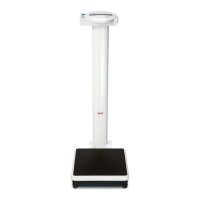
4.3 Set up scales
ATTENTION!
Incorrect measurement with force shunt
If the housing of the scales is resting on some-
thing, e.g. a towel, the weight measurement will
not be correct.
− When setting up the scales, ensure that they
only make contact with the ground via the
foot screws.
1. Place the scales on a flat, stable surface.
2. Align the scales by turning the foot screws.
5. OPERATION
5.1 Weighing
Start weighing 1. Check that there is no load on the scales.
2. Press the Start key.
The display will read
se[A and then quickly run
through all elements of the display.
The scales are ready for operation when the display
reads
0.00.
If the device is being operated with a power supply
unit, the symbol will appear in the display.
3. Step onto the scales and try not to move.
4. Read off the measured result.
Weigh babies/infants
(2
in 1)
You can use the 2 in 1 function to weigh babies and
infants. Here the child is held by an adult during weigh-
ing. Proceed as follows:
1. Check that there is no load on the scales.
2. Ask the adult to step onto the scales.
3. Read off the measured result.
4. Hold down the arrow key (hold/2 in 1) until NET
appears in the display.
The weight is stored.
0.00 appears in the display.


 To Next Page
 Loading...