18
3. Before you start…
Unpacking
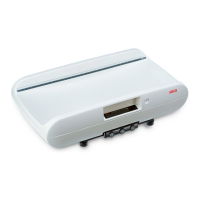
Remove the packaging and place the
based on a solid,
even surface.
The equipment supplied includes:
• Base of scales
• Column with integrated height meas-
urement and display head
• Protective cover for column
• SW 5 Allen spanner
• 2 screws
• seca AC adaptor
• Operating instructions with a declara-
tion of conformity
Mounting the column
– Place the protective cover onto the
column.
– Place the column in to the notch so
that the folding head slide is pointing
down toward the platform.
– Screw the column from beneath onto
the weighing platform.
– If needed, carefully place the scales
on the side to tighten the screws.
– As shown in the illustration, connect
the power supply cable on the bottom
of the weighing platform.
– Insert the plug of the display cable in
the jack on the bottom of the weighing
platform.
– Fasten the cable in the cable guide.
– Now put the device back in an upright
position.
– Slide the column cover all the way
down until it locks into place on the
weighing platform.


 To Next Page
 Loading...