Secure Power Ltd
User Manual
6
3.0 Installation
3.1 Unpacking and inspection
1. Unpack the UPS and check that it has not been damaged during transportation. If damage has
occurred or parts are missing, inform Secure Power Ltd immediately.
2. Check the annex (please consult Appendix Table 1).
3.2 Notes
1. Place the UPS in a clean, well ventilated and stable environment. Avoid locations with vibration,
dust, humidity and keep away from flammable gas, liquid and corrosive elements.
2. The ambient temperature around UPS should be in the range of 0℃~40℃. If UPS operates above
40℃, it is required that the rated value of the largest load decreases by 12% while the temperature
increases every 5℃ . The operating temperature must not exceed 50℃.
3.3 UPS input connection
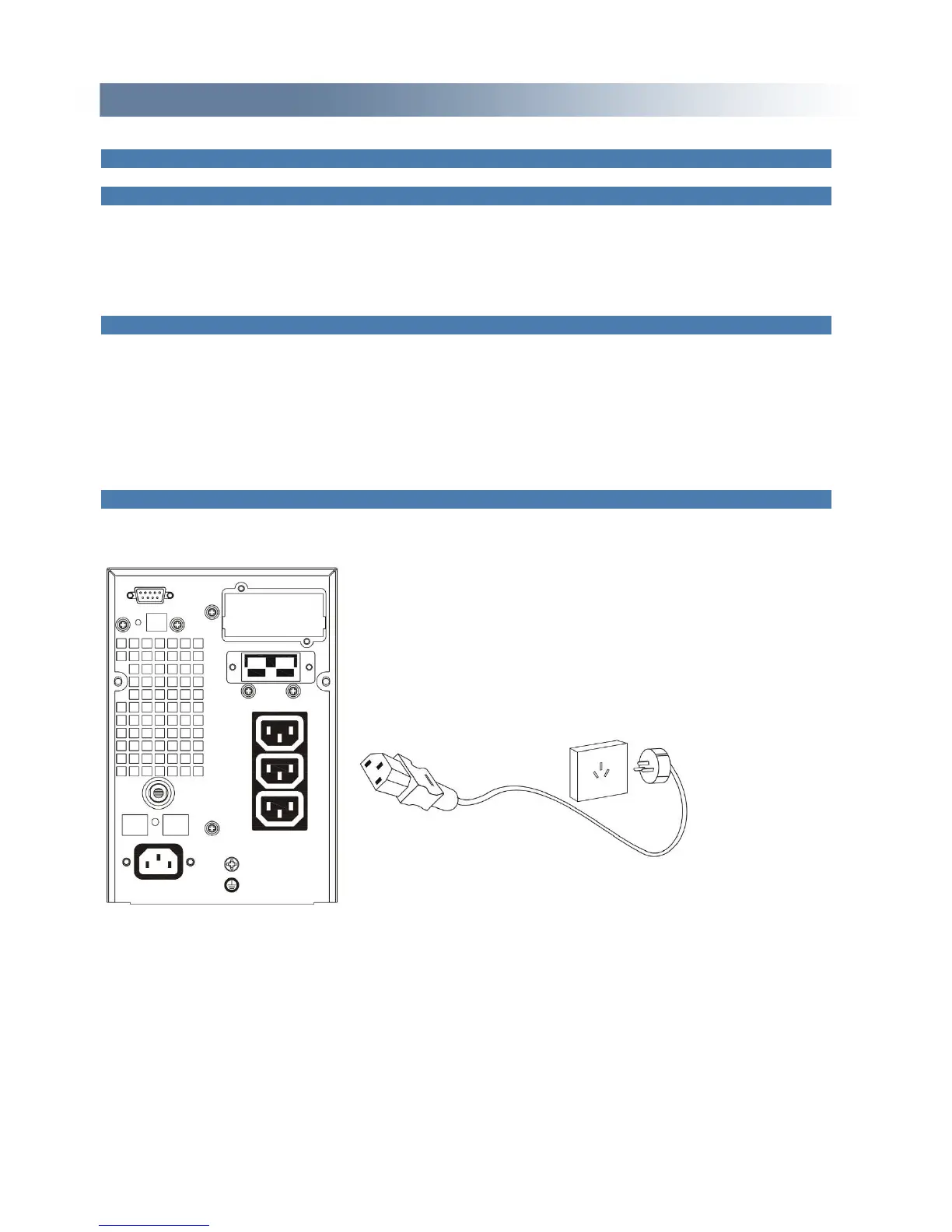
Connect the UPS to the mains by input power cable which is equipped with the UPS.
Fig 6. Input Connections


 To Next Page