EasyManua.ls Logo

Secure Power SP203 - User Manual

Default Icon
30 pages
Print Icon
To Next Page IconTo Next Page
Loading...
Secure Power Ltd
Moorgate Crofts Business Centre, South Grove, Rotherham, S60 2DH, UK
Telephone: 0844 567 9770
Fax: 0844 567 9771
Email: sales@secure-power.co.uk
Website: www.secure-power.co.uk
Secure Power Ltd
User Manual
SP200 Low Power UPS
SP201
SP202
SP203
S5264FU01

Questions and Answers

Summary

Safety Instruction

Safety Instruction

General safety precautions and warnings for UPS installation and operation.

Symbols

Explains safety symbols used in the manual to highlight potential hazards.

Product Introduction

The Appearance of the Product

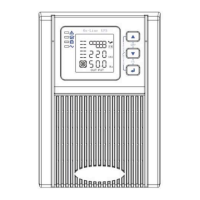
Visual overview of the UPS unit's front and rear panels, including ports and indicators.

The Principle of the Product

Diagram and explanation of the UPS's internal working principle and components.

Model

Details the different UPS models available and their key specifications.

Installation

Unpacking and Inspection

Steps for unpacking the UPS and checking for any damage or missing components.

Notes

Important guidelines for selecting an appropriate installation environment for the UPS.

UPS Input Connection

Instructions on how to properly connect the UPS to the main power supply.

UPS Output Connection

Guidance on connecting external devices (loads) to the UPS output sockets.

Long Backup External Battery Connection

Procedure for connecting an optional external battery for extended backup power.

Panel Display, Operation and Running

Faceplate Display Illumination

Overview of the UPS front panel interface, including display and indicators.

Keys Function

Explains the function of each button on the UPS front panel.

The Function of LED Indicators

Details the meaning of each LED indicator on the UPS front panel.

LCD Display Functions

Describes the information displayed on the UPS LCD screen and its graphics.

Start Up Operation

Details the procedure for turning the UPS on.

Turn Off Operation

Explains how to turn the UPS off in line mode and DC mode.

UPS Self-test;Mute Test Operation

Describes how to perform self-test and mute functions on the UPS.

Parameter Setting

Explains how to access and perform settings on the UPS.

ECO Mode Setting

Details how to enable or disable the ECO mode.

Bypass Mode Setting

Explains how to configure the bypass output mode.

Output Voltage Setting

Details how to set the output voltage.

Parameters Inquiring

Explains how to check various UPS parameters like input, output, battery.

Run Mode

Describes the different operational modes of the UPS.

Bypass Mode

Details the LED indications and conditions for bypass mode.

Line Mode

Explains the LED indications and conditions for line mode.

Battery Mode

Details the LED indications and conditions for battery mode.

ECO Mode

Explains LED indications and conditions for ECO mode.

Fault Mode

Describes LED indications and conditions for fault mode.

Maintenance

Replacing Batteries

Provides instructions and precautions for replacing UPS batteries.

Troubleshooting and Performance of Product

LED Indication and Warning Table

Provides a table of LED indications and associated warnings.

Appendix 1: Fault Codes

Lists fault causes and their corresponding fault codes for troubleshooting.

Appendix 2: The Corresponding Working Status of Indications

Details the working status and corresponding indicator lights.

Troubleshooting

Provides a table of common faults, their causes, and solutions.

EMC Standard;Safety Standard

Lists the EMC and safety standards the product complies with.

Product Performance

Presents detailed performance specifications for different UPS models.

Communication Interface

Introduces the communication capabilities of the UPS.

RS232 Communication Interface

Describes the RS232 DB9 connector pinout.

RS232 Cable Specifications

Provides details on the RS232 cable required for connection.

Optional Communication Interface

Describes optional communication interfaces like USB and SNMP cards.

Secure Power SP203 Specifications

General IconGeneral
CategoryUPS
ModelSP203
Capacity2000VA/1200W
Frequency50/60Hz
Battery Recharge Time4-6 hours
Transfer Time≤10ms
Communication InterfaceUSB

Related product manuals