Secure Power Ltd
User Manual
9
4.0 Panel display, operation and running
The operation of the UPS is simple, no special training is required. Operators only need to read the
manual and follow the simple operation instructions.
4.1 Faceplate display illumination
4.1.1 Keys function
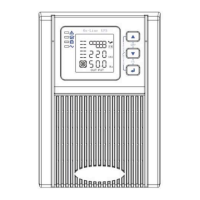
Fig 9. Front panel buttons instruction
ON key ( + )
Press and hold this key for more than half a second to turn on the UPS.
OFF key ( + )
Press and hold this key for more than half a second to turn off the UPS.
TEST/MUTE key ( + )
Press and hold the key for more than 1 second in Line mode or economical mode: UPS runs the self-
test function.
Press and hold the key for more than 1 second in battery mode: UPS runs the mute function.
INQUIRING key or
Non-function setting mode:
Press and hold the key for more than half a second (less than 2 seconds): Indicate the items of the
LCD item section orderly.
Press and hold this key for more than 2 seconds: Circularly and orderly display the items every 2
seconds, when press and hold the key for some time again, it will turn to output status.
Function setting mode:
Press and hold the key for more than half a second (less than 2 seconds): Select the set option.
Function setting key



 To Next Page