Secure Power Ltd
User Manual
17
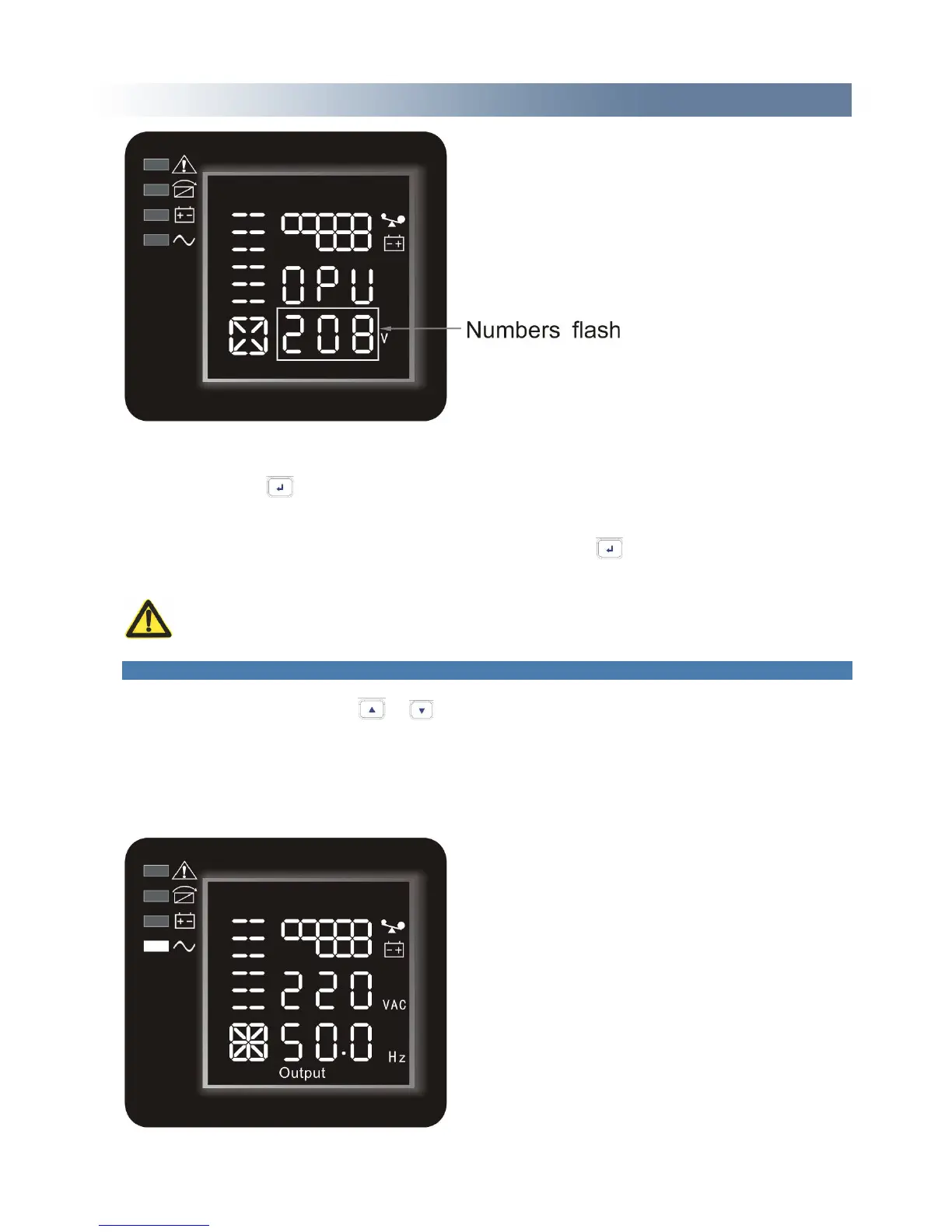
Confirm the output voltage selecting interface. After selecting numerical value, press and hold the
function setting key for more than half a second (less than 2 seconds). Now, the OPU setting
function is completed and the numerical value below the “OPU” will light without flash.
Exit from the setting interface. Press and hold function setting key for more than half a second
(less than 2 seconds), exit from the setting interface and return to main interface.
NOTE: When setting the output voltage, you’d better cut off the load of the UPS first.
4.4 Parameters inquiring
Press and hold the inquiring key or for more than half a second(less than 2 seconds) to
inquire about items. The inquired items include input, battery, output, load, temperature. The
displayed items on LCD screen are showed as following:
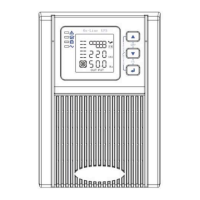
Output:Display the output voltage and output frequency of the UPS. As the following graphic shows,
the output voltage is 220v, the output frequency is 50Hz.



 To Next Page