Secure Power Ltd
User Manual
21
4.5.3 Battery mode
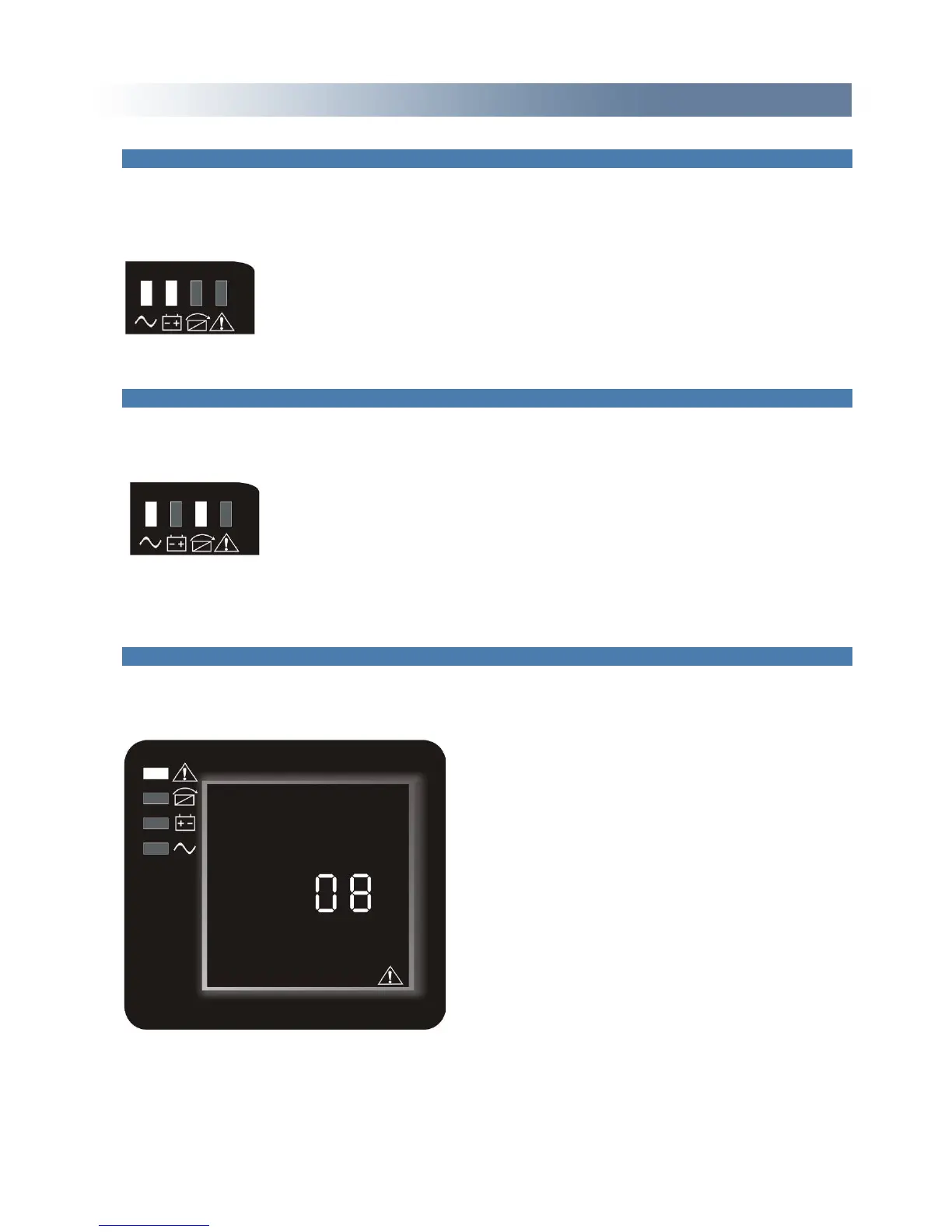
LED indications on front panel in battery mode are as following: both the inverter green and battery
yellow LED’s are on, the buzzer beeps once every 4 seconds. The warning red LED is on when
beeping.
When the mains power down or instable the UPS will switch to battery mode.
4.5.4 ECO mode
LED indications on front panel on ECO mode are as following: both the inverter green and bypass
yellow LED’s are on.
When the input mains meets the input range of the ECO mode and start the ECO function, the UPS
will works on ECO mode. If AC mains input exceeds the range of ECO several times in a row in a
minute but stays in inverter input range, UPS will work on AC inverting mode automatically.
4.5.5 Fault mode
LED indications on front panel in fault mode are as following: warning red LED is on
Fault mode (LCD interface on which the fault code display)
When UPS has a fault the warning LED will be lit and the buzzer will sound. UPS will turn to fault
mode. UPS cuts off the output and LCD display fault codes. At the moment, you can press the mute



 To Next Page